Problem/Motivation
The problem:
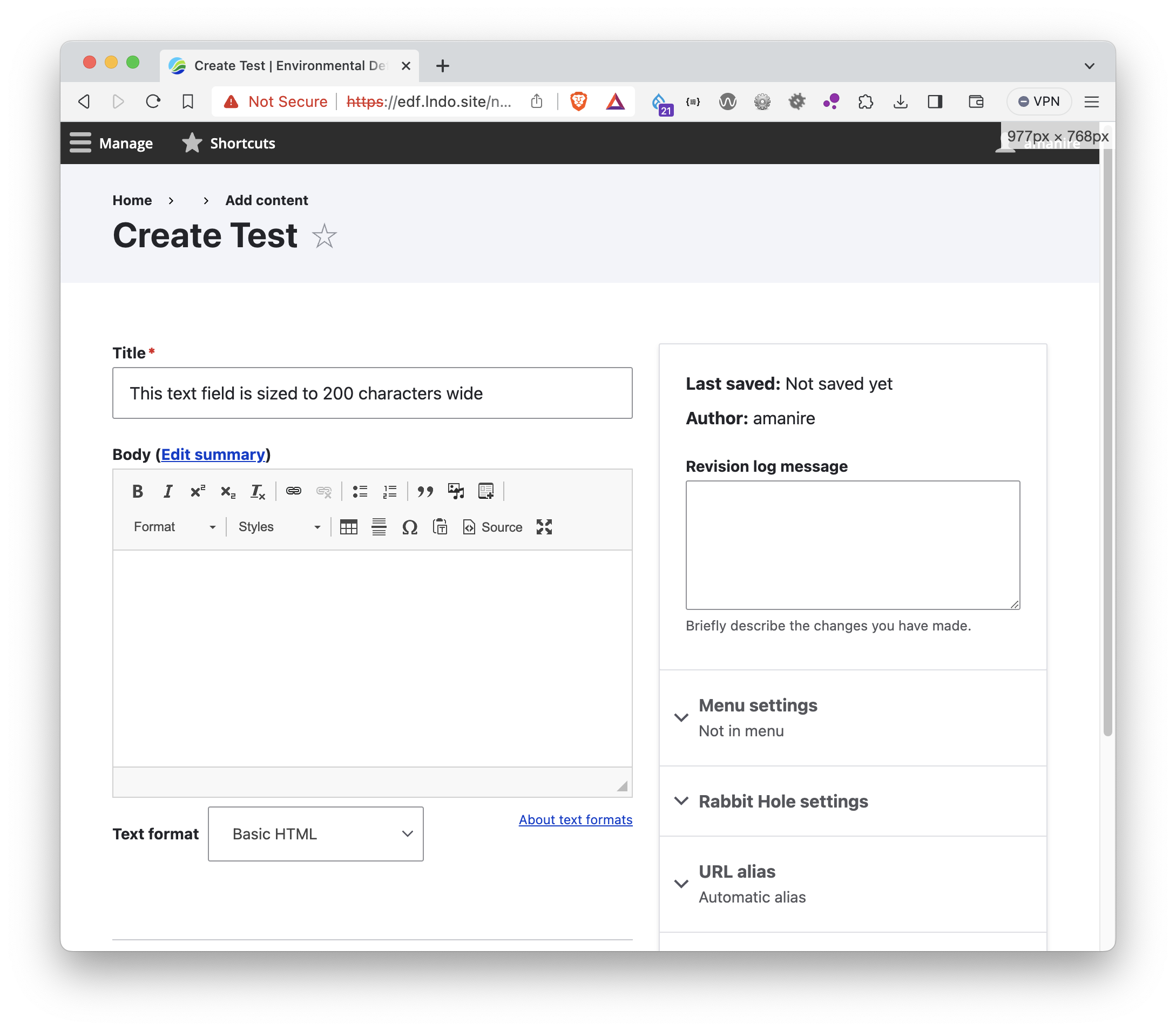
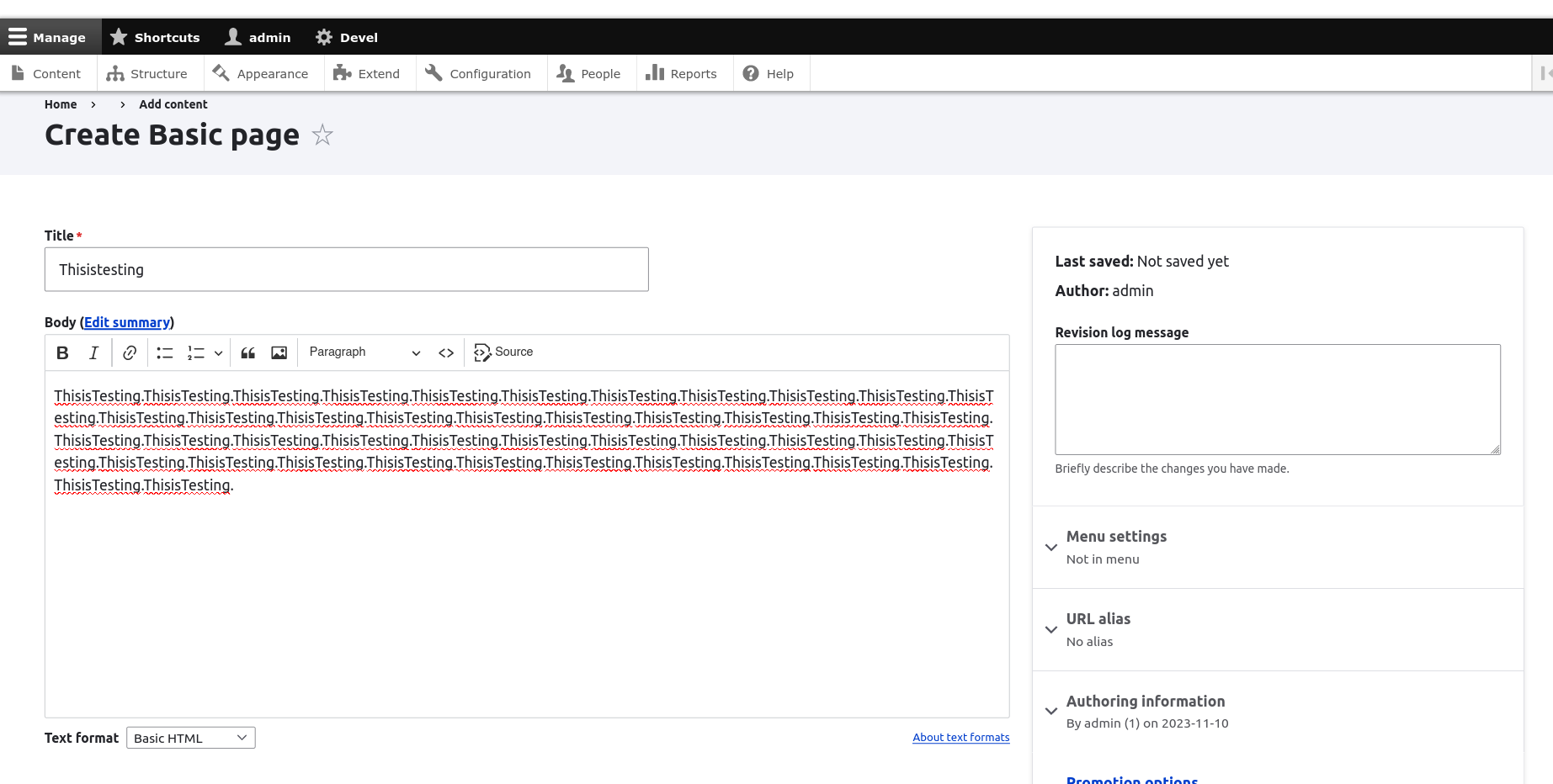
The Claro admin theme's layout breaks when you try to add a long string to the CKEditor5 window or try to edit it.
For a clearer description of the issue, see a recording of the bug triggering.
Steps to reproduce
You need a Drupal instance that uses Claro as admin theme. You need a content type that has a body field which uses a text format that uses CKEditor5.
Try to create a new node and add a long string, which is at least 200 characters long to be sure to see the issue.
You will experience that the distance/gap between the main region and secondary region becomes huge, you probably need to zoom out to find anything but the white background.
Expected behaviour:
Width and position of the main content does not change, and the long string does not overflow the CKEditor5 text box.
What happens instead:
As soon as you enter the long string the position of the main content changes, its left/right spacing increases so that the main content region is pushed to the right. If the string is long enough you even have to zoom out in your browser to be able to see the main content.
Proposed resolution
Add theming changes to Claro.
Remaining tasks
User interface changes
API changes
Data model changes
Release notes snippet


 Show commands
 changes





Comments
Comment #2
peterbihari commentedComment #3
peterbihari commentedThe provided patch adds changes to the theming of Claro.
Comment #4
peterbihari commentedA patch is provided which adds theming changes to Claro theme.
Comment #5
simohell commentedI can confirm this bug on Drupal 10.2 alpha1, testing with Umami on OSX Chrome 119.0.6045.123
Pasting a very long string, the body-field moves right almost completely outside viewport. Uploading a video to demonstrate. I will test the patch against dev branch.
Comment #6
simohell commentedComment #7
simohell commentedComment #8
simohell commentedComment #9
rushikesh raval commentedYes I also confirm this bug is on Drupal. 10.1.6. I have tested on Drupal 10.1.6. I have applied patch #5 on Drupal 10.1.6 which solved this bug. I have attached screenshot before the patch and after patch for reference.
So moving this issue to RBTC +1
Comment #10
simohell commentedThe patch changes the UX significantly for large screen and is out of scope for this issue. Very wide textareas are usually considered bad UX.
I working on this at the moment at Helsinki contrib event and my current goal is to fix the bug without changing the layout as a whole.
Comment #12
simohell commentedComment #13
smustgrave commentedThink you win most random bug of the week haha. Definitely was able to confirm this issue using a generated string of 2000.
MR 5327 does address the problem. Hiding patches for clarity.
Comment #14
shabbir commentedTested the Merge Request and it seems to do the trick. I agree with @simohell that changing the grid layout on core theme template might have even further bad repercussions. The MR just handles the width's aspect and that should be the way forward.
Comment #15
lauriiiI posted one minor comment in the MR 😊
Comment #16
simohell commentedQuite right. Missed that one, but now it should be ready.
Comment #17
simohell commentedFunctionality not changed since previous review
Comment #18
klidifia commentedTested on a Simplytest install this seems to work properly :)
Comment #19
amanire commentedI've been just comparing the solution in this MR against the work in #3381219 and while it does resolve the issue with the main column expanding, it also introduces a fixed width when the browser viewport is between 976px and 1278px wide. On narrower viewports, the user must scroll to the right to view and edit the secondary column. I think we should consider this a regression, since the prior float-based layout was fully responsive and compressed the main column. I've confirmed that the scrolling appears in multiple browser engines.
I don't know, maybe I'm biased. But I prefer this approach from https://www.drupal.org/project/drupal/issues/3381219.
Comment #20
simohell commentedOk. I updated the CSS so, that this fix does not create regression to Firefox and Safari.
Firefox and Safari continue to have certain clipping in some viewport widths, but not more than with the current production version. FF and Safari both also benefit from this fix even if other add/edit form layout issues still affect those browser.
I think this small fix is ready to be merged and the other browser specific issues could be handled in #3381219: Node form layout issues with Claro theme.
Comment #21
amanire commentedIf you are referring to my comment in #19, I am testing in Brave 1.60.114 Chromium: 119.0.6045.124, and am still seeing the same horizontal scrollbar in other browsers. I was not describing a cross-browser issue, but a hard-coded width issue that results in scrolling on any browser viewport width between 976px and 1278px wide.
Comment #22
simohell commentedThe current MR does not add any hard-coded widths, so maybe you are testing an older commit?
Perhaps the old CSS is cached in your setup. Or you have some custom plugin or forced CSS that overlaps here.
With an extremely long string the width may increase for Firefox and Safari but without the change the whole form is pushed away from viewport. Current dev branch does have certain viewport widths where some browsers clip the sidebar a bit, but that is not caused by this MR.
Comment #23
amanire commentedAh, sorry, I described that poorly @simohell. The problem with the horizontal scrolling on narrower viewports is caused by
grid-template-columns. That issue is noted and addressed in this patch and comment:https://www.drupal.org/project/drupal/issues/3381219#comment-15238921
Comment #24
simohell commentedAh. But it's not a regression by this issue, so this would be improvement as such. I noticed that you updated the other MR so I'll check that one and compare results. This one fixes one single bug, the other one maybe more. Changing only one thing was an idea to get it merged quickly but let's see.
Comment #25
simohell commentedIt looks like the fix for current core layout was simpler than I thought.
I managed to test this right, all that was needed was setting a minimun value for main column:
not
grid-template-columns: 3fr minmax(22.5rem, 1fr);but instead
grid-template-columns: minmax(0, 3fr) minmax(22.5rem, 1fr);Comment #26
amanire commentedI just tested the latest change in the MR and it works great for me at wide (1920px) and narrow (977px) viewport widths in MacOS Brave (Chromium), Firefox and Safari. Combine that with the feedback in https://www.drupal.org/project/drupal/issues/3381219#comment-15321780 and I think we can update the status to RTBC. Nice work @simohell!
Comment #30
lauriiiCommitted 5c2760e and pushed to 11.x. Also cherry-picked to 10.2.x. Thanks!
Comment #31
keszthelyi commentedCreated a patch from the accepted solution for anyone, like me, who needs to use a fixed patch file.
Comment #32
simohell commented@keszthelyi it's a bit hidden, but you can get the patch directly from the MR clicking the text "plain diff"'
Comment #33
keszthelyi commented@simohell yes, I'm aware of that, but our CI doesn't allow MR patches (not even on commits). I could have used a local patch, but I know there are others in the same situation, so maybe it will be useful for others.
Comment #35
amanire commentedI'm testing a Drupal 10.3.0 upgrade and seeing this issue again. It looks like a regression.
Comment #36
amanire commentedLooks like it was reverted as part of https://www.drupal.org/project/drupal/issues/2519362.
Comment #37
2dareis2do commentedThanks @amanire
I am seeing the same or similar on 10.3
Comment #38
2dareis2do commentedOk what I am seeing is a bit confusing
In 10.2.x we had node-add.css
see https://github.com/drupal/drupal/tree/10.2.7/core/themes/claro/css/layout
which had the following:
So this was applied to .layout-node-form but layout-node-form appears to have changed to
.layout-formSo previously in
https://github.com/drupal/drupal/tree/b06bf11bfb1cf4bffa74710cd2ff1b1dd6...
we seemed to inherit from starter kit
https://github.com/drupal/drupal/blob/b06bf11bfb1cf4bffa74710cd2ff1b1dd6...
Now the we have form-two-columns.html.twig in claro
e.g.
https://github.com/drupal/drupal/blob/b06bf11bfb1cf4bffa74710cd2ff1b1dd6...
The markup is slightly different.
Also, node-add.css has been removed and it looks to me as if the new css has now been moved to form-two-columns.css
e.g.
https://github.com/drupal/drupal/blob/b06bf11bfb1cf4bffa74710cd2ff1b1dd6...
previously this was in node-add.css
So, basically the i fix looks like the same as before, but applied to
layout-formrather thanlayout-node-formComment #39
2dareis2do commentedComment #40
2dareis2do commentedAs the info is here on this issue, it might make sense to reopen this issue.
Certainly this regression appears to be a direct result of https://www.drupal.org/project/drupal/issues/2519362
Alternatively, we could create a new issue as the fix will be slightly different. i.e. the element we are targeting has changed its class name attribute and also changed where the css is kept.
Comment #41
2dareis2do commentedComment #42
2dareis2do commentedPatch works for me without issue.
I have also opened issue with https://github.com/cweagans/composer-patches/issues/579
This is useful if you have patches for both core and contrib. There is a bug in composer-patches that prevents you from applying patches with different patch levels i.e. core (level 2) and contrib (level 1) without specifying without using the -vvv flag and having to step through patches with different patch levels.
Really not sure why this, layout with node edit form, was not picked up in any regression testing. It seems that using the node edit form is quite a common requirement to me.
Comment #43
2dareis2do commentedComment #44
simohell commentedI asked @laurii and @xjm in slack admin UI about due process to fix this. Based on Lauri's the answer I will open a new issue.
Comment #45
simohell commentedThe new issue to re-fix this is ready for review.
Comment #46
2dareis2do commentedThis looks like it has been fixed in 10.3.2
One less patch 😀
Thank you.