
 Come together with the global Drupal community in Rotterdam, 28 Sept – 1 Oct 2026. Sessions, contribution, connection, and Early Bird savings until 8 June.
On this page
Installing and Configuring Better Exposed Filters
Last updated on
5 July 2024
Installation
Install the Better Exposed Filters module using the standard installation method for contributed modules.
It is recommended that you use composer to install the module.
composer require drupal/better_exposed_filters
Configuration
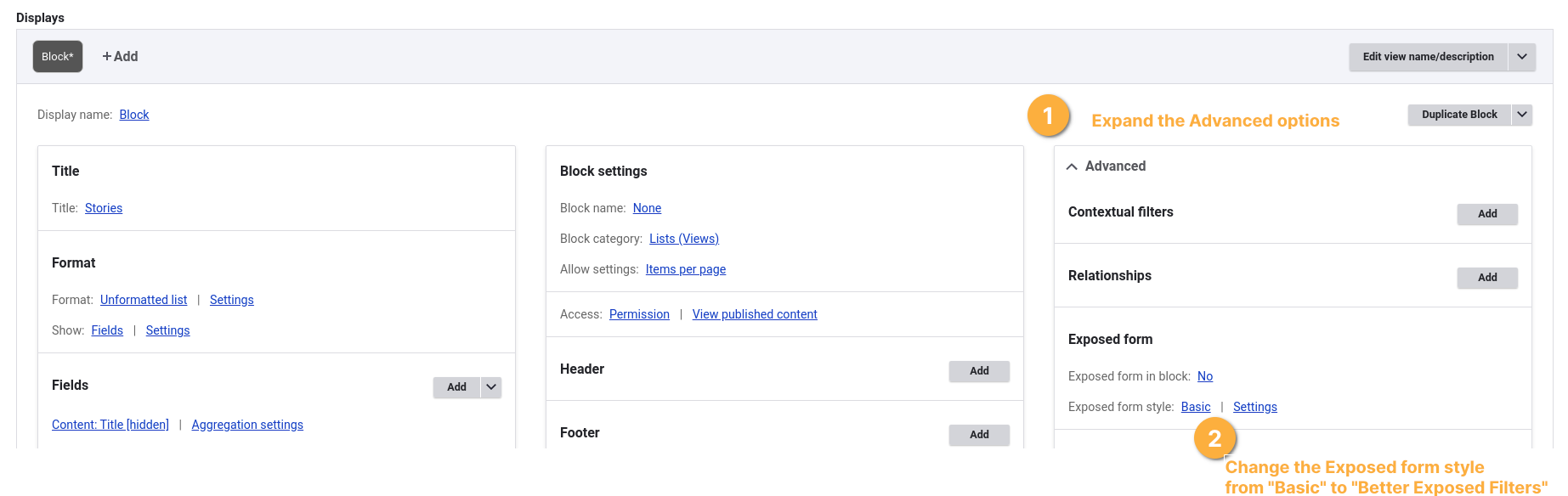
Once installed and enabled, navigate to a View using an exposed filter.
- Expand the Advanced options
- Change the Exposed form style from Basic to Better Exposed Filters
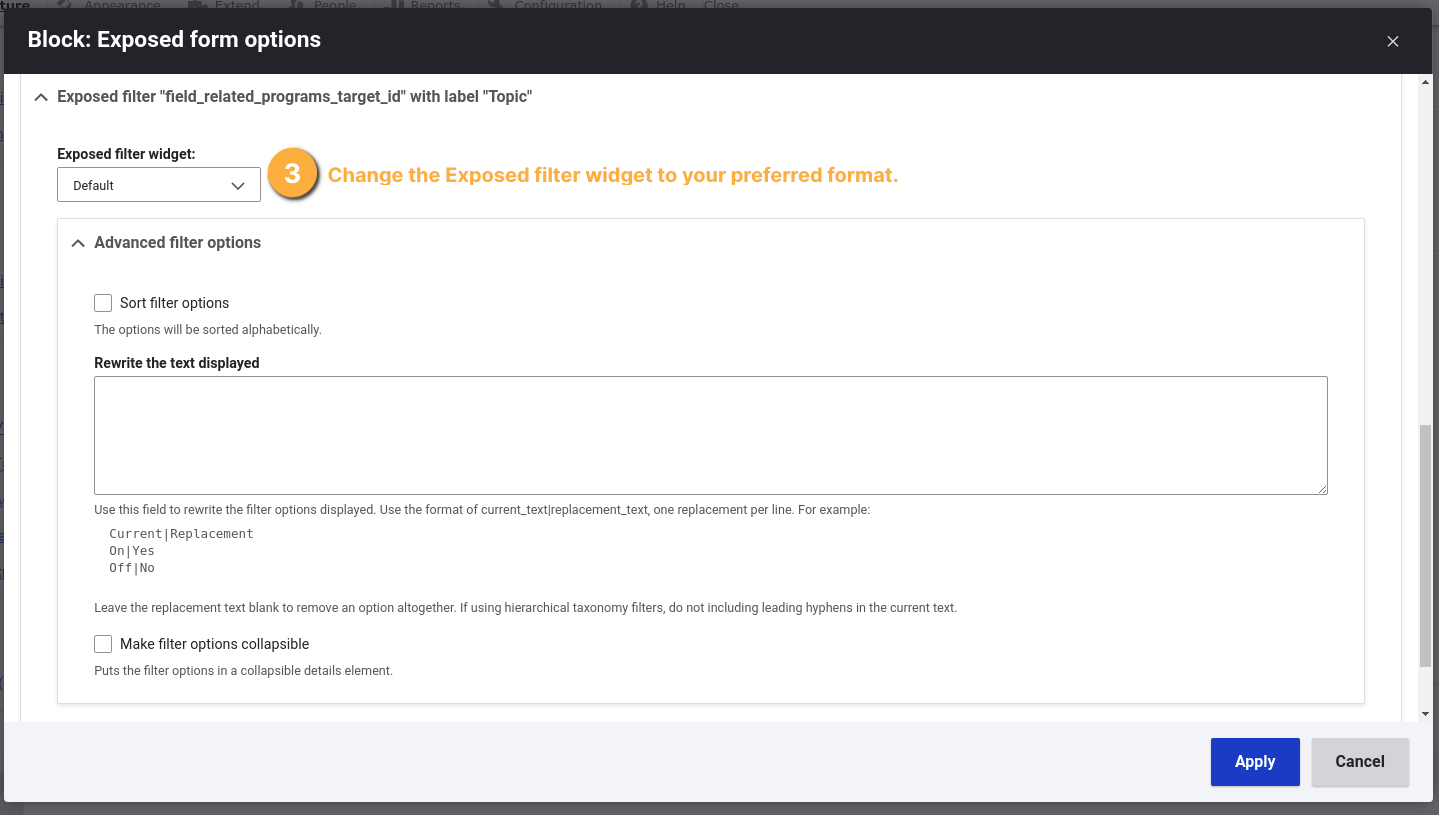
- In the Settings of the Exposed form style change the filter format and behavior to your liking.

Help improve this page
Page status: No known problems
You can:
You can:
- Log in, click Edit, and edit this page
- Log in, click Discuss, update the Page status value, and suggest an improvement
- Log in and create a Documentation issue with your suggestion
