Problem/Motivation
#3205565: Add language of parts plugin brought #1993928: Language of parts: Introduce a language toolbar button to CKEditor 5. Yay!
But #1993928: Language of parts: Introduce a language toolbar button had a crucial UX improvement on top of what CKEditor 5 provides, by adding some CSS.
See for yourself:
- CKEditor 4

- CKEditor 5

This was done through core/modules/ckeditor/css/plugins/language/ckeditor.language.css, whose contents are trivial:
/**
 * Show the user that a 'lang' tag has been applied by adding a thin dotted
 * border. We also append the value of the tag between brackets, for example:
 * '(en)'. Since the html element has a 'lang' attribute too we only target
 * elements within the html scope.
 */
html [lang] {
  outline: 1px dotted gray;
}
html [lang]:after {
  content: " ("attr(lang)")";
  color: #666;
  font-size: 10px;
}
Unfortunately, we cannot simply replicate this in CKEditor 5, because the CKEditor 5 architecture is completely different. We cannot load any CSS into a CKEditor 5 instance! (In that sense, #3194084: Support functionality equivalent to ckeditor_stylesheets is related too.)
Steps to reproduce
TBD
Proposed resolution
- Before
-
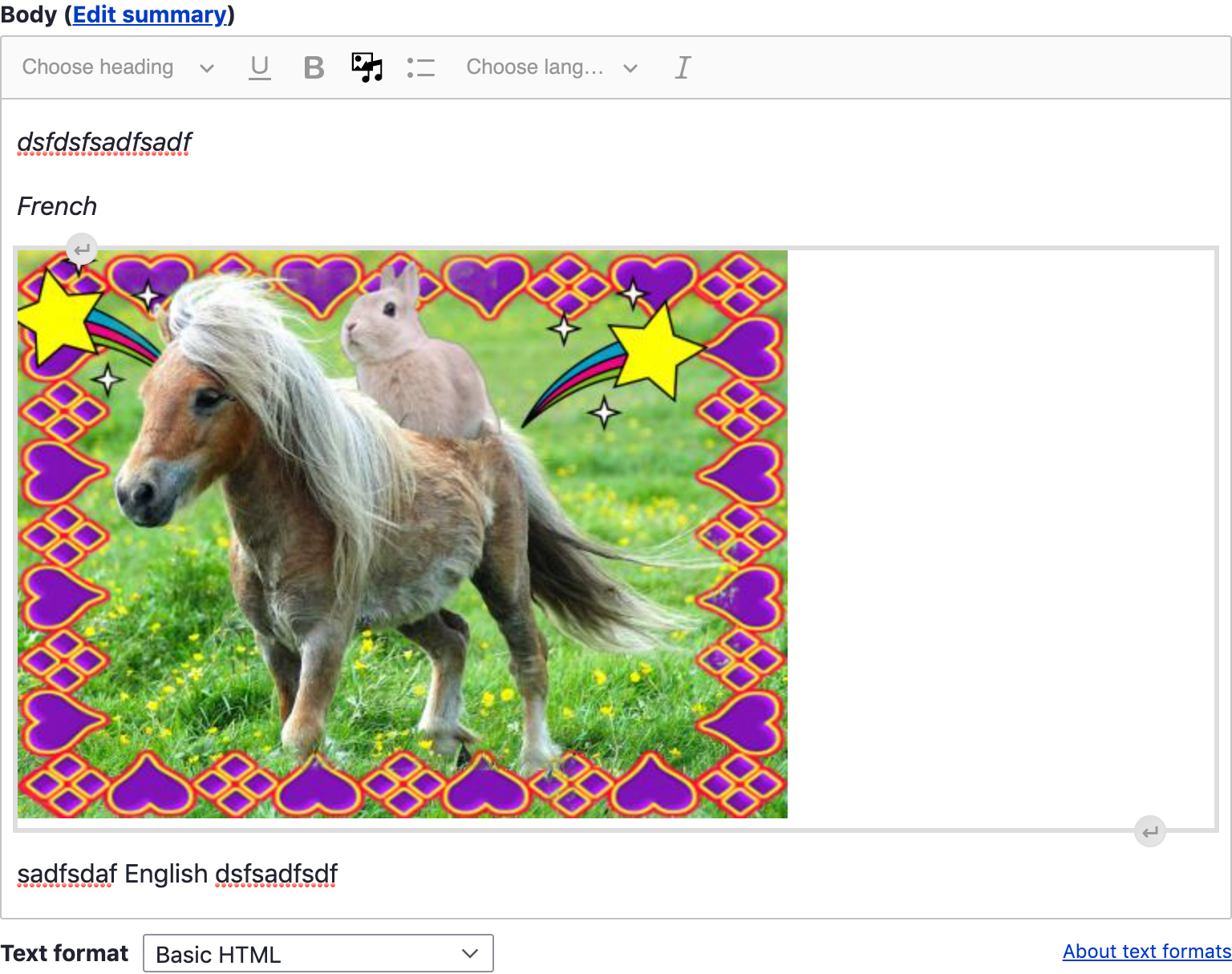
- After

Remaining tasks
TBD
User interface changes
TBD
API changes
TBD
Data model changes
TBD


 Show commands
 changes





Comments
Comment #2
wim leersComment #3
Reinmar commentedCKEditor 5 also allows you to style the content via a stylesheet. There's no concept of `config.contentsCss` because it's unnecessary now. Since we don't use an iframe anymore, your page's stylesheets affect CKE5 directly.
You can read more in https://ckeditor.com/docs/ckeditor5/latest/builds/guides/integration/con.... But the short story is – add `.ck-content span[lang]` to your page's stylesheet and that will affect how the language parts are styled in the editor.
Comment #4
wim leersThank you! 😊
We'll give that a try!
Comment #5
wim leersAnd YAY, @lauriii just pointed out that thanks to the different architecture in CKEditor 5, we don't need any new infrastructure here, we can just add it to the asset library that loads the language plugin! 🥳
Comment #6
wim leersYay for not needing
\Drupal\ckeditor\CKEditorPluginCssInterfaceanymore! 🥳Comment #8
lauriiiReviewed the MR and tested manually and all looks good 👌
Comment #11
zrpnrThis matches the css in ckeditor.language.css but scoped for ckeditor5 with
.ck-content.Thanks!