Problem/Motivation
I am doing bulk updates for comments list with pagination.
I have a view to display list of unpublished comments with pagination.
I am displaying 10 comments and operation is to publish the comments.
Suppose there are 12 unpublished comments.
I am on page 2 and select all comments(2 on second page) to publish. Once the operation is performed, it stays on page 2 with message, "No comments found".
In actual, there are 10 comments present on page 1.
In this case, it should be redirected to page 1 but it is staying on page 2.
Drupal version : 8.9.14
PHP Version: 7.4.15
Steps to reproduce
Steps to Reproduce the Issue:
1. Install Drupal
2. log in as an admin
3. Go to "admin/structure/views/view/content"
4. And update the "items per page" to 4 from the Pager option.
5. Now create 10+ dummy content.
6. Go to the "/admin/content" page.
7. Go to last page of the content list.
8. Select all the content and delete them.
9. Verify the page number. The page number is updating to 2, but no content is displayed, while we have content on that page.
(This is the issue that we fix in this ticket).
Proposed resolution
Remaining tasks
User interface changes
Introduced terminology
API changes
Data model changes
Release notes snippet




Comments
Comment #2
nishantghetiya commentedHello @mahesh.umarane
Please attach view to display a list of unpublished comments with pagination on the issue description and provide some screenshots if possible.
Comment #3
mahesh.umarane commentedThanks for the reply.
Its almost same as the core views of 'comments' i.e./admin/content/comment/approval
I also have attached the screens here, PFA.
Comment #4
mahesh.umarane commentedComment #5
richa_porwal commentedHi Team,
I have created patch for the above problem motivation. Need review.
Comment #6
richa_porwal commentedComment #8
meenakshi_j commentedFixed the fails of #5
Comment #9
ambuj_gupta commentedComment #10
ambuj_gupta commentedSteps to Reproduce the Issue:
1. Install Drupal 8.9.x
2. log in as an admin
3. Go to "admin/structure/views/view/content"
4. And update the "items per page" to 4 from the Pager option.
5. Now create 10+ dummy content.
6. Go to the "/admin/content" page.
7. Go to page 3 of the content list.
8. Select all the content and delete them.
8. Verify the page number. The page number is updating to 2 and no content is coming on it. While on that page we have content. (This is the issue that we fix in this ticket).
Testing Results:
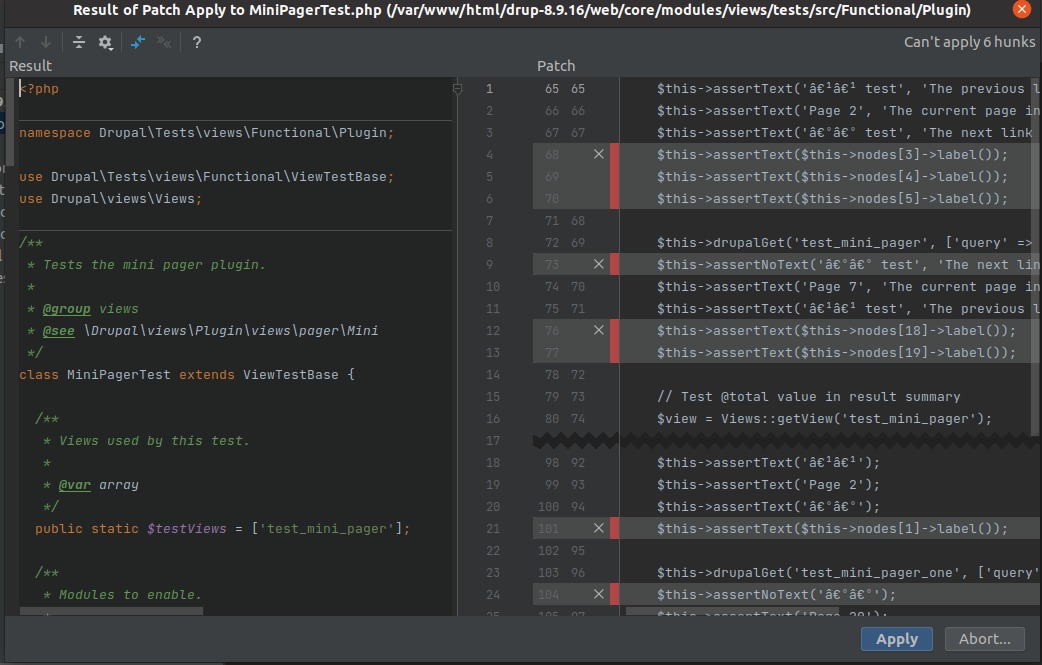
I am not able to apply the patch. I tried manually as well but the patch not applied successfully.
Comment #11
dhirendra.mishra commentedI have manually added the changes by looking at #8. Now this patch should work
Comment #12
dhirendra.mishra commentedComment #13
ganesh_kumar commentedHi dhirendra.mishra
This patch getting failed during upgrade of drupal 8 to latest release drupal 9 #3215465-11.patch. and getting the below error refer failed patch one while during update the composer.
Could you please update the patch of supporting the D9 as well to sort out this issue.
Failed Patch
Could not apply patch! Skipping. The error was: Cannot apply patch https://www.drupal.org/files/issues/2021-07-14/3215465-11.patch
Comment #14
avpadernoDrupal 8.9.x is now open only to security issues.
Comment #15
ganesh_kumar commentedHi apaderno,
I have created the patch of latest version of Drupal core 9.2.5 and verified this patch and fuctionality working fine as expected.
Kindly check the patch of #13 comment - New Patch : 3215465-13.patch. Please verify the same.
Comment #16
gauravvvv commentedFixed custom command failed, added interdiff for same.
Comment #17
vikashsoni commentedApplied patch #16 applied successfully and looks good for me
Thanks for the page ------
Steps to Reproduce the Issue:
1. Install Drupal 9.2.x-dev
2. log in as an admin
3. Go to "admin/structure/views/view/content"
4. And update the "items per page" to 5 from the Pager option.
5. Now create some approx 15 dummy content.
6. Go to the "/admin/content" page.
7. Go to last page of content list
8. Select all the content and delete them.
9. Verify the page number. The page number is updating to 2 and no content is coming on it.
10 . Now apply the patch and rebuild the cache u will and check it you will get expected result
Comment #20
borisson_This change looks to be a fix for a really annoying bug, so that is great. I don't like that we have a lot of changes in the tests, but it looks like that is because we were explicitly testing the presence of this bug? That sounds like a very weird thing it the design of those tests.
I'm not sure if need a change notice, but I would love if it if we could update the issue summary with the steps in #17
Comment #21
Manibharathi E R commentedPatch #16 Applied successfully on Drupal 9.4.x.
Before Patch:

After Patch:

Comment #22
gaurav-mathur commentedApplied patch #16 succesfully and working fine on drupal 9.4.x, refer to the screenshot.
Thank you
Comment #24
joachim commentedLooks like this still needs an issue summary update.
I'm thrown by this quite big change to the test expectation. What's happening here??
Use getItemsPerPage().
I'd like comments here to explain what we're calculating.
This feels a bit hacky.
Is there a way of doing the calculation without having to force it to be positive at the end?
Comment #25
dhinakaran commentedRerolled the patch for 9.5.x vesion
Comment #26
_utsavsharma commentedPatch for 9.5.x.
Comment #27
_utsavsharma commentedComment #28
borisson_Tests fail in latest patch + we need to figure out why the test expectations have change so much. Back to needs work.
Comment #30
johnvThe problem is not only for this view, but for every view.