Problem/Motivation
#3021388: Table style update introduced the following change:
table {
-  width: 100%;
-  margin: 0 0 10px;
+  min-width: 100%;
+  margin-top: var(--space-l);
+  margin-bottom: var(--space-l);
The width attribute is overridden by the default ckeditor skin in /core/assets/vendor/ckeditor/skins/moono-lisa/editor.css, but min-width is not:
.cke_reset_all * {
...
width: auto;
...
}
This causes some modal to display over the full width of the viewport:
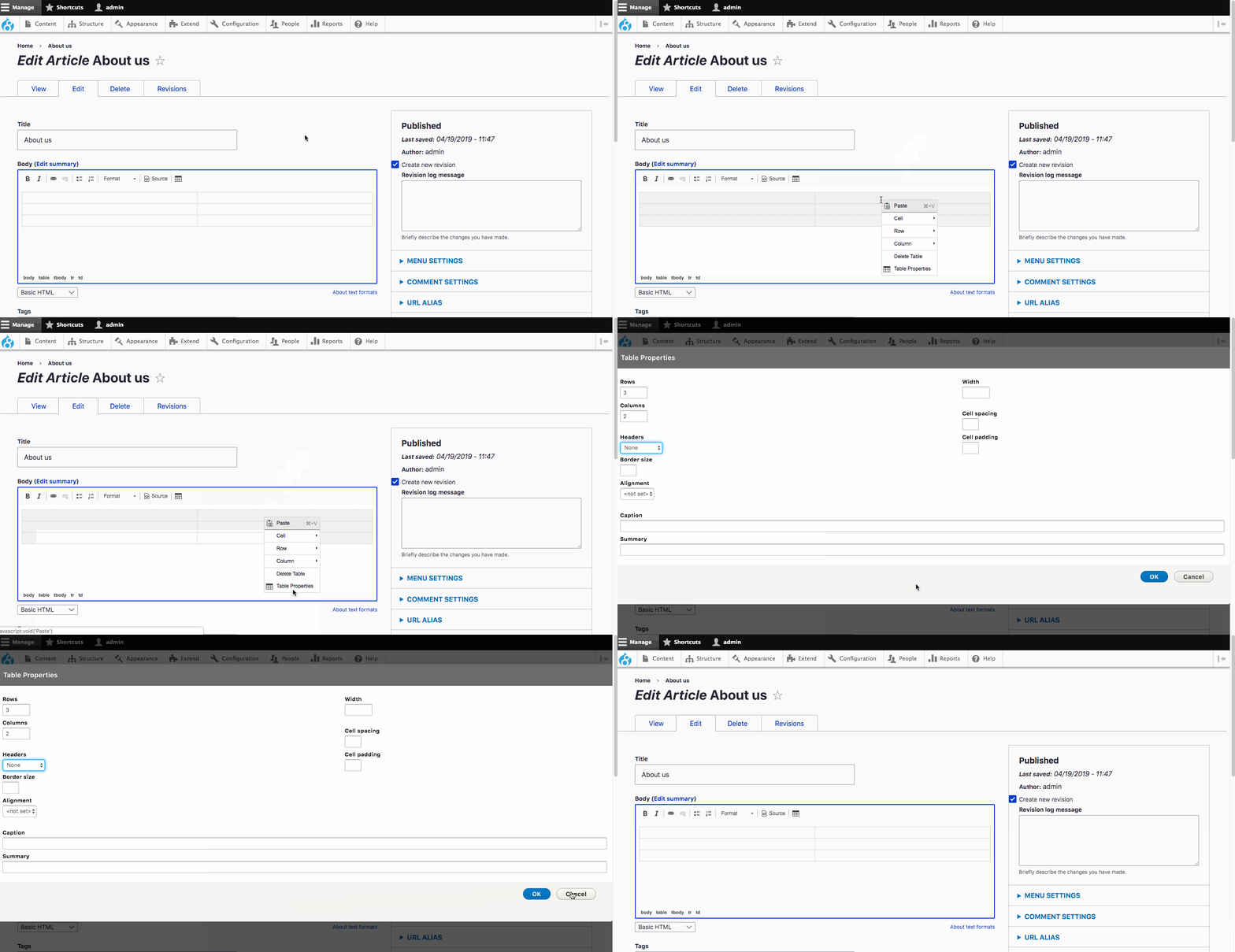
Proposed resolution
Use table { width: 100%; } in line with the Seven implementation.
Remaining tasks
- Write a patch
- Review
- Commit
User interface changes
All modals use a width similar to Seven in Drupal core.
API changes
None.
Data model changes
None.



Comments
Comment #2
idebr commentedAttached patch replaces
table { min-width: 100%; }withtable { width: 100%; }in line with the Seven implementation.Comment #3
idebr commentedComment #4
zrpnrPatch applied cleanly to the latest version of Claro.
I followed the steps, the tables now are a better width in the modal.
Changing min-width to width seems like a good solution to allow the editor css to override that property.
Marking RTBC
Comment #5
lauriiiComment #6
lauriiiIt seems like the CKEditor issue is separate from the dialog issue but nonetheless, both issues should be solved. It seems like changing to width rather than min-width solves the problem. I tested the patch and I couldn't find any regressions. Would be great to get a signoff from @huzooka as well.
Comment #7
huzookaSince I can't really remember why I changed
widthtomin-width, I'd say let's apply this fix!Comment #9
lauriiiCommitted. Thank you everyone!