

 Come together with the global Drupal community in Rotterdam, 28 Sept – 1 Oct 2026. Sessions, contribution, connection, and Early Bird savings until 8 June.
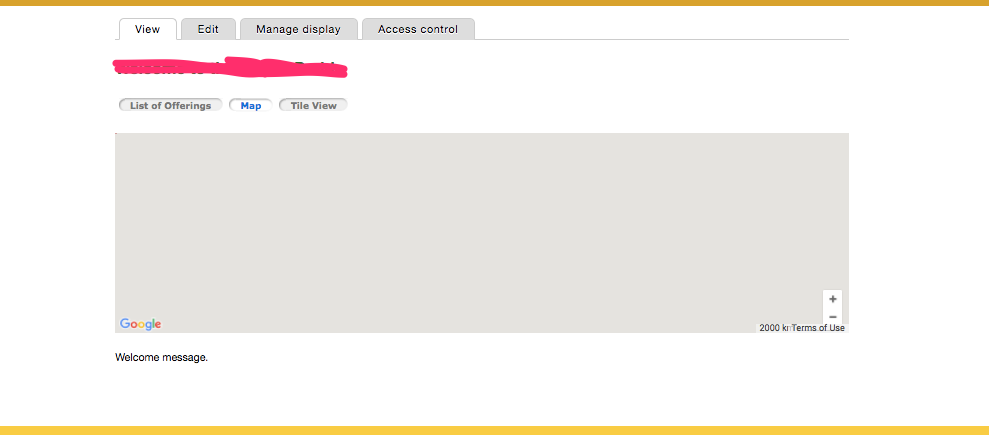
I've installed QuickTabs and am using it to create three tabs, each one is a different view of the same data. One of the views is a views Geofield Map. Everything works fine if the Map is the default tab. However, if the map is NOT the default map, then it does not render when selected. Rather, I see a large gray block in the place of the map (see attached image).
I've tried using both Geofield Map and IP_Geolocation to render the map in views, neither of them work.
I've tried with AJAX on and off (settings for quicktab), but neither work. I've turned AJAX on in the view to see if that would help, but it does not.
If the map is not the default image, but I zoom in or out on the page with the browser when the map is visible, the image renders.
Any thoughts or suggestions?
| Comment | File | Size | Author |
|---|---|---|---|
| #2 | map-not-working.png | 23.06 KB | stpaultim |

Comments
Comment #2
stpaultim commentedComment #3
stpaultim commentedComment #4
stpaultim commentedFound another link with clues to a possible solution. This is not in Drupal, but seems to be exactly the same problem.
https://stackoverflow.com/questions/15983947/why-doesnt-my-map-render-in...
https://stackoverflow.com/questions/9458215/google-maps-not-working-in-j...
Comment #5
stpaultim commentedThere is some CSS in comment #72 of #352247-72: Gmap centering has error on hidden Quicktab tabs (was: How to display two gmaps properly) that seems to resolve the issue for me.
Comment #6
stpaultim commentedComment #7
smustgrave commentedWith D7 EOL approaching in a month I'm starting to triage the D7 side of quicktabs queue.
If still an issue or needed for 4.0.x (latest branch) feel free to reopen