
4.2. Editing Basic Site Information
Last updated on
14 April 2025
- In the Manage administrative menu, navigate to Configuration > System > Basic site settings (admin/config/system/site-information) to change the Site name, Slogan, administrative Email address, or the Default front page path.
Fill in the available fields as appropriate for your site.
Field name Explanation Example value Site name
Used to identify the site and displayed in browsers
Anytown Farmers Market
Slogan
Usually displayed sitewide
Farm Fresh Food
Email address
Used as From address in automated email messages (registrations, password resets, etc)

- After editing the fields, click Save configuration to see the changes applied to the site.
- In the Manage administrative menu, navigate to Configuration > Regional and Language > Regional settings (admin/config/regional/settings).
- Select the appropriate country from the Default country select list in the Locale section, and set which day will be displayed as First day of week on your site.
In the Time zones section, select the sitewide Default time zone from the list and configure user-specific time zones.
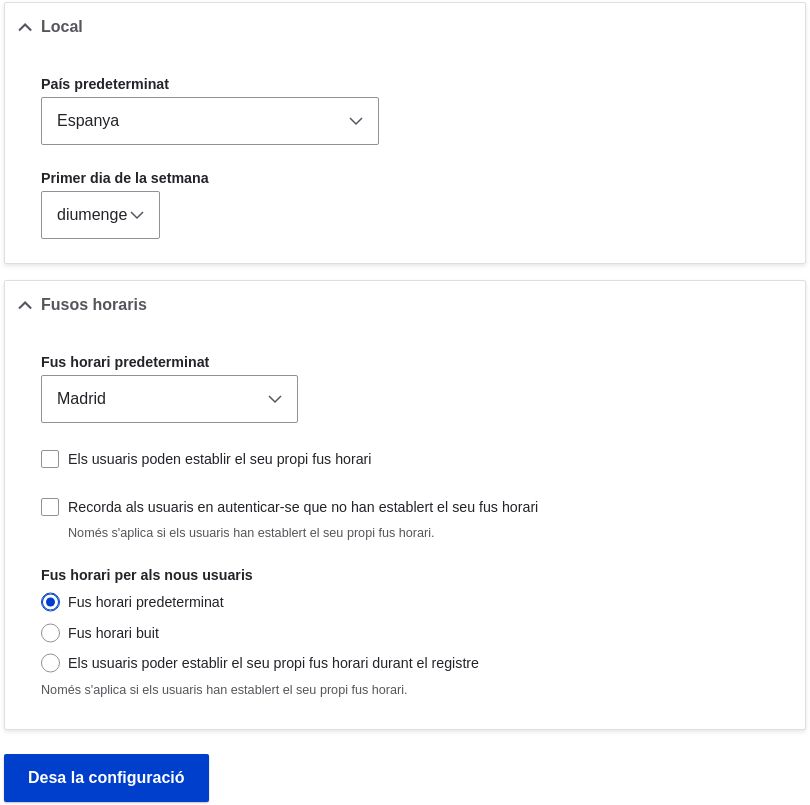
- After editing the fields, click Save configuration to see the changes applied to the site.
Drupal.org community documentation page "Getting started with Drupal 8 administration"
Attributions
Written and edited by Sree Veturi, Michael Lenahan at erdfisch, and Antje Lorch.
This page is generated from AsciiDoc source from the User Guide. To propose a change, edit the source and attach the file to a new issue in the User Guide project. PDF and e-book formats are available on the User Guide project page.
Source file: config-basic.asciidoc
Help improve this page
Page status: No known problems
You can:
You can:
- Log in, click Edit, and edit this page
- Log in, click Discuss, update the Page status value, and suggest an improvement
- Log in and create a Documentation issue with your suggestion
