

Closed (fixed)
Project:
Bootstrap
Version:
8.x-3.x-dev
Component:
CSS Overrides
Priority:
Normal
Category:
Bug report
Assigned:
Unassigned
Reporter:
Created:
1 Nov 2016 at 19:36 UTC
Updated:
24 Nov 2016 at 13:44 UTC
Jump to comment: Most recent, Most recent file


Comments
Comment #2
markhalliwellFirst, this base theme isn't meant to be an "admin" theme. It's simply a base theme. Administrative areas are likely to have little quirks (like this one) until something like https://www.drupal.org/project/bootstrap_admin can get out the door.
That being said, this is more about how to deal with the
tableselectrender element, which can also appear on the front facing site (I've encountered this already) and have a CSS solution that will need to be added to the CSS overrides.Comment #3
miiimoooThanks for the response. This is what I've done in my SASS but happy to get some feedback (or better suggestions)
Comment #4
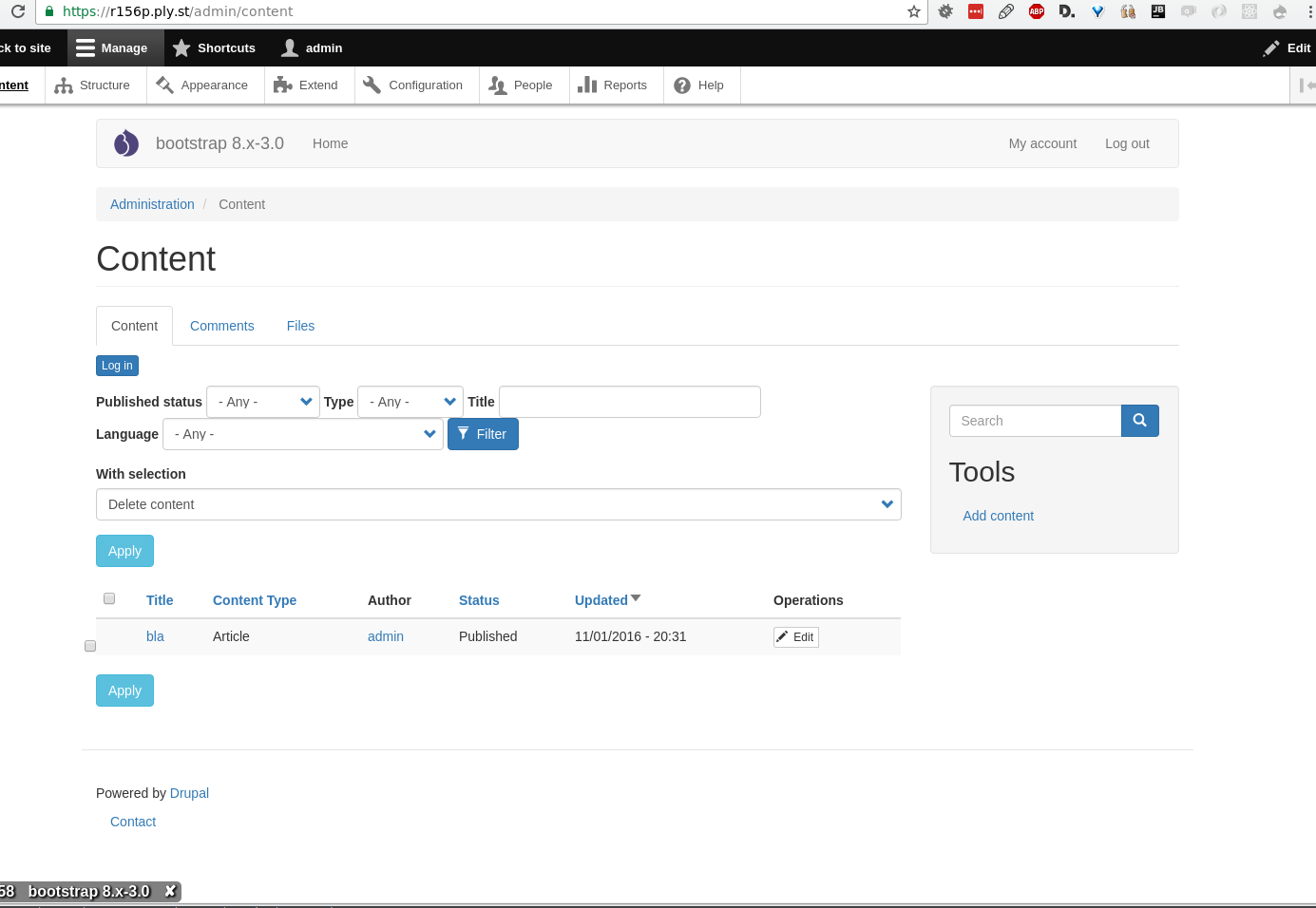
hctomI tracked this down a little and the actual problem is not the CSS, but the way the tableselect checkboxes are rendered. Normally all checkboxes are rendered inside their label, but the tableselect checkbox gets rendered after the label:
So the actual question is, why are these particular checkboxes rendered outside their label? Is it because of
'#title_display' => 'invisible'? When rendered inside an empty label, there should be no problem at all, see http://getbootstrap.com/css/#checkboxes-and-radios-without-label-textI'll dig into the code later to see if I can eliminate the problem.
Comment #5
hctomAttached you can find a patch that should solve the issue. It adds some more special processing for form labels in checkbox/radio button context:
title_displayisinvisible, the title won't be printed, but added astitleattribute to the<label />element itselfComment #6
miiimoooThe patch solves the problem. The only thing is that the spacing still looks odd. I can see a margin-top/bottom of 10px around select and radio. But even setting that to zero still looks misaligned.
Comment #7
hctomPhew, this is really hard to track down, because tableselect checkbox elements do not get a unique class added to them and come from different sources (tableselect element itself, bulk form elements in views and perhaps even more). In the attached patch
.form-no-labelclass is utilized... and when in table context, the margins are cleared. I hope this won't target too many other checkboxes in tables :)Note: I only changed the source files (because CSS files are compiled automatically when commiting changes). So you have to compile the CSS on your own to see the changes take effect.
Comment #8
markhalliwellThere doesn't seem to be a reason to have an additional
allow_emptyvariable. Why not just checkis_checkboxoris_radioin the template?Until there's additional code, there should never be unnecessary nesting. This could be consolidated into:
table &.form-no-labelWhat is the point of this exactly? Seems... verbose and unnecessary.
Comment #9
hctomThanx for the feedback. Here is the updated patch and some info:
1. You are right, this is removed with new patch
2. Is fixed with new patch (but only in LESS file, because SASS does not allow this use of ampersand selector as far as I know)
3. I added this, so users still have a tooltip when rolling over the checkbox. Also the Bootstrap docs say this for checkboxes without label text:
So this is for screen readers etc. to still have the actual label value available. I added some documentation to it, so nobody is confused about that. Okay for you?
Comment #10
hctomDamn.. it didn't catch all the changes I made... here is the correct patch.
Comment #12
markhalliwellBoth LESS and SASS allow this (in newer versions). I fixed before commit.