
Rules Integration
You are browsing documentation for an older version of Drupal, which is not supported any longer, and the information may not be correct. See current documentation for Contributed modules
The Push Notifications module integrates with the Rules module. The module implements 2 actions and 8 events you can implement in your custom Rules.
Rules Actions List
- Send a push notification to a user account
- Send a push notification to all registered tokens
Rules Events List
- Before saving a new device token
- After saving a new device token
- Before deleting a device token
- After deleting a device token
- iOS feedback service was completed
- After sending an iOS push notification (APNS)
- After sending an Android push notification (C2DM)
- After sending an Android push notification (GCM)
Example: Send a push to all tokens when a new article is created
This example uses the action "Send a push notification to all registered users". This action has three options: Send it to (1) all users, (2) authenticated users, or (3) anonymous users. In this example, we are creating a rule with these settings:
- Event: After saving new content of type "Article"
- Action: Send a push notification to all registered token
The final rule should look like this: 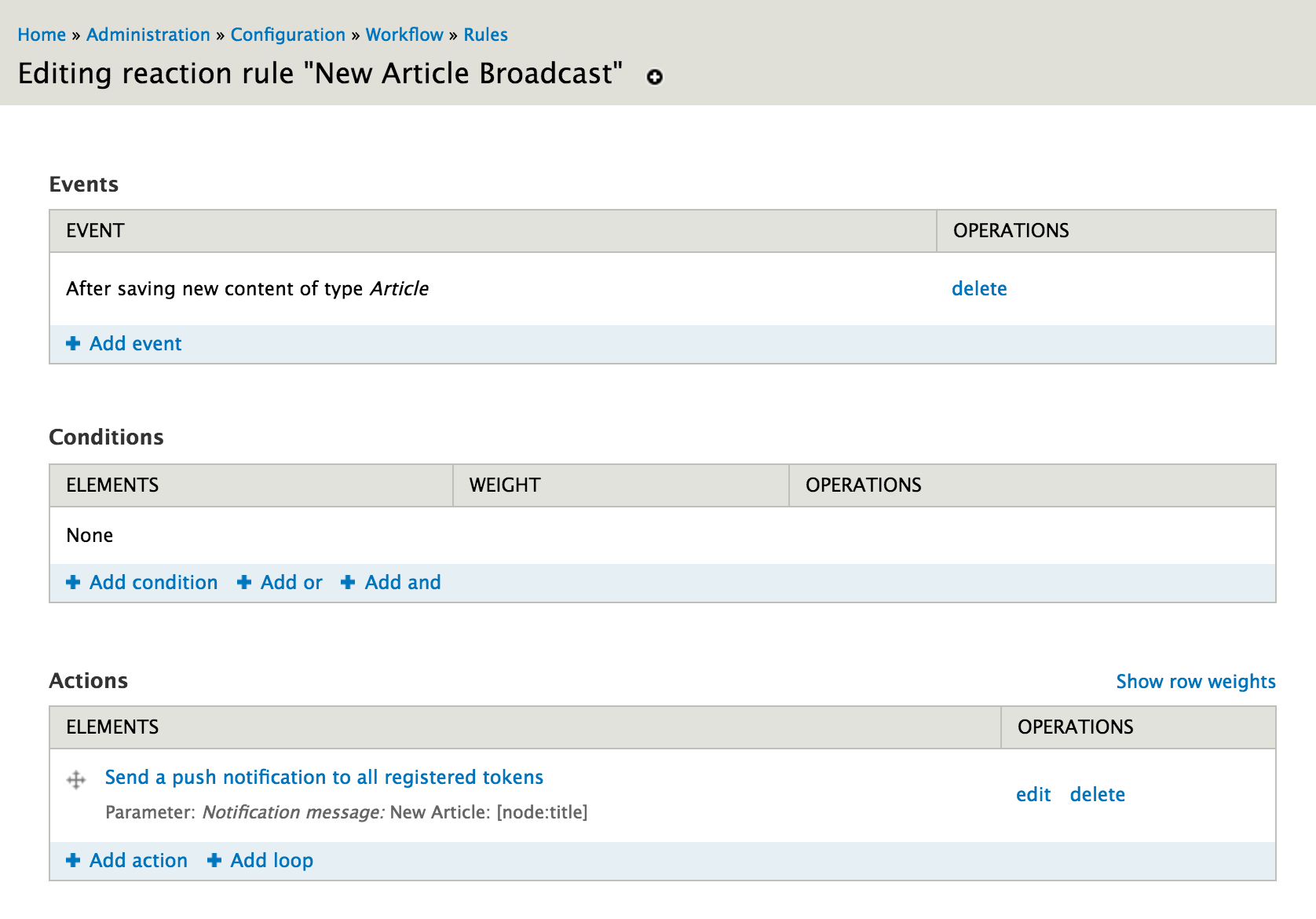
The configuration for the action should look like this: 
Example: Send a push token to a single user when a new Page is created
This example uses the action "Send a push notification to a user account". In this action, you can send a notification to a specific account, or send a notification to a specific account. The first version could be used if an admin user wants to receive a push notification every time a new Page is created by a user. The second version could be used to inform a user that his page was successfully created.
The final rule should look like this: 
The configuration for sending a push to a specific user looks like this. Make sure to use the "Direct Input" mode in the "User Account" area. 
The configuration for sending a push to a the node author looks like this. Make sure to use the "Data Selection" mode in the "User Account" area. 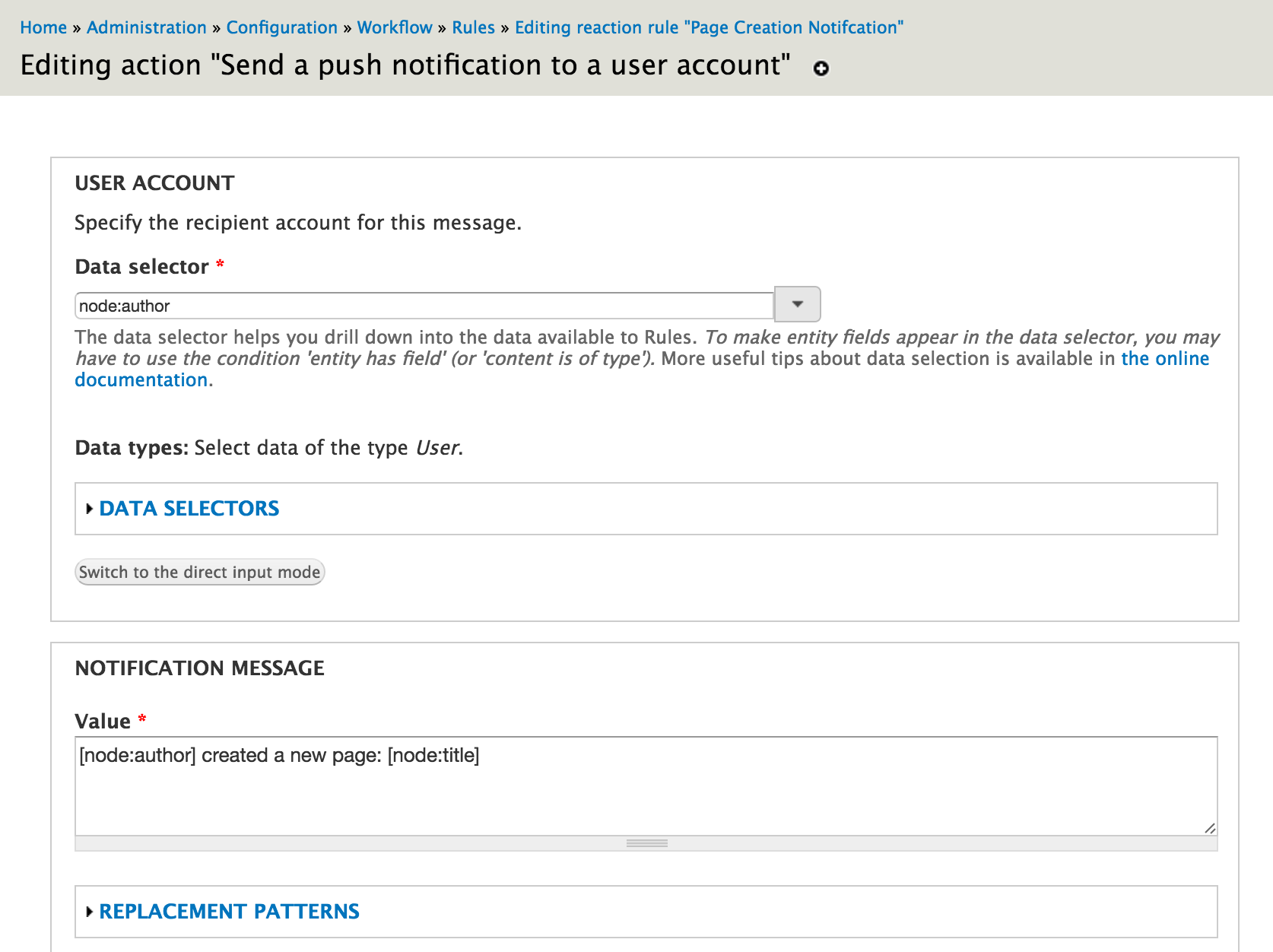
Help improve this page
You can:
- Log in, click Edit, and edit this page
- Log in, click Discuss, update the Page status value, and suggest an improvement
- Log in and create a Documentation issue with your suggestion
