
Rules Integration
The Push Notifications module integrates with the Rules module. The module implements 2 actions and 8 events you can implement in your custom Rules.
Rules Actions List
- Send a push notification to a user account
- Send a push notification to all registered tokens
Rules Events List
- Before saving a new device token
- After saving a new device token
- Before deleting a device token
- After deleting a device token
- iOS feedback service was completed
- After sending an iOS push notification (APNS)
- After sending an Android push notification (C2DM)
- After sending an Android push notification (GCM)
Example: Send a push to all tokens when a new article is created
This example uses the action "Send a push notification to all registered users". This action has three options: Send it to (1) all users, (2) authenticated users, or (3) anonymous users. In this example, we are creating a rule with these settings:
- Event: After saving new content of type "Article"
- Action: Send a push notification to all registered token
The final rule should look like this: 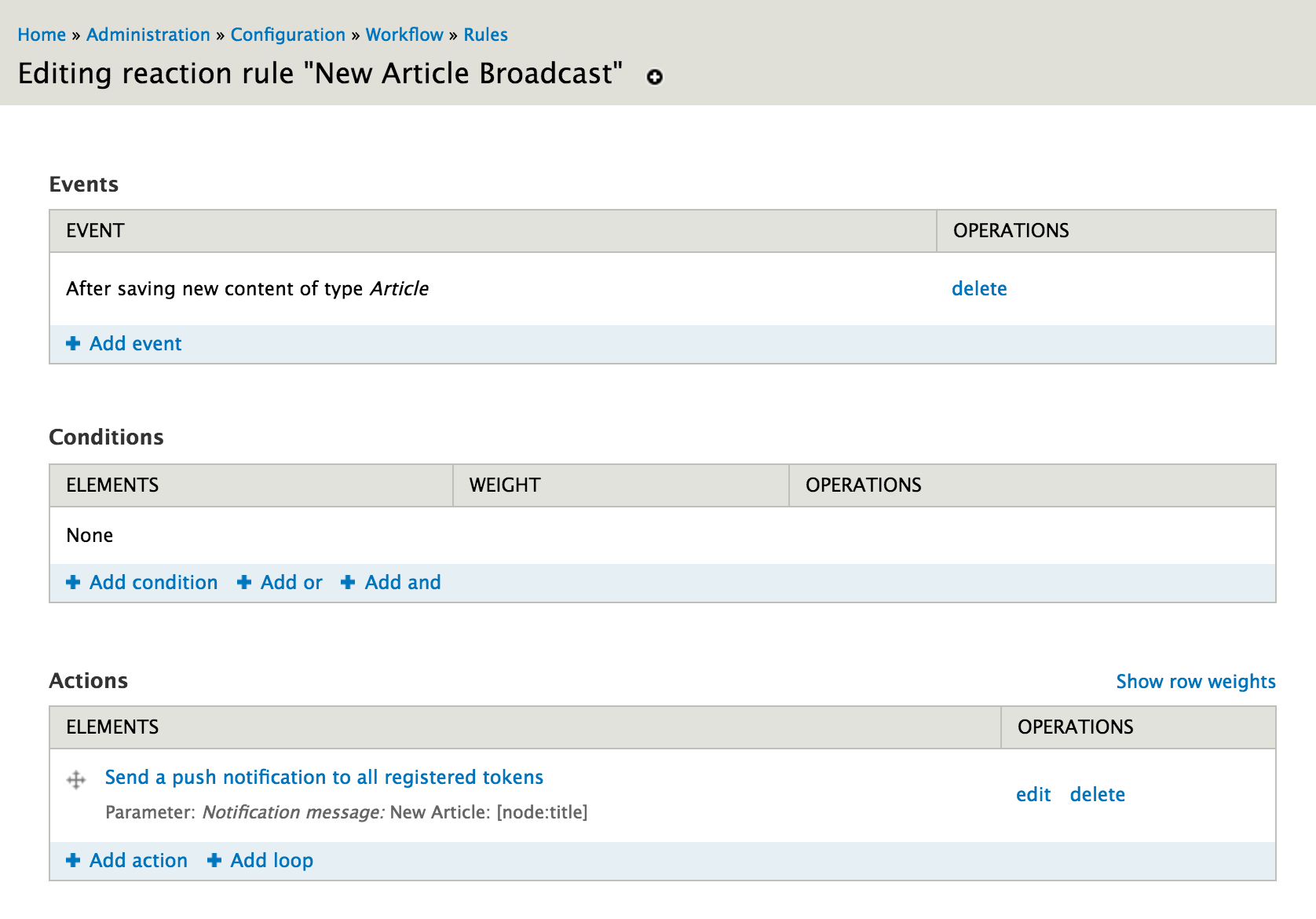
The configuration for the action should look like this: 
Example: Send a push token to a single user when a new Page is created
This example uses the action "Send a push notification to a user account". In this action, you can send a notification to a specific account, or send a notification to a specific account. The first version could be used if an admin user wants to receive a push notification every time a new Page is created by a user. The second version could be used to inform a user that his page was successfully created.
The final rule should look like this: 
The configuration for sending a push to a specific user looks like this. Make sure to use the "Direct Input" mode in the "User Account" area. 
The configuration for sending a push to a the node author looks like this. Make sure to use the "Data Selection" mode in the "User Account" area. 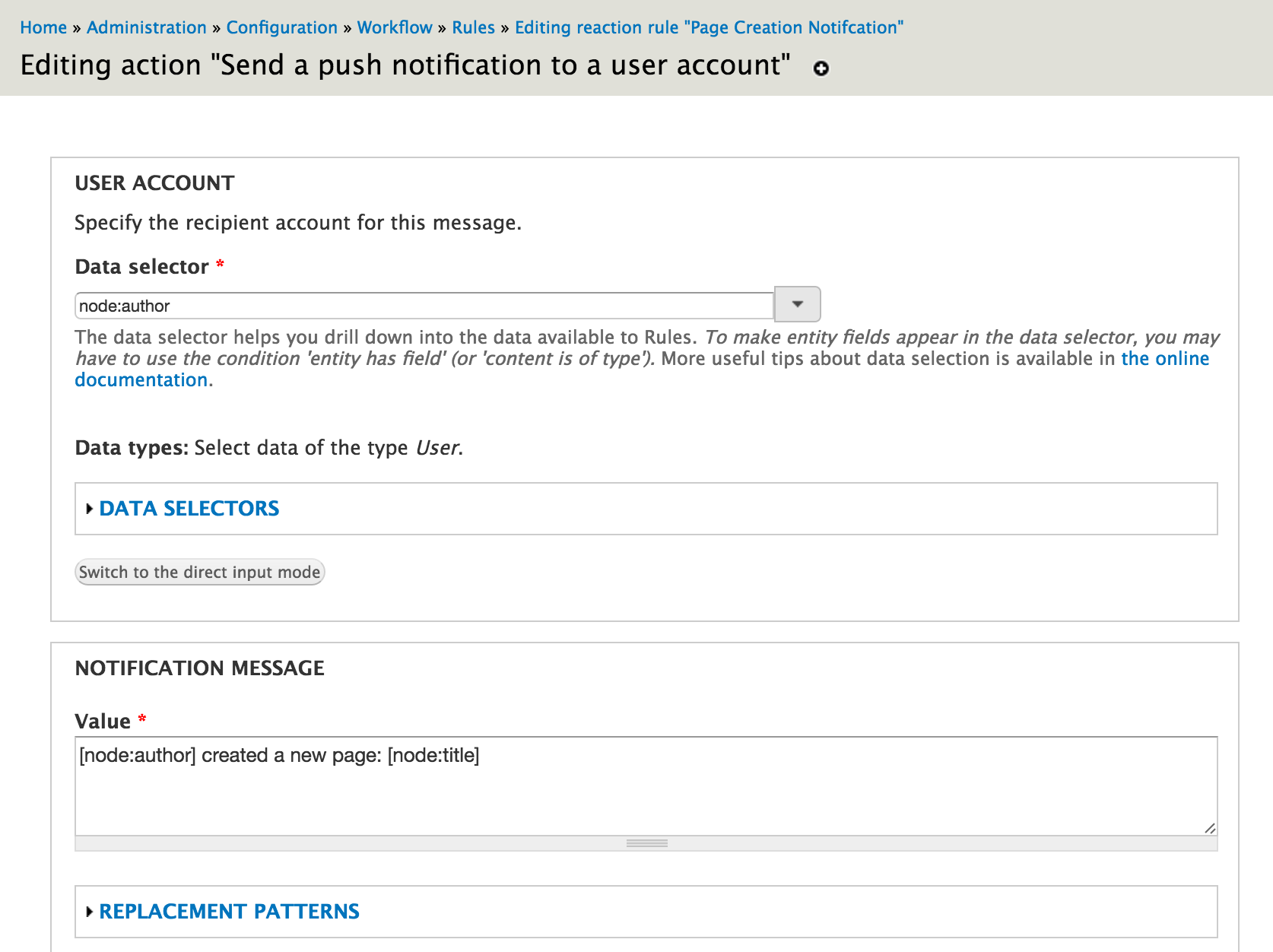
Help improve this page
You can:
- Log in, click Edit, and edit this page
- Log in, click Discuss, update the Page status value, and suggest an improvement
- Log in and create a Documentation issue with your suggestion
