
On this page
Views Integration
You are browsing documentation for an older version of Drupal, which is not supported any longer, and the information may not be correct. See current documentation for Contributed modules
The Push Notifications module integrates with the Views module.
Default View: Token List
The module provides a default view that shows a list of all tokens registered on the site in a table format. The view allows users to filter by device type and exposes a username search box. To get the tokens list into the admin interface (/admin/config/services/push_notifications/tokens), follow these steps:
- Navigate to /admin/structure/views, find the view called "Push Tokens" and enable it
- Flush all caches
- Optional: Adjust the permissions for the view
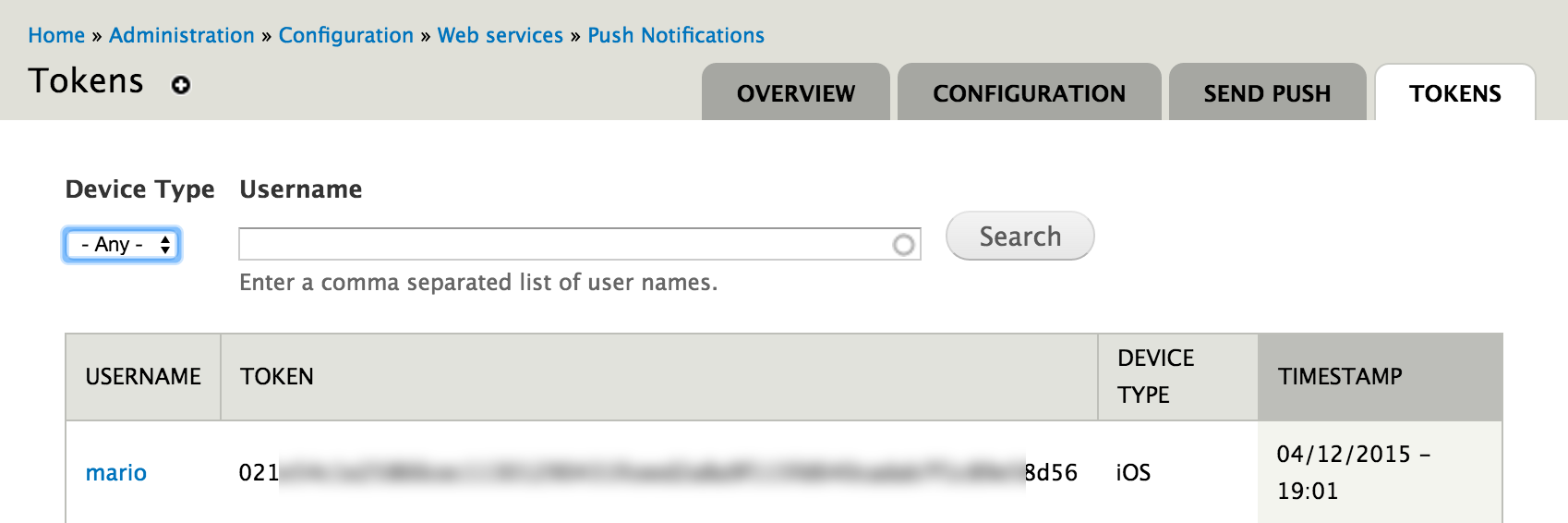
Customized Push Token View
If the default view does not fit your needs, you have several options. Either override the default view at /admin/structure/views/view/push_tokens/edit. Alternatively, create a custom view at /admin/structure/views/add. Set the content to "Push Token" when you create a new view. You can add chose from the following fields related to the Push Notifications module:
- Device Type (iOS or Android)
- Timestamp this token was created / last updated.
- Push Token
- UID associated with this token
For a detailed documentation on creating and editing views, refer to the Views documentation.
Help improve this page
You can:
- Log in, click Edit, and edit this page
- Log in, click Discuss, update the Page status value, and suggest an improvement
- Log in and create a Documentation issue with your suggestion
