

Closed (fixed)
Project:
Search Autocomplete
Version:
8.x-1.x-dev
Component:
Code
Priority:
Normal
Category:
Bug report
Assigned:
Unassigned
Reporter:
Created:
12 Mar 2016 at 10:11 UTC
Updated:
15 Oct 2020 at 14:54 UTC
Jump to comment: Most recent, Most recent file

Comments
Comment #2
Aghiad commentedAny suggestions for this issue?
Comment #3
dom. commentedHi !
I'm sorry for such a long reaction time from me !
This module overrides the Drupal autocompletion by replacing Drupal core js. Therefore it has to keep compatible with how Drupal core handles autocompletion.
In theory, it you give a callback, you MUST NOT add the filter name at the end of URL. This will be happened by the module itself, and it will be ?q=
In practice, I noticed that custom callback option is not working as desired here, so indeed, there is an issue that needs fixing.
However, because this module let's you autocomplete with more powerfull stuff from views, and because you are indeed using a view (a custom one but still using the proper "Autocompletion Callback" style, you should use this module in view mode.
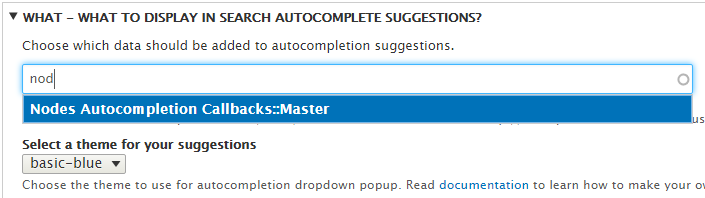
For this, instead of configuring the module with your URL "/find-autocomplete?filter=", consider using the autocompletion on the module admin page to target your custom view. This way, it will detect the filters name and input it correctly.
Comment #4
basby commentedSame issue here. Any news on this?
Comment #5
thomasdik commentedHi Basby,
It doesn't send the value because it relies solely on views exposed_filters.
The filters are attached in the function attach_configuration_to_element which resides in the search_autocomplete.module file.
A quickfix would be to use hook_page_attachments_alter (or patch the file if you like).
Edited:
Where 'query' is the parameter which is appended after your custom search path e.g. /my-awesome-search?query=
Hope this helps someone :)
Kind regards,
Thomas Dik
Comment #6
mortona2k commentedI had the same problem, the query was not getting passed to the view. Dom's fix worked for me - I had entered the URL for my view, when I needed to use the autocomplete to configure instead. It worked after I made the switch.
Comment #7
mikeker commentedThe workaround in #3 works fine if you're using a View to populate your autocomplete results. But if you're using a custom endpoint to return the results you still cannot access what was typed into the input field.
Or am I configuring this wrong? Is there a placeholder for the text? Seems you should be able to specify something like
/my/custom/endpoint/%for the custom URL.Comment #8
dom. commentedHi mikeker !
In your browser developper tab, could you please confirm that your custom URL is called ? It should look like:
http://url_entered_in_config.whatever?q="user_entered_term"From my own test, it seems the q placeholder parameter is not properly added. Here is attached a patch to help with this.
Could you try and let me know ?
Comment #9
mikeker commented@Dom., thank you for the quick reply and the patch which got me pointed in the right direction.
Unfortunately, my controller is a callback within the current site so I needed to rearrange the logic from #8 slightly. But this one works great for both internal and external URLs. Ideally it would be good to customize the query string character for some external service that may use something other than 'q' but that's for a followup issue.
Comment #10
dom. commentedHi !
I need to review the patch just to make sure:
1- case of view: exposed filters of the views are used, not q
2- case of internal uri (not a view): exposed filter is q
3- case of external uri: exposed filter is q
Also I understand the need for the follow-up. It takes to think twice on configuration page: it is actually being more and more complex with the various use cases.
Follow-up added here: #2862232: Make callback URI filter "q" configurable
Comment #11
mikeker commentedThat should be what the current patch does, but I always appreciate a review!
Comment #12
merilainen commentedThis was exactly what I was looking for.
Comment #13
dom. commentedComment #15
agiraud commentedHello,
I still having issues with the latest 2.0.1 version. When using custom endpoint instead of a view, the default filter "q" is not appended to the request. So it shows all results no matter what value I type.
I updated the patch provided in #9 with the latest version and it works. We should commit it in a future release in my opinion.