

Closed (duplicate)
Project:
Drupal core
Version:
11.x-dev
Component:
views_ui.module
Priority:
Normal
Category:
Feature request
Assigned:
Unassigned
Issue tags:
Reporter:
Created:
12 Sep 2013 at 02:43 UTC
Updated:
30 Jul 2023 at 12:41 UTC
Jump to comment: Most recent, Most recent file







Comments
Comment #1
tim.plunkettOkay, this one REALLY needs some help.
I had no mockups to go off of, and it shows. I just kinda made some stuff up...
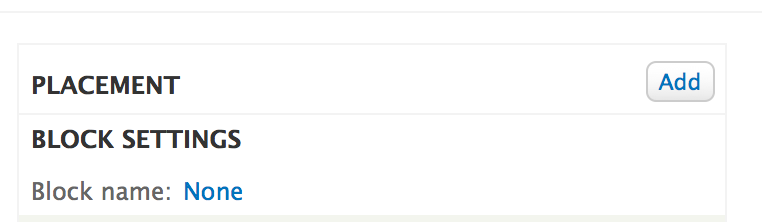
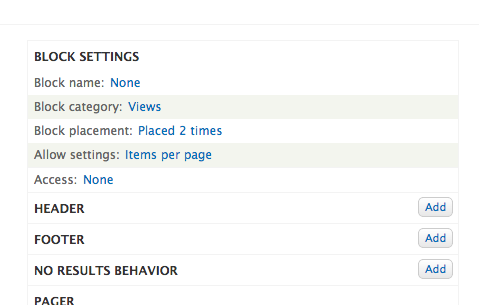
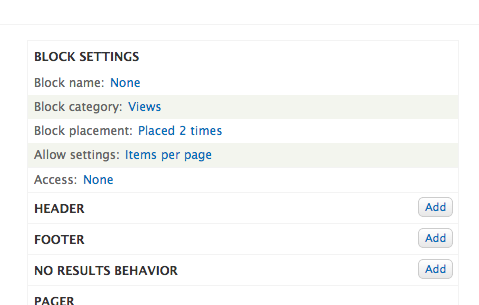
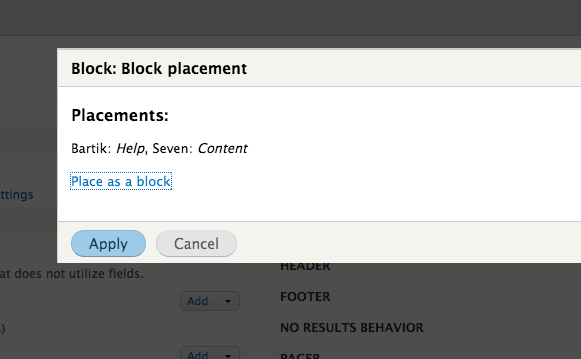
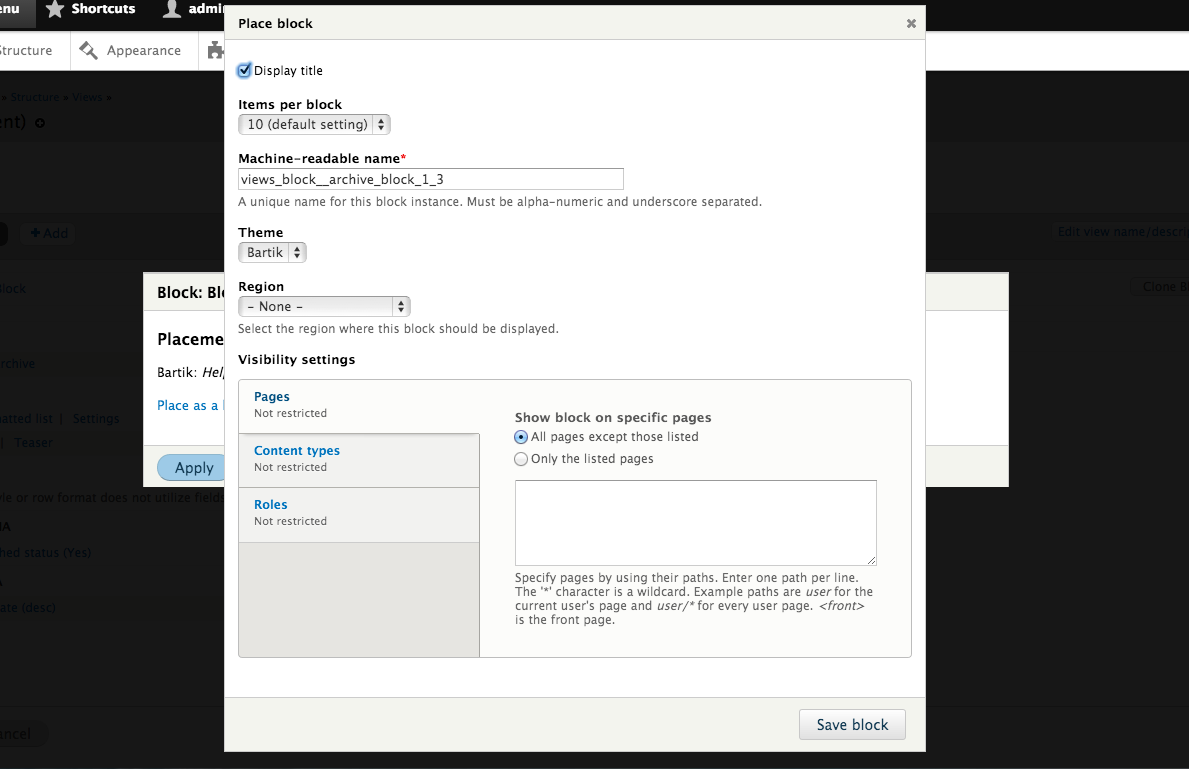
There's no obvious place to put a link for this, so I chose to add a new item to the block info section. It tells you how many times a block is placed, and then upon clicking tells you exactly what themes and regions, with a link to place a new one.
In the views UI with the short info:
After clicking with detailed info and link:
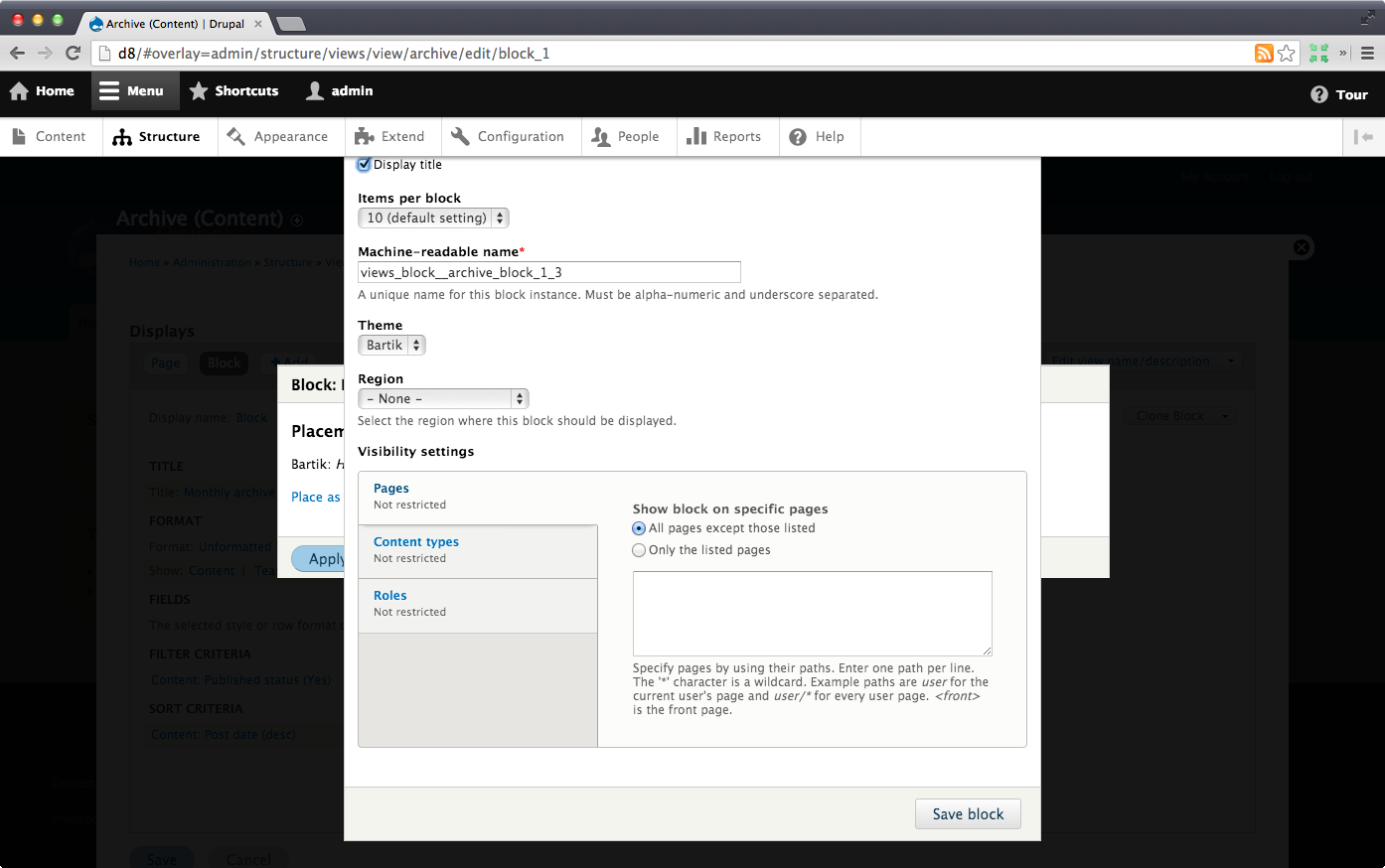
After clicking the link:
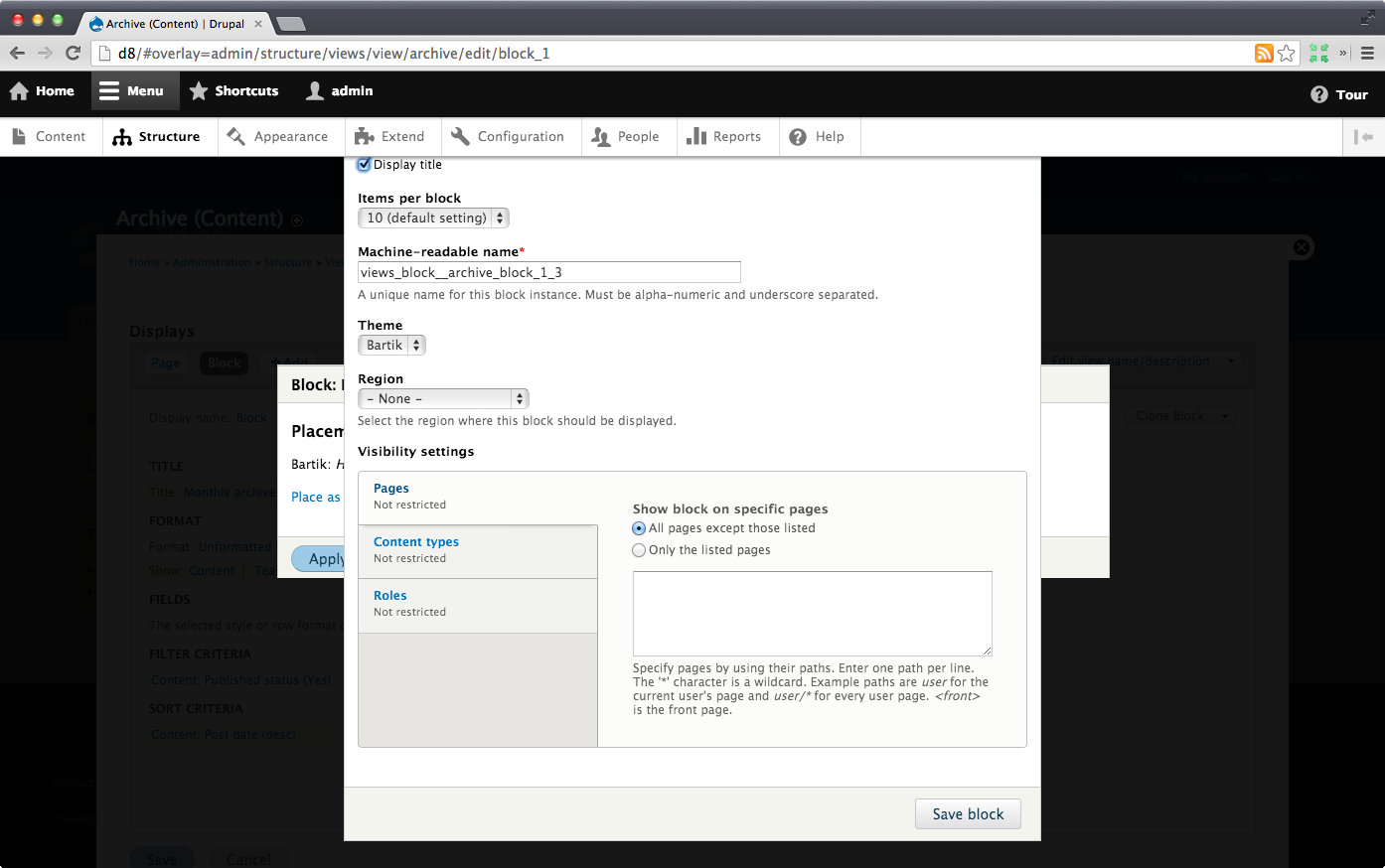
And the ultimate screenshot, WITH OVERLAY:
Comment #2
tim.plunkettHere is another option, which adds it to the dropbutton for this display.
I like this better...
Comment #3
Bojhan commentedFeel free to ping me before you throw out patches, if you dont have designs. This was actually identified as a serious issue in BADCamp usability testing at #1836390: Add “place block in region’ to the Views wizard to help workflow.
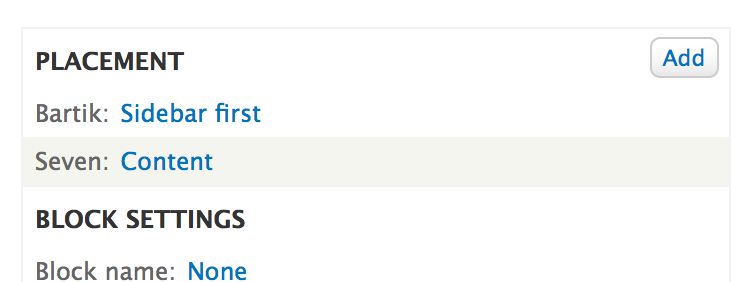
I wonder if it doesn't make more sense to have a Placement category, for example:
Placement
Theme name : Region
Theme name : Region
The workflow that you show now, seems super awkward. Its not possible to have a multistep dialog - we do that for fields all the time. ?
Comment #4
tim.plunkettThe problem with the first approach, the one you're discussing, is that #1851414: Convert Views to use the abstracted dialog modal has not happened, so we have 2 different modal systems.
I'd actually much rather focus on my suggestion in #2
Comment #5
Bojhan commentedI understand that the approach requires #1851414: Convert Views to use the abstracted dialog modal to go in, it looks like that is needed for this to work well. So my suggestion is that the method you are using, makes it very tucked away in the interface. Although experts will find it, I fear that most site builders and especially those new with Views won't venture into that part of the UI quickly.
Design suggestion
I suggest instead to make a new category, called placement. In this category all "placement" activities occur. Ideally this means that also activities like placing it in a menu and placing the view on a path, are part of this category. To me is it an essential part of a view, and should we make sure it gets the appropriate attention visually.
In line with Views its current patterns I am suggesting to add this bucket to the second category:
1) Add a category called "Placement". Using views core patterns, make sure it has a Add button to the right. Potential issue, is that this is not discoverable we might need to switch to an empty message or Theme : No block placed yet pattern.
2) The user gets a dialog, you pick the theme you want to add this block to.
3) Using states, we show them a region selector. On Save would trigger the blocks UI, currently placed in a modal on top, but I'd favor a wizard like workflow that we have for fields as well.
4) Returning to the views interface, you get an overview of all the blocks in their respective regions.
Comment #6
jibran@tim.plunkett you are doing great work on Block UI overhauling and also in this issue. IMHO I don't like this idea because Views UI has nothing to do with placing/placement of a block but I still think that we should have place a block link something like #2083871-4: Allow menu blocks to be placed from the menu page.
Comment #7
Bojhan commented@jibran Could you elaborate or provide an alternative? I think people expect that Views does help them do this, the fact that it doesn't is actually confusing. The larger solution is for views not to be a page or block creator and just populator, but thats really D9 talk. Until then we should provide a better connection - this issue tries to achieve that.
Comment #8
jibranI think it should be like this
after clicking the link.
No more details and no dialog box needed for info.
Comment #9
jibranok I rest my case. @Bojhan and I have a short discussion on IRC and I agree with him that If block is doing something like this then do it all the way. Sorry for the noise. :)
Comment #10
dawehnerI do agree with the general idea to be able to place a block inside a view, as long there is a limited scope ...
I am not really convinced that this is really a pattern of views. The add pattern is used for things which exists multiple times on a view, like for example fields.
On the other hand it does not seem to be the case that you really want to place a views block multiple times inside views. The reason is simple: If you need the block in different regions
you need more of the block settings anyway so I think this should not use that pattern.
Comment #11
Bojhan commented@dawehner Well that is interesting. So you are arguing for something like below?
Comment #12
Bojhan commentedI'd be oke with going down this route. It could be under Block settings, I'd prefer if we have a actual Placement category. I always find that kind of functionality tucked away in other categories.
Either way, I'd like to make sure we don't need an intermediate step like in #2087219: Allow views blocks to be placed from the Views UI the first two pictures, because in the overview we want to actually inform the user where its at (Theme : Region). This might not scale very nicely if you have like 10+ themes - but I think thats a manageable edge case. But it removes the need for a modal that only lists stuff, makes it an actionable step - and makes the overview much more informative (2 blocks placed, isn't really usefull information, untill you know where).
Comment #13
tkoleary commented@Tim Plunkett
The patch in #2 seems to disable the overlay at the end of the place block flow when returning to the block UI
Comment #14
tim.plunkett@tkoleary from my testing, that happens without this patch.
Comment #15
tkoleary commented@Tim Plunkett
There's a couple of issues with the patch in #2 (is there a more recent patch?).
One is that you can't place the block if the view has not been saved but there's no feedback to the user explainimg why. Is this a bug or just a UX gap?
Another is that "place block" is not discoverable way over in the display dropdown. IMHO this is a UX issue in views. The options for the display should be connected to the display tab itself.
This would be my approach:
Comment #16
tkoleary commentedAh. Read the issue more closely and I see that I am off topic. The above post should be another issue though. I'll start it. (and Angie pointed it out to me as well)
Comment #17
klonos@tkoleary: did you actually file an issue for #15?
Comment #18
tkoleary commented@klonos
Oops, forgot to. Doing it now
Comment #19
tkoleary commented@klonos
Added #2101171: Make views options dropdowns part of the navigation of the view
Comment #20
klonosThanx ;)
Comment #21
klonosComment #22
dawehner2: block-vdc-2087219-2.patch queued for re-testing.
Comment #24
tim.plunkettComment #25
dawehnerAt this stage of the release it is just pointless to try to do that, given that we neither have a consensus whether it should be done, nor how
Comment #26
klonosCould still be done in 8.1.x at some point.
Comment #27
tim.plunkettComment #28
yoroy commentedWhich one is the duplicate? #1836394: Add “place block in region’ to the Blocks settings in Views UI
Comment #43
lendudeClosing this as a duplicate of #2087219: Allow views blocks to be placed from the Views UI, both issues have roughly the same amount of activity, the other is a little older so keeping that one open