Dompdf 0.6 and up now comes with a fairly decent unicode font (dejavu sans) however when I'm printing content with non-latin characters/glyphs dompdf produces crazy characters, even though the html source from Drupal is already supposedly encoded with utf-8 by default!
It appears that this might have something to do with how unicode support works in PHP DOM not a bug in DOMPDF. I figured this out from reading the response from orionr129 on this thread in the dompdf archive here:
For some characters (those in the lower range) all you have to do is convert non-ASCII to htmlentities (like someone else said above). In particular, do this to your HTML before passing it into DOMPDF:
$html = mb_convert_encoding($html, 'HTML-ENTITIES', 'UTF-8');
... then pass it to DOMPDF.
The PHP DOM code doesn't like "raw" UTF-8, I think, and needs them to be converted into entity form. Seems like a dumb bug in their code (not DOMPDF).
This problem and the same resolution is also documented on stackoverflow here.
I can confirm that doing this actually does fix the issue for dompdf, so.... patch to follow in first comment.
DOMPDF Results Russian without Patch

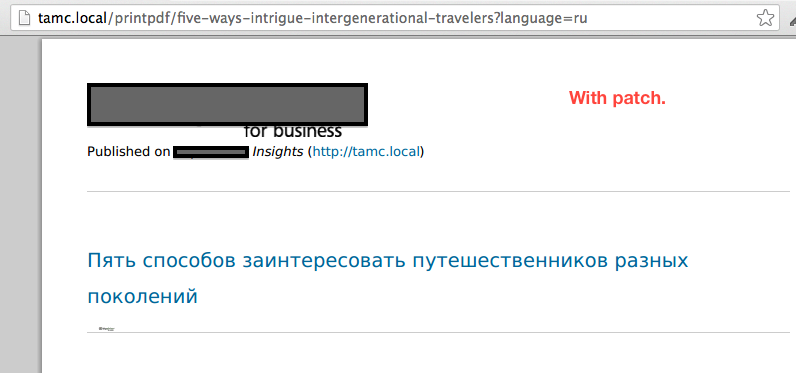
DOMPDF Results Russian with Patch




Comments
Comment #1
jwilson3Comment #2
jwilson3Oops. the title is reversed :P
Comment #3
jwilson3I needed this on another project using an older version of print module so here is a reroll of the patch in #1 rolled for 7.x-1.2. Note that #1 is still the definitive patch.
Comment #4
NIKS_Artreaktor commentedHello!
I'am using version 7.x-2.x-dev.
I have made changes in #1 But after this text changed on "???????? ?????" ...
Sory.
Please tell is it checked
Использовать режим Unicode
If enabled, dompdf's Unicode mode is used. If not, the module will attempt to convert some non-ASCII
chars to ISO-8859-1.
On admin/config/user-interface/print/pdf/dompdf
???
----
and
what font did you use in css for pdf?
Comment #5
jwilson3> what font did you use in css for pdf?
dejavu sans (as mentioned in OP). Open Sans also works, if you download it from Google (with the Cyrillic support) and install it into dompdf.
> Please tell is it checked Использовать режим Unicode
Yes, the Dompdf Unicode support checkbox in the Print PDF module settings admin page MUST be checked.
Comment #6
jcnventuraThanks for the patch!
http://drupalcode.org/project/print.git/commit/f4bf012
Comment #8
ethantExperiencing same issue as #4. This patch turns on PRINT_PDF_DOMPDF_UNICODE_DEFAULT, and sets the font to DejaVu Sans, allowing for generation of Russian characters.
Comment #9
dmundra@EthanT for dompdf 0.8.2 the patch in #8 doesn't work. Adding CSS to the print template file in the theme worked for us.
I also noticed another was to add the following line to print_pdf_dompdf.pages.inc
but that is hacking the module and forcing the font. Maybe the print dompdf sub-module can be updated to choose the font options in configuration pages which then sets that value. For us, the theme update seems to be sufficient.