

Closed (fixed)
Project:
Manual Crop
Version:
7.x-1.x-dev
Component:
Code
Priority:
Normal
Category:
Feature request
Assigned:
Reporter:
Created:
31 Oct 2012 at 15:38 UTC
Updated:
5 Aug 2015 at 04:51 UTC
Jump to comment: Most recent, Most recent file





Comments
Comment #1
matthijsHi,
It would be nice indeed! But how does options like "inline cropping", "list thumbnails" fit in this?
Should they still be used in combination with the pop-up?
Matthijs
ps: sorry for the delayed response...
Comment #2
idebr commentedI would suggest moving 'Inline cropping' to the crop window, as the media list can get pretty long when uploading folders (as clients tend to do :< )
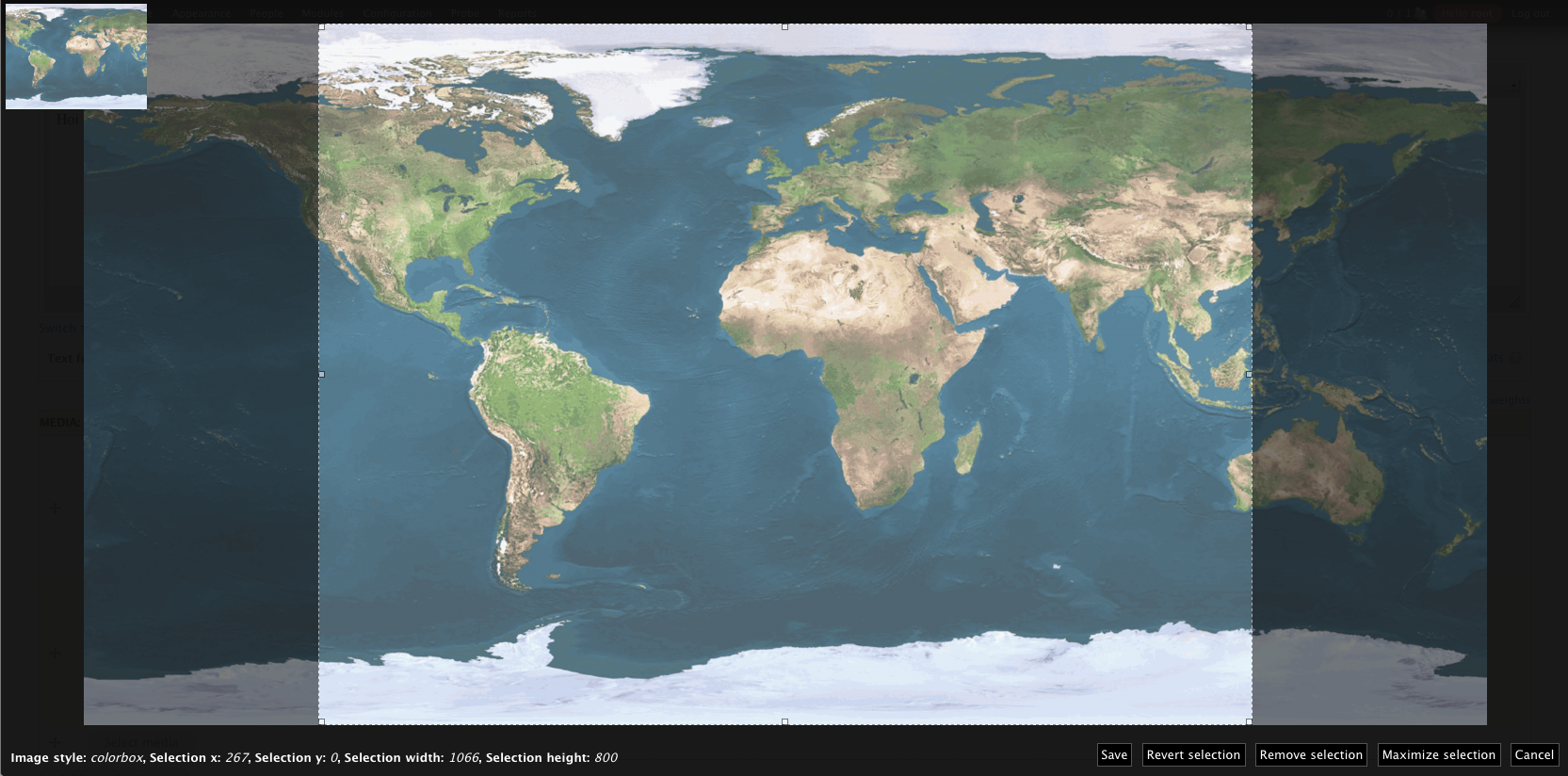
As for list thumbnails and 'Instant preview': you could move those to the crop window and merge them into 'List instant previews' ;-). This could probably improve the current image widget as well, since you get to see all your crops in the same Manual Crop window.
I made a quick mockup of my personal ideal UI:
Media 2.x widget (current):

Media 2.x widget (suggested):

Manual crop window (current):

Manual crop window (suggested):

Comment #3
matthijsThanks for your nice mock-ups! I like your idea of moving the thumb list into the overlay and I'll be looking into it!
Matthijs
Comment #4
matthijsI'm sorry that their isn't any progress on this (I've been quite buzzy lately), but I just wanted to let you know that this is still on my list (but it might take some time)!
Matthijs
Comment #5
moniuch commentedI fully second this idea. Was about to prepare similar mockup, but obviously I have my think-alike somewhere in the world!
The module does a great job and that's perhaps the only feature I'm missing at this point. So, yes - go Matthijs, go! :)
Comment #6
moniuch commentedI'd perhaps extend the Media widget mockup by adding the image style dropdown. This might be handy when you have a big bunch of styles defined for your site. Having to browse through the thumb list (otherwise great!) might then be cumbersome. A dropdown menu is keypress-sensitive, so with focus on, you could easily type-in the beginning of the style name and make the overlay open with your selection.
But this is just a wish list. I would gladly see just the Crop button alone for a start.
Comment #7
gmclelland commented+1 to see the crop button
Comment #8
matthijsAfter a long silence I'd like to ask if there's anyone willing to help with this, I started to work on this a really long time ago but I never achieved a proper result... Since I'm not a big Media fan I just don't miss this :-)
Comment #9
mxtThis would be very user friendly: any news on this?
Thank you very much
Comment #10
blacklabel_tom commented+1 for this!
Cheers
Tom
Comment #11
dwatts3624 commented+1 here! I've been hoping that someone might have brought this up and stumbled on this thread.
Me and some others at my agency would be willing to help here.
I'd assume that some code could be referenced on epsacrop since it's UX is similar to this.
Comment #12
blacklabel_tom commentedI've had a thought about this. When you have multiple crops on the same image, which crop should the thumbnail show?
Hopefully the code from epsacrop can be shared to fix the thumbnail when there is just one crop.
Happy to test patches at my end!
Cheers
Tom
Comment #13
matthijsI still find this a wonderful idea, but I just don't have the knowledge (or time to get the knowledge) of Media to get this done... If anybody is willing to make a patch, I'll commit it as fast as I can :-)
Comment #14
matthijsComment #15
dwatts3624 commentedI can't guarantee that we can work on this any time soon but definitely have it on our radar.
In terms of displaying the cropped thumbnail inline, I can't think of a good way to do that so the scope of our contribution would only be to display the crop button inline and use the default thumbnail file entity display.
That said, the module's default behavior seems to have an option to display all of the thumbnails at once inline. I've never used it without the media module so I don't know what that looks like but it sounds like a nice alternative. But, that said, I don't see a ton of value in doing that to justify the effort.
Comment #16
tessa bakkerHi,
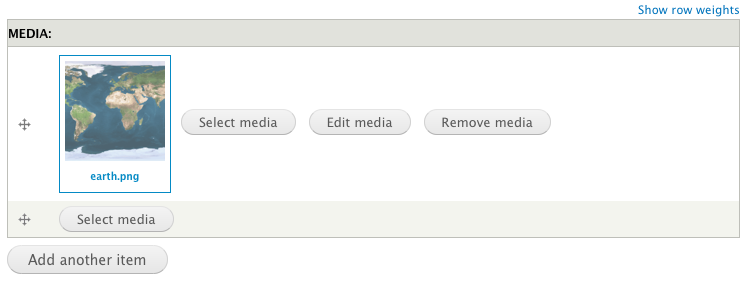
Did some tinkering, far from ready. But here is a screenshot of the first result with inline cropping.
The buttons are working and the cropped result is saved correctly.
Some buttons aren't default media 2.x but if the patch is ready, it will work on the latest "stable" version of Media 2.
Let me know what you think.
Comment #17
idebr commentedLooks interesting, nice to see some progress on this issue! Can you post a patch when it is ready for testing? :)
I really like the 'Crop' button is directly available in the file widget instead of in the 'Edit' form.
Inline cropping was discussed earlier in #1; the mockups I made in #2 were based on the idea to move the different crop options to the overlay. The overlay has a few advantages over inline cropping: it clears the entire screen to perform the task at hand, so the action is intuitive for users. Inline cropping does not scale very well when there are multiple crop options available and makes the form jump around when editing images.
Comment #18
tessa bakkerHere is a first patch, don't use this patch in a production setup!
Patch will apply for manualcrop version: 7.x-1.4+121-dev
Todo:
* #2394487: Allow altering the table in theme_media_widget_multiple() needs to be reviewed and commited
* Alter media 'media_widget_multiple' with new Manual Crop row
* Option to choose between 'crop in file edit form' and 'crop next to file preview'
* Thumbnail list in overlay/inline form
* A lot more testing and tweaking
* ...?
Comment #19
OWastTested Patch #18 in non-multiple context and had to make some changes to make it work.
- Removed a .js typo.
- Removed file_managed_file_validate() as a validator for media type widgets. (The validation runs anyway, but at the right time, when usage has been added.)
Comment #20
candelas commentedComment #21
candelas commentedHello
Testing path in #19 with 7.x-2.0-alpha4+26-dev Media module and Manual Crop 7.x-1.4+123-dev.
The only way I see the button is if I had Manual Crop selected from the image field, not from admin/structure/file-types/manage/image/edit , so I imagine that it is there where you are testing.
With only Manual Crop selected in the image field or in both I get this warning
The file used in the Image field may not be referenced.Thanks for your work :)
Comment #22
tessa bakkerCreated a new patch with the changes made by OWast.
This will fix the reference error, because media has its own validation, so the core validation isn't needed.
Of it will work with an old media widget type, I don't no.
Please review, so a new version of ManualCrop can be created :D
Comment #23
mrharolda commentedIIUC, this patch changes the behaviour to inline cropping; rendering the _manualcrop_media_element_add_after_build() useless?
I'd guess that this should be optional, or if it's mandatory, _manualcrop_media_element_add_after_build() must be removed too. I think;)
Comment #24
candelas commentedHello
At the end I had a little time and tested patch in #22 with the settings: Show crop info, Instant preview and Default crop area. Everything worked fine.
@MrHaroldA I tried the patch with inline cropping and works perfect too.
I'd guess that this should be optional, or if it's mandatory, _manualcrop_media_element_add_after_build() must be removed too. I think;)
I don't understand :)
Comment #25
tessa bakkerIf I'm not misstaken, _manualcrop_media_element_add_after_build() is needed if you want cropping on the file entity edit form when you press 'edit'.
An extra setting of the placement of the cropping button (file entity edit form or field instance) can be the solution.
Comment #26
candelas commentedAn extra setting of the placement of the cropping button (file entity edit form or field instance) can be the solution.
@Tessa Bakker, could you implement that, please? And we put the issue to review, so we can unblock the new ManualCrop :) Thanks a lot!
Comment #27
candelas commented@Tessa Bakker, @MrHaroldA, @OWast or any of us, in #2306801-7: Upcoming 1.5 release @Matthijs is saying:
I'm willing to release a new version without it [this patch] if there isn't a good patch by the end of next week!
The patch is almost finish, could you please solve #25? :)
It would be a way to say thanks to @Matthijs and for the community.
I will test it as soon as it is published.
Comment #28
tessa bakkerWith some luck I will add a new patch today.
Comment #29
tessa bakkerHi,
In this new patch I made only the changes needed for Media. In this way an Image field still works and the label used by Media won't disappear.
The option to crop with the button next to the image and/or to crop on the file edit form is now depending on the ManualCrop settings on the file entity or field instance.
Please review with an Image widget, Media widget, with or without ManualCrop enabled on the Field Instance and File entity 'Image'.
Comment #30
candelas commentedUps, I didn't realize. Tomorrow I will test it. Thanks @Tessa Bakker :)
Comment #31
spadxiii commentedIt's looking good and works fine. Code-wise I can't see any problems, but I'm not completely up to date with the manualcrop-inner-workings.
The only, unrelated :), thing I ran into was better library-support. I was using an older version of jquery.imagesloaded, but the status page told me it was not installed.
Comment #32
candelas commentedIt worked! Thanks @Tessa Bakker :) We are going to have a new ManualCrop version soon ;)
Comment #34
matthijsFor some reason the patch wouldn't apply cleanly, but I got it committed!
Many thanks Tessa Bakker, you got my frustration-issue out of the way :-)
Comment #36
David_Rothstein commentedI needed to get this working on an old version of Media (7.x-2.0-alpha3) and an old version of Manual Crop (commit 8baa1d9af from August 2013) on a site that couldn't easily upgrade.
Just in case it's useful to anyone else, here's a patch that does that.
Comment #37
David_Rothstein commentedMade a couple small fixes to the above patch.