

 The 2026 Drupal Business Survey is open. Your response will help shape the future of the Drupal business ecosystem.
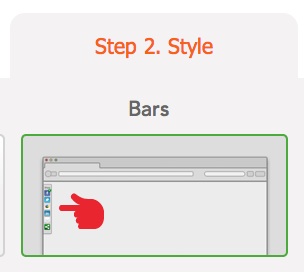
Refer to http://sharethis.com/publishers/get-sharing-tools now there are 3 bar style available, e.g.:
- This bar can float either on the left side or the right side of the page to provide an always-visible view of the sharing tools.
- Rich set of options designed to drive more traffic - add a Twitter Stream, RSS feeds or trending content from your site.
- This bar with sharing buttons is placed at the top of page, but appears only when the reader scrolls down.
Using these style the share button can display independently with content nor block region, and so works with most different theme design.
Any idea or suggestion? I can contribute some code/patch if we both love this idea ;-)
| Comment | File | Size | Author |
|---|---|---|---|
| #1 | float lefta.jpg | 14.12 KB | calefilm |

Comments
Comment #1
calefilm commentedI would like to be able to display my ShareThis toolbar on the left side of my page, as in my picture attachment (as demonstrated in style options at sharethis.com)... any way I can do this in drupal?
Comment #2
Fulgrim commentedI asked about this feature here: support.sharethis.com/customer/en/portal/questions/712798-drupal-7-add-code-manual-to-page?new=712798
But it does not work. Any idea?
Comment #2.0
Fulgrim commentedwrong ul li
Comment #3
avpaderno