Closed (fixed)
Project:
Ubercart Sub-Product
Version:
6.x-1.1
Component:
Miscellaneous
Priority:
Normal
Category:
Support request
Assigned:
Unassigned
Reporter:
Created:
1 Feb 2011 at 19:17 UTC
Updated:
24 Mar 2011 at 21:17 UTC


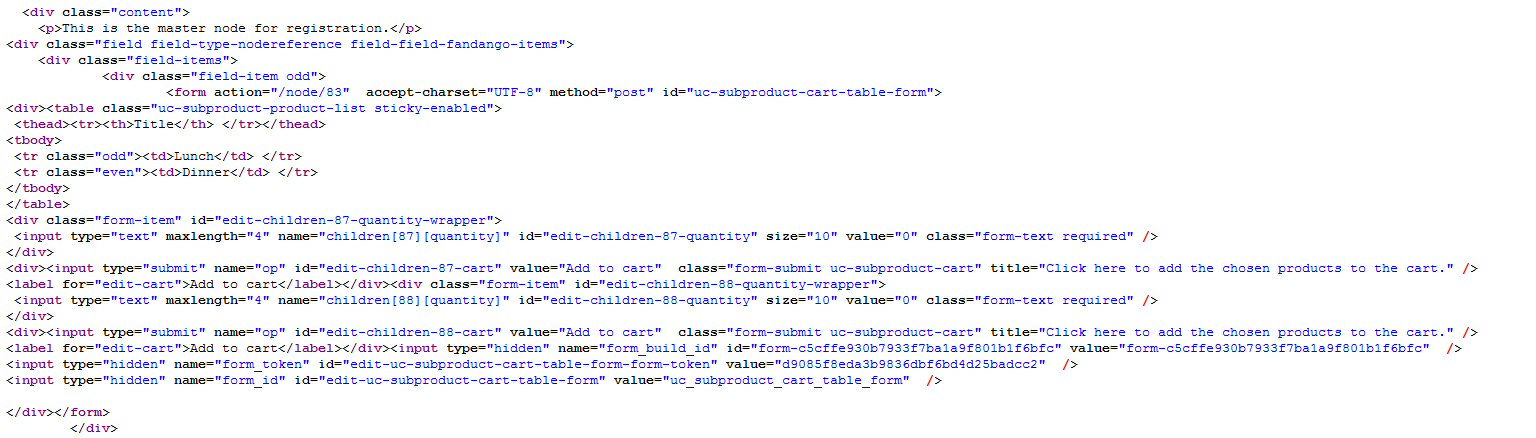
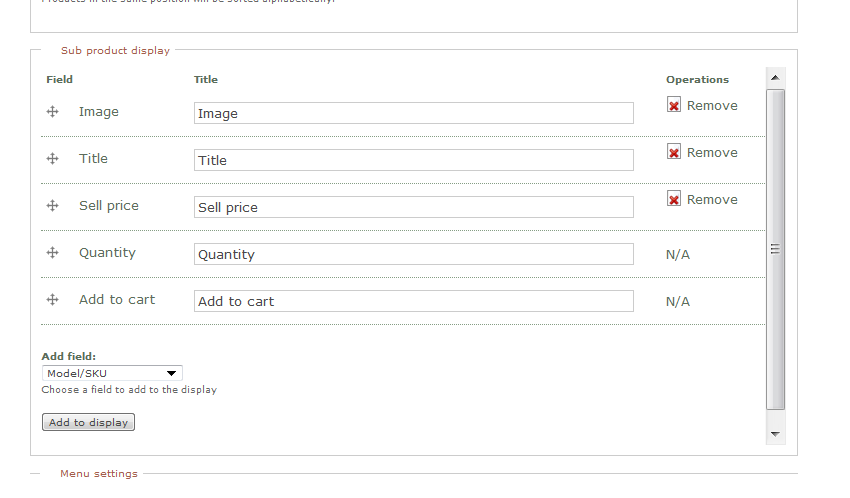
My table shows only the product title. The price field does not show. The image field does not show. The quantity field and add-to-cart buttons are below. This happens even after installing the theme override in template.php. I attach images of table display, configuration pages, and resulting HTML. Can't figure out what's wrong. Thanks for any help.
| Comment | File | Size | Author |
|---|---|---|---|
| snip04.PNG | 58.85 KB | gjmokcb | |
| snip03.PNG | 24.51 KB | gjmokcb | |
| snip02.PNG | 26.84 KB | gjmokcb | |
| snip01.PNG | 17.11 KB | gjmokcb |



Comments
Comment #1
gjmokcb commentedcorrecting category.
Comment #2
gjmokcb commentedGot it. Great module, not-so-great instructions. I will compose a set of detailed instructions on the setup that worked for me, and will post it.
Comment #3
larowlanNo worries, happy for all the help I can get
Comment #4
gjmokcb commentedHere is my stab at describing the configuration process.
1. At admin/content/types, configure the content type(s) for the products that will be your sub-products. (You can use either the standard Ubercart “products” content type, or a new product class that you create at admin/store/products/classes.) If you need to add additional CCK fields, add them under the “manage fields” tab. Set your field display options under the “display fields” tab. DO NOT add a node reference field to this content type. DO NOT check the Ubercart boxes under “submission form settings.” Set up the content type as you would for any product, without worrying about the sub-product module.
2. At node/add/[sub-product content type], create your various sub-products as you would create any other ubercart product.
3. Create a new content type for your master product at admin/content/types. NOTE: The new master product content type should be a standard node, not an Ubercart product, even though it is referred to as a “master product.” This node is essentially a carrier for a table that lists the sub-products.
4. Under “submission form settings” for the master product type, check the box for “setup display fields for UC sub-product” and “treat this node type as an Ubercart product.”
5. Using the “manage fields” tab for the master product, add a node reference field to your master product. Select the “check boxes/radio buttons” widget type, check the “required” box, and set the permissible number of values. Check the node type(s) that you will refer to.
6. Using the “display fields” tab for the master product, set the display type for your node reference field to “UC sub-product add to cart form.” Make this setting on both the “basic” tab and the “UC sub product” tab.
7. At node/add/[master product content type], create a master product. You will find a CCK node reference field (check boxes) for your sub-products. Check the boxes for the nodes (products) that you want to include in your sub-product table. You will also find a section for “sub product display.” Add and arrange the product fields that you want to display in your table.
8. Save your new master product. It should display a table with your sub-products and either an “add to cart” link next to each one, or (if you have installed a template override in your template.php file as mentioned elsewhere) one “add to cart” link at the bottom.
Sweet. Thanks, larowlan.
Comment #5
gjmokcb commentedChanging post title.
Comment #6
larowlanThanks, please see amended version here which refers to the example to help with clarification, amends item 6 (the uc-subproduct display tab is irrelevant to the master node type) and adds item 9 to clarify the intended use of the uc-subproduct display tab at admin/content/types
.
Comment #7
larowlanUpdated project page to link to documentation.
Added credit to you on the project page.
Comment #8
nonius commentedAll works fine with sub products, but where do I define the reduced price?
thnx
sven
Comment #9
larowlanHi
Not sure what you are referring to wrt reduced price.
If you mean a price with a line through it like on the demo - you need to use the list price/sell price fields that come with Ubercart.
There is a field to go with it in the subproduct display setup on the master product.
Finally please don't hijack a closed issue.
Create a new one. I get email notification and in general respond on the same day.
Lee
Comment #10
john_t commentedI am looking to list product in a table because we will have thousands of them and the default way they are listed takes up way too much space. Ideally one product per line as your example show would be ideal. However I am new to Drupal, so I automatically installed its lastest version etc. But is it possible to do your module does in Drupal 7 ?, or is there a way to do it in this latest version of Drupal now?
Comment #11
larowlanHi
Firstly, welcome to Drupal.
Secondly, please don't hijack an existing closed issue for a different purpose.
If you have a new question, start a new issue.
With respect to listing your products in a table with Drupal 7, you should look at views. From memory Ubercart version 3 includes the contrib module uc_views which allows lots of various table outputs of tables.
Lee
Comment #12
john_t commentedthanks for the advice larowlan. sorry about 'hijacking a closed thread', I thought my question was on topic and showed I searched the forum for this topic before starting a new thread. (didn't want to be told my topic was already addressed somewhere else and that I should search the forum before posting etc.) I'm not so familar with using forums either, so will have to review this ones rules a little better I guess.
Comment #13
larowlanNo need to apologise, you've at least done the right thing by searching!