

 Come together with the global Drupal community in Rotterdam, 28 Sept – 1 Oct 2026. Sessions, contribution, connection, and Early Bird savings until 8 June.
Problem/Motivation
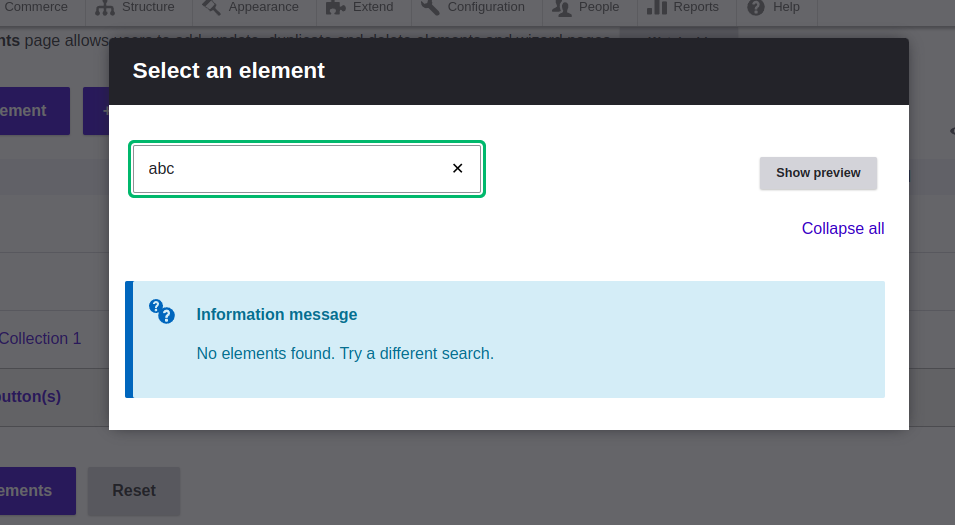
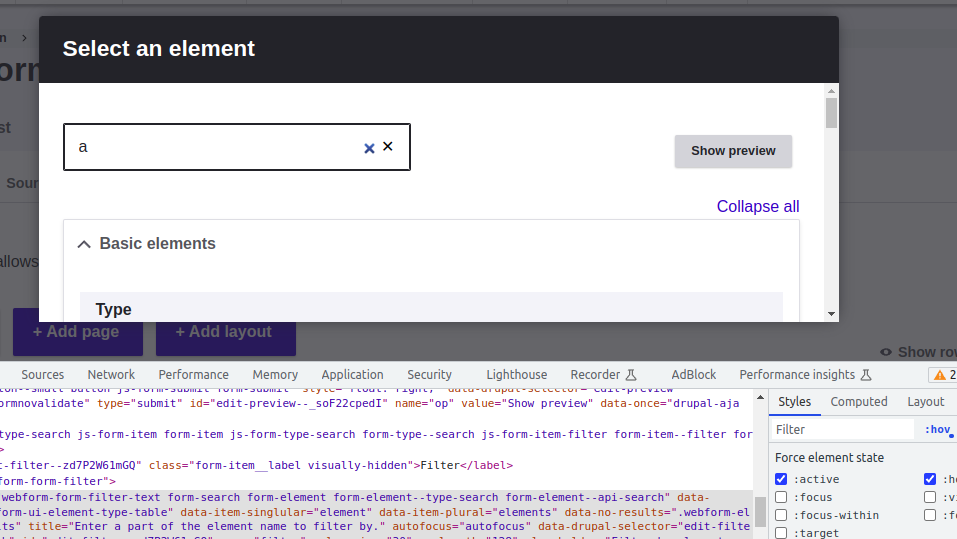
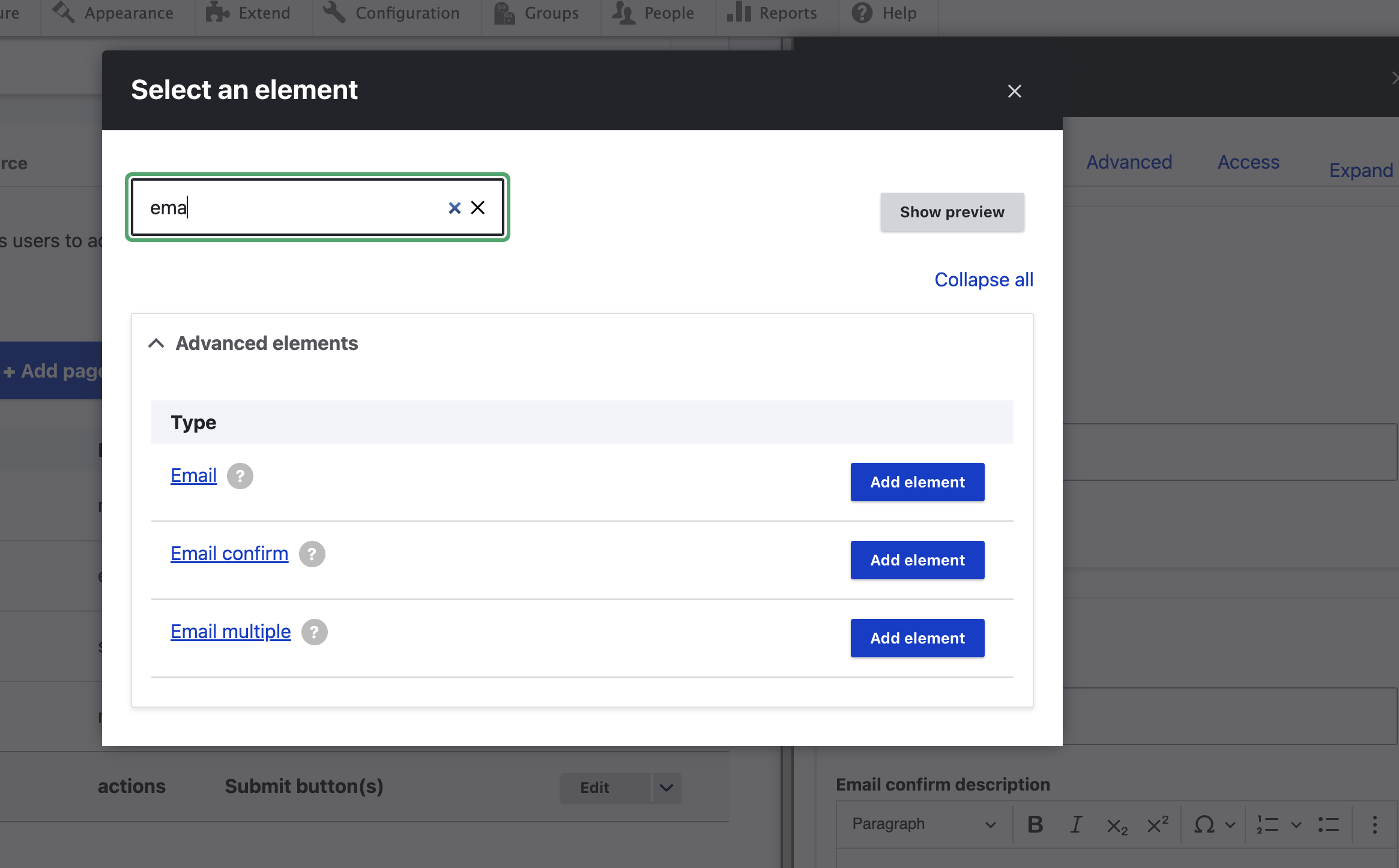
When you click on to add element you will find there are two close icons.
Steps to reproduce
- Install webform module.
- Go to build page.
- Click on add element
- Type in input
Proposed resolution
Remove icon which is coming on hover.
| Comment | File | Size | Author |
|---|---|---|---|
| #7 | webformextraicon-chrome2.png | 44.48 KB | danrod |
| #6 | 3382565-6.patch | 616 bytes | jrockowitz |
| #5 | webformextraicon-chrome.png | 92.98 KB | danrod |
| #4 | Screenshot 2023-08-23 at 11.20.45 AM.png | 91.46 KB | Ozle |
| #2 | webformextraicon-firefox.png | 127.83 KB | danrod |



Comments
Comment #2
danrodI had a look on this and I was able to see the extra "close" icon on Chrome (Ubuntu 22.04), but I wasn't able to replicate (see) this on Firefox.
Comment #3
jrockowitz commentedI am not able to replicate this via OSX Chrome - Version 115.0.5790.170 (Official Build) (arm64)
What version of Chrome are you using on Ubunti
Comment #4
Ozle commentedI tested this on
Chrome 116.0.5845.96 (Official Build) (arm64)
Firefox 115.0.2
Safari 16.2 (18614.3.7.1.5)
but couldn't replicate it.
Comment #5
danrodVersion 115.0.5790.170 (Official Build) (64-bit) - Ubuntu 22.04 - AMD Ryzen 3 4300U with Radeon Graphics
Comment #6
jrockowitz commentedIt looks like Chrome is adding the X to the search input.
@see https://stackoverflow.com/questions/32312348/how-to-show-x-clear-in-chro...
We don't want to convert the search input to a text field.
The attached patch, which I could not test, adds the Chrome-specific CSS to hide the X.
Comment #7
danrodThanks @jrockowitz I can confirm that the patch is working for me (Chrome on Ubuntu)
Comment #8
djsagar commentedI applied patch #6 is working fine and fixed the issue on Chrome 116.0.5845.96.
Comment #9
jrockowitz commentedComment #10
jrockowitz commented