

 Come together with the global Drupal community in Rotterdam, 28 Sept – 1 Oct 2026. Sessions, contribution, connection, and Early Bird savings until 8 June.
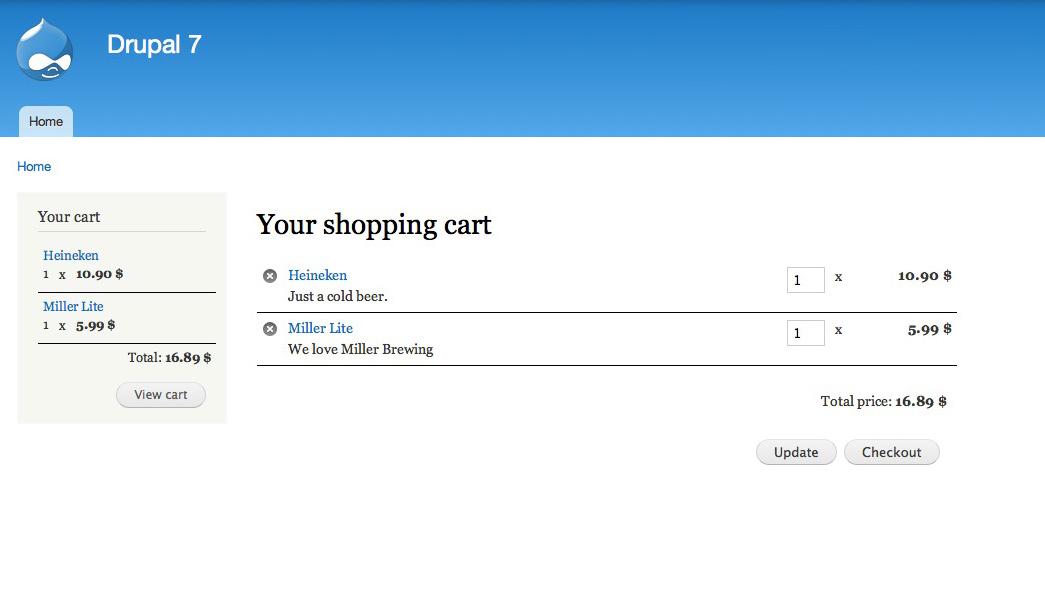
Is there any way to add more fields to cart display without hacking src/Utility.php? It's not very informative if your "product" titles are not clear without extra info stored in separate fields (like image, sku, color, size, etc).
Even the main picture for the module (D7 I believe) has some extra information.
A a configurable option to select one of existing view modes instead of hardcoded "title_link" would be very welcome.
Views support would be even better, if it's possible.
As of now I'd be glad to have some non-hacky way to add just one more field to /cart. Is there any?
| Comment | File | Size | Author |
|---|



Comments
Comment #2
scoff commentedSame issue with email templates. Using just node title in [basic_cart_order:products] is insufficient in some cases.It's easy to fix but requires code modifications.
Actually this part is easy to override with a custom module.
Comment #3
milton_segretti commentedI was able to get the nid from the basic_cart_delete_url in basic-cart-quantity-prefix.html.twig. From there using twig tweak and a view I was able to add a subtitle to the entries in the cart:
The view is set to show the content type under the title when it receives an nid.
This all works great if I directly edit basic-cart-quantity-prefix.html.twig within the module folder. If I move it to theme/[theme_name]/templates it doesn't get picked up. That's where I am stuck.
Comment #4
scoff commentedOnly basic_cart_count_block and basic_cart_thank_you templates are currently can be overridden I believe. See here.
Comment #5
j. commentedForgive my ignorance, I am new to working with OOPHP in D8. Could someone point me in the right direction as to how to add additional inputs to the cart form? I need to add a select input that displays 3-4 packaging choices for the product. The choices needs to be add to the cart, and then be able to modified on the actual cart page as well. Where would i start to add that functionality? Thank you.
Comment #6
scoff commented@J. You mean product variants or addons? I don't believe Basic Cart is the right choice for that. We're talking about far more simple situation where product (node) title is not enough to identify actual item (SKU) in cart or in email sent to admins.
Comment #7
EducoWebDesign commented@scoff thank you so much for providing your hook alter code. I wound up in the same place trying to add my SKU field to the basic_cart_order:products token.
I added the hook_tokens_alter code in my custom module and cleared the site cache and I still can't get the changes to be reflected in the email. Were there any other steps you had to take to get this to work?I stopped being a big dummy and ran drush cr and this worked perfectly! Thank you!
Chris
Comment #8
norman.lolComment #9
norman.lolLet's do it like this:
basic_cart.settingsto have admins select a view mode to display the cart items: maybecart_items_view_modeI think this would make it really flexible for everybody, while at the same time backwards compatibility is maintained.
Comment #11
norman.lolComment #14
norman.lolAdded another option to select a separate view mode for the "Basic Cart Block" block.