

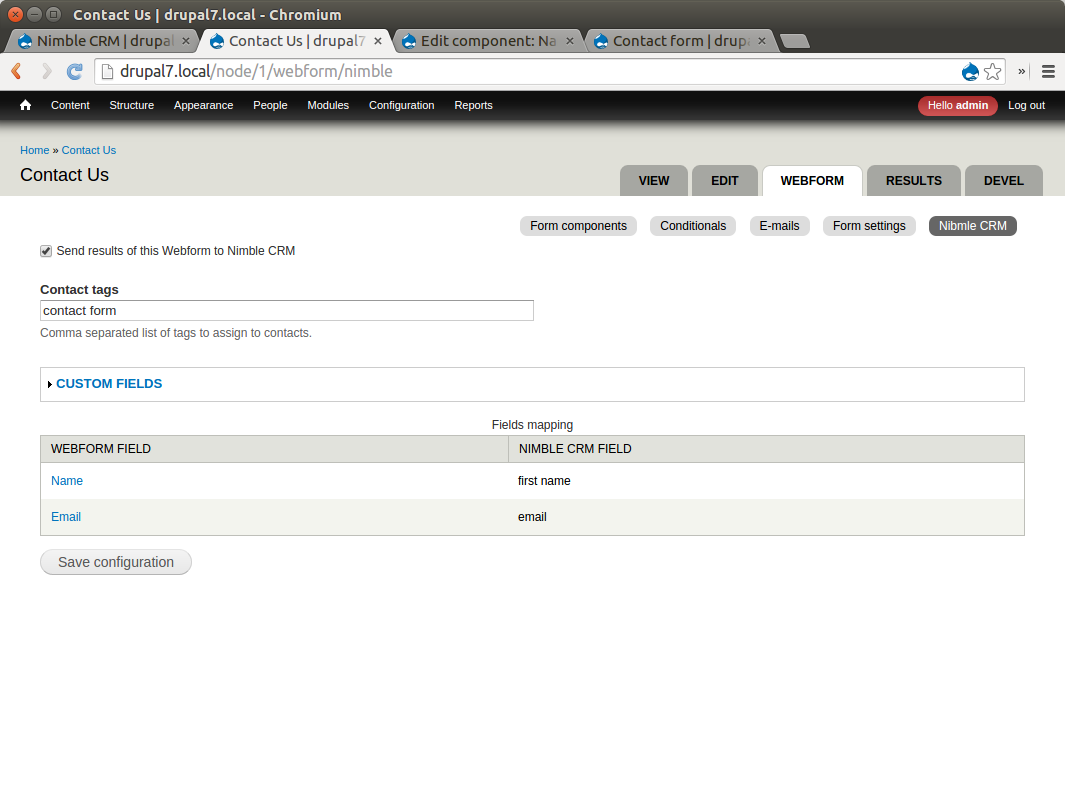
This module provides integration with Nimble CRM. Each time someone submits a contact form response on your website, a new Contact will be added to your Nimble CRM account. It has integration with the core Contact module and Webform module.
Features
- You can set tags that will be added to the new contact
- You can set default values for custom fields
- Supports multiple webforms
- You can map the following fields (Webform):
- First Name (Name)
- Last Name
- Phone
- Company
Requirements
- OAuth2 Client module
- Nimble API access
Recommended modules
Installation
1. You need to get the API keys from Nimble.
For Nimble API Access, please email api-support@nimble.com and include the following:
- App Name: Contact exporting tool for [your site name]
- App Description: Creates contact on Nimble CRM account when contact form is submitted.
- Redirect URL for oAuth callback: [your site full path]/nimble-crm/authorized
2. After you get the Client ID and Client Secret keys, enter them on the configuration page. You will be redirected to the Nimble login page. Log in to your account and confirm API access to this app. After that, you will be redirected back to your site.
3. Now your can enable integration with contact form or any webform on your site.
4. If you use webform, don’t forget to map your components with Nimble fields.
Pledges
#D8CX: I pledge that Nimble CRM will have a full Drupal 8 release on the day that Drupal 8 is released.
Credits
This module is sponsored by Lemberg Solutions.
Project information
 Minimally maintained
Maintainers monitor issues, but fast responses are not guaranteed.- Maintenance fixes only
Considered feature-complete by its maintainers. - Project categories: Integrations
- Created by ribel on , updated
 Stable releases for this project are covered by the security advisory policy.
There are currently no supported stable releases.

