
 Come together with the global Drupal community in Rotterdam, 28 Sept – 1 Oct 2026. Sessions, contribution, connection, and Early Bird savings until 8 June.
On this page
Content synchronization
Last updated on
1 August 2023
By default, Drupal can only export/import configurations between environments. These configurations include block, menu and vocabulary configurations, but not block contents, menu items links, and taxonomy terms. These are important parts of a site. It's useless to have blocks without content, menus without links and vocabulary without terms. We need a solution to sync these contents between environments.
Mix module is now shipped with a Content synchronization feature. It provides a way for developers and site builders to export and recreate blocks, menu links and taxonomy terms between environments.
How to use
Enable content synchronization
- Enable the Mix module
- Goto /admin/config/mix page
- Find "Content synchronization" section, check "Enable content synchronization" and click "Save configuration"
Sync contents
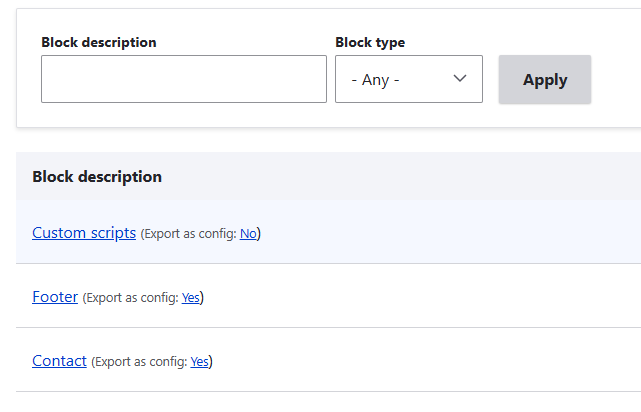
- Go to content list page(blocks, menu links and taxonomy terms), find "Export as config" and click the link to choose/unchoose an item.
- Export configurations by Config export page or
drush cexfrom a source site (e.g. the Dev site). - Import configurations by Config import page or
drush cimto a target site (e.g. the Prod site). - Goto /admin/config/mix page of the target site, click the "Generate missing content" button below to create non-existent contents (Note: To avoid unexpected content updates, only non-existent content will be created by now.).
Help improve this page
Page status: No known problems
You can:
You can:
- Log in, click Edit, and edit this page
- Log in, click Discuss, update the Page status value, and suggest an improvement
- Log in and create a Documentation issue with your suggestion
