Snippet: changing link labels
A kludge to change the text and look of Subscribe and Unsubscribe links.

The Notifications UI module provides the interface for end users to be able to subscribe / unsubscribe to content. As all the other modules in this package it can be disabled and replaced by a fully customized one.
The module has a few options for content types and nodes. The end user options that are finally rendered are a combination of the permissions and these basic settings. This is a quick set up guide to get some basic UI working.
First of all you should check the permissions for subscription types provided by the add on modules. I.e. enable "subscribe to content", "subscribe to author" and "subscribe to content type" permissions for the role you intend to use them.
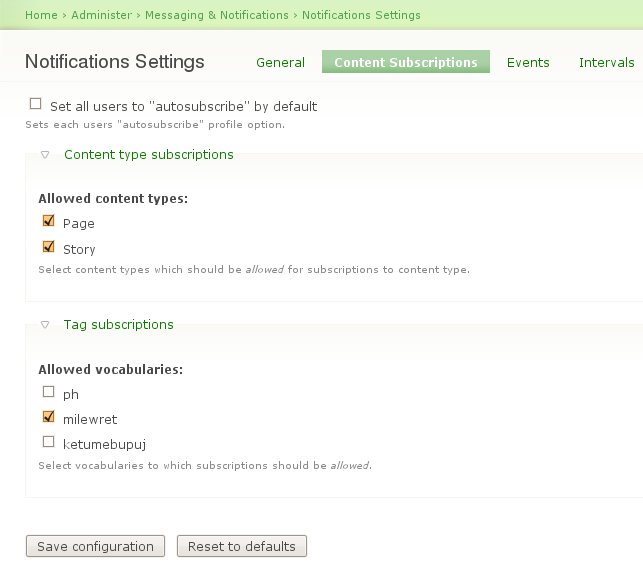
There's one more settings page to decide which content types are allowed for "subscriptions to content types", like "subscribe to stories".
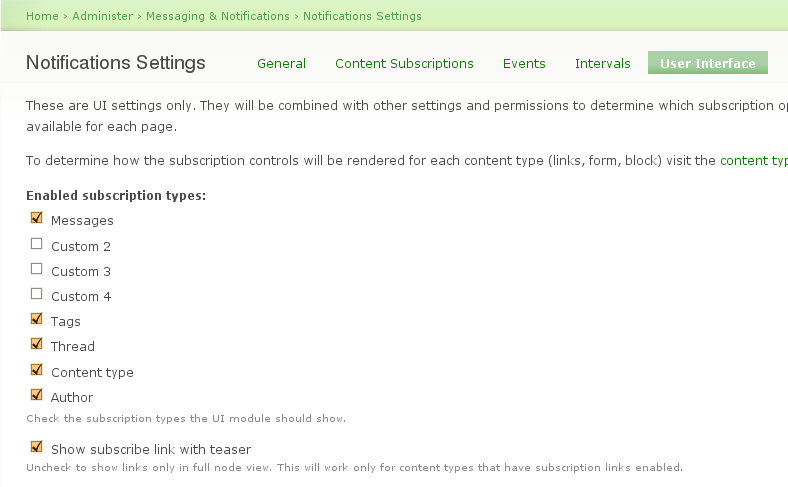
Then we need to enable the subscription types we want the users to be able to use.
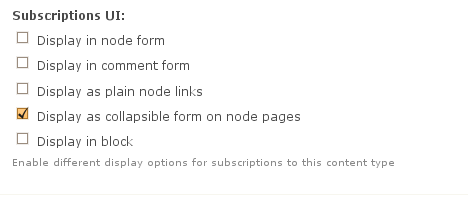
Finally, for each content type, we can choose how the subscribe/unsubscribe links will be displayed.
For a nice javascript widget like the one used in Drupal Groups, see http://groups.drupal.org/node/17779.  .
.
A kludge to change the text and look of Subscribe and Unsubscribe links.

Drupal is a registered trademark of Dries Buytaert.
