
On this page
Basic configuration for Advanced Varnish
The module should be installed as any other Drupal module, you can download it or install via composer.
In the varnish folder you'll find a default.vcl file, this file needs to be deployed to your Varnish server in order to support module functionality. Do not forget to check and change Varnish Backend server connection details and also access list for Purge requests:

After that, you can go to the module configuration page to start setup: /admin/config/development/adv_varnish
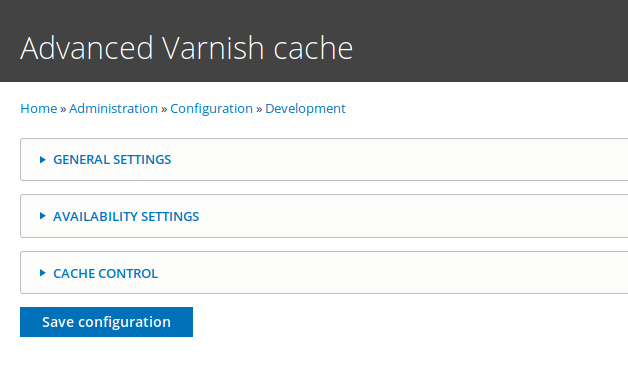
You will find 3 different sections there which need to be configured to allow varnish Pages properly.
Here we will review basic setup for Anonymous user cache.
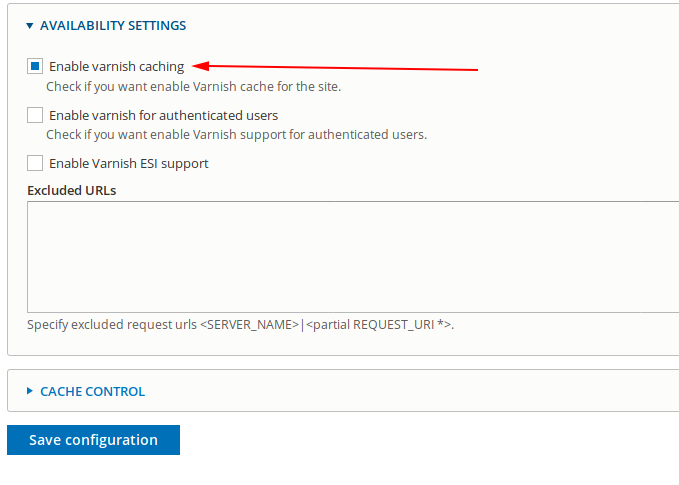
First of all open "Availability settings" and set checkbox on "Enable varnish caching" checkbox.
After that open "General settings" and set desired cache time for content "Page cache maximum age" and "Grace" time.
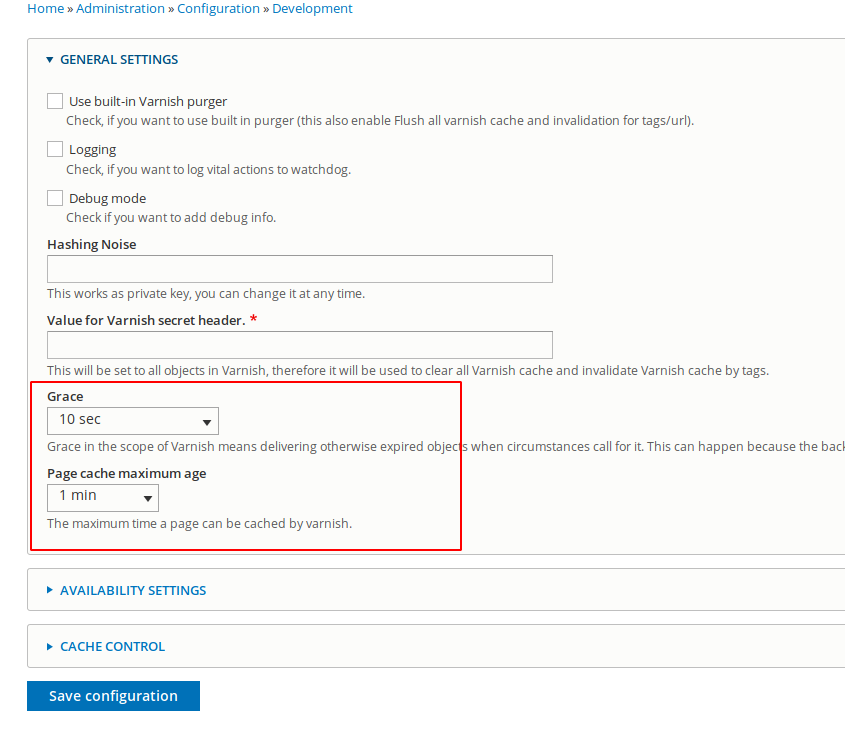
Page cache maximum age will be used to set cache lifetime in varnish (Drupal cache lifetime still will be set in Cache-Control header).
Grace tells Varnish that it should serve the object to clients for some time after the TTL has expired, while Varnish fetches a new version of the object.
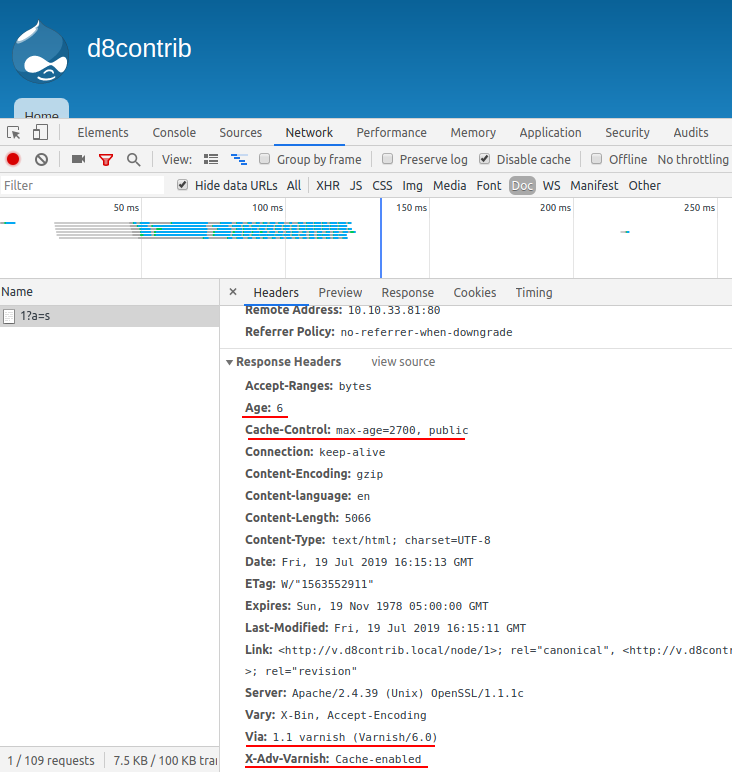
Save configuration and flush Drupal caches. After that you can start browsing site with Anonymous user, as a result you should start to get content served by Varnish. To see if it works you can check response headers, there you can find information about response status:
In case if you need to have different TTL for content types you can find Advance Varnish override settings on Content type configuration page where you can override default Advanced Varnish Page cache maximum age settings

After that, basic setup is finished. For more advanced configuration please refer to other tutorials from this guide.
Disable Advanced Varnish in settings.php
If you're working in an environment that doesn't have Varnish set up, you can disable Advanced Varnish module by adding those lines to your settings.php file:
// Disable Varnish
$config['adv_varnish.cache_settings']['general']['varnish_purger'] = false;
$config['adv_varnish.cache_settings']['available']['enable_cache'] = false;
You can also include them in settings.local.php
Useful links:
Help improve this page
You can:
- Log in, click Edit, and edit this page
- Log in, click Discuss, update the Page status value, and suggest an improvement
- Log in and create a Documentation issue with your suggestion

