
 The 2026 Drupal Business Survey is open. Your response will help shape the future of the Drupal business ecosystem.
On this page
Overview
What is a workspace?
A workspace is a copy of the live site, that exists in parallel to the live site. It provides the ability to have multiple environments to work on a Drupal site, where you can stage changes and then deploy them to the production site. In essence, a workspace is a set of configurations and content, separated from the main site, which can be edited and tested without affecting the live site.
The Workspace module contains:
-
An administrative user interface for managing workspaces. You can create and delete workspaces, and switch between them to edit configurations and content.
-
The main functionality for creating and managing workspaces. It allows you to define a set of configurations and content that will be used in a workspace, and switch between workspaces to manage the content.
-
Functions to deploy changes made in a workspace to the live site. You can choose which changes to deploy and when to deploy them.
Using the Workspace module, you can create multiple workspaces for development, testing, and staging. Each workspace can have its own set of configurations and content, allowing you to test changes without affecting the live site. You can also easily deploy changes from a workspace to the live site, making it easier to manage updates and changes in a controlled manner.
Overall, the Workspace module provides a powerful set of tools for managing changes to a Drupal site, allowing you to work more efficiently and effectively.
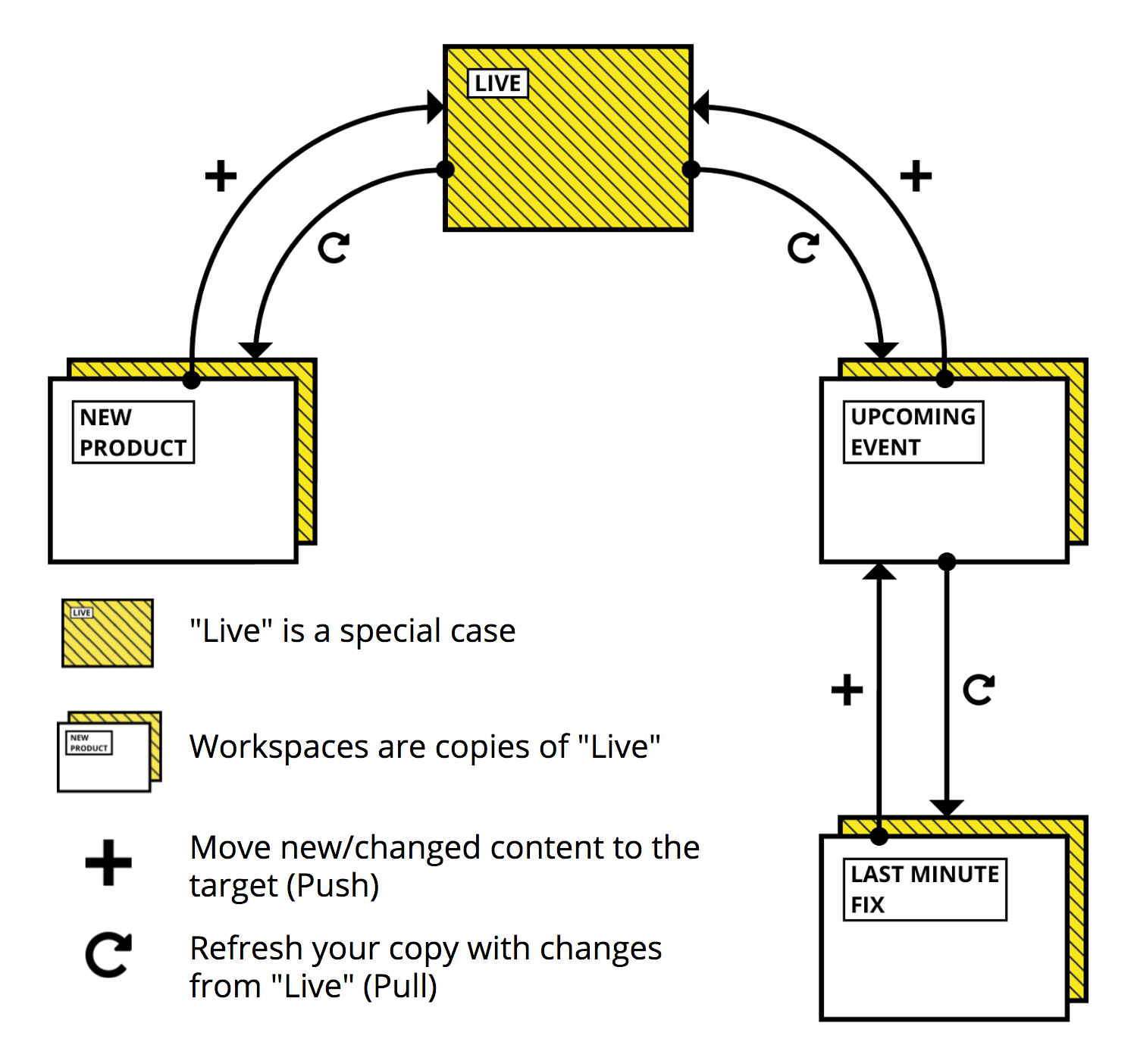
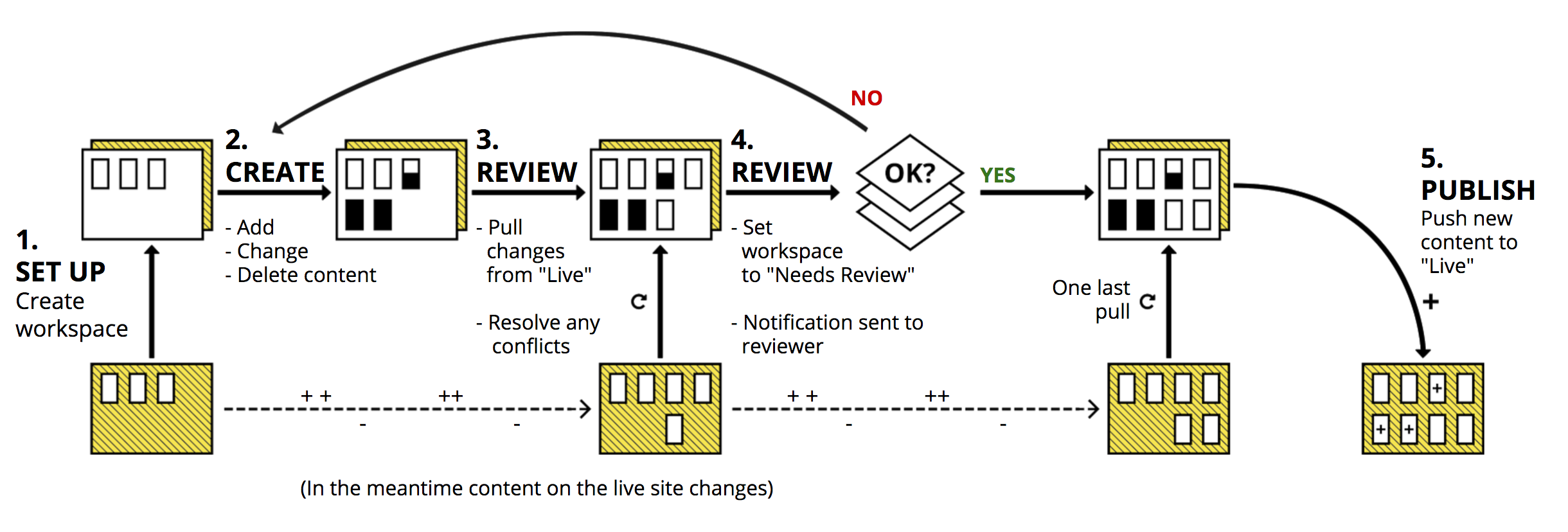
A typical scenario can look like this:
Help improve this page
You can:
- Log in, click Edit, and edit this page
- Log in, click Discuss, update the Page status value, and suggest an improvement
- Log in and create a Documentation issue with your suggestion
