
 Come together with the global Drupal community in Rotterdam, 28 Sept – 1 Oct 2026. Sessions, contribution, connection, and Early Bird savings until 8 June.
On this page
Installation and basic configuration
Last updated on
12 November 2020
Drupal 7 will no longer be supported after January 5, 2025. Learn more and find resources for Drupal 7 sites
Installation
This module can be installed on any new or existing Drupal 7. Download the module manually, using a .make file or another way.
Once completed, you can enable the module by either going to /admin/modules and enabling it there, or using your console and Drush:
drush en siteimproveAfter that, you can get started with the basic configuration.
Configuration
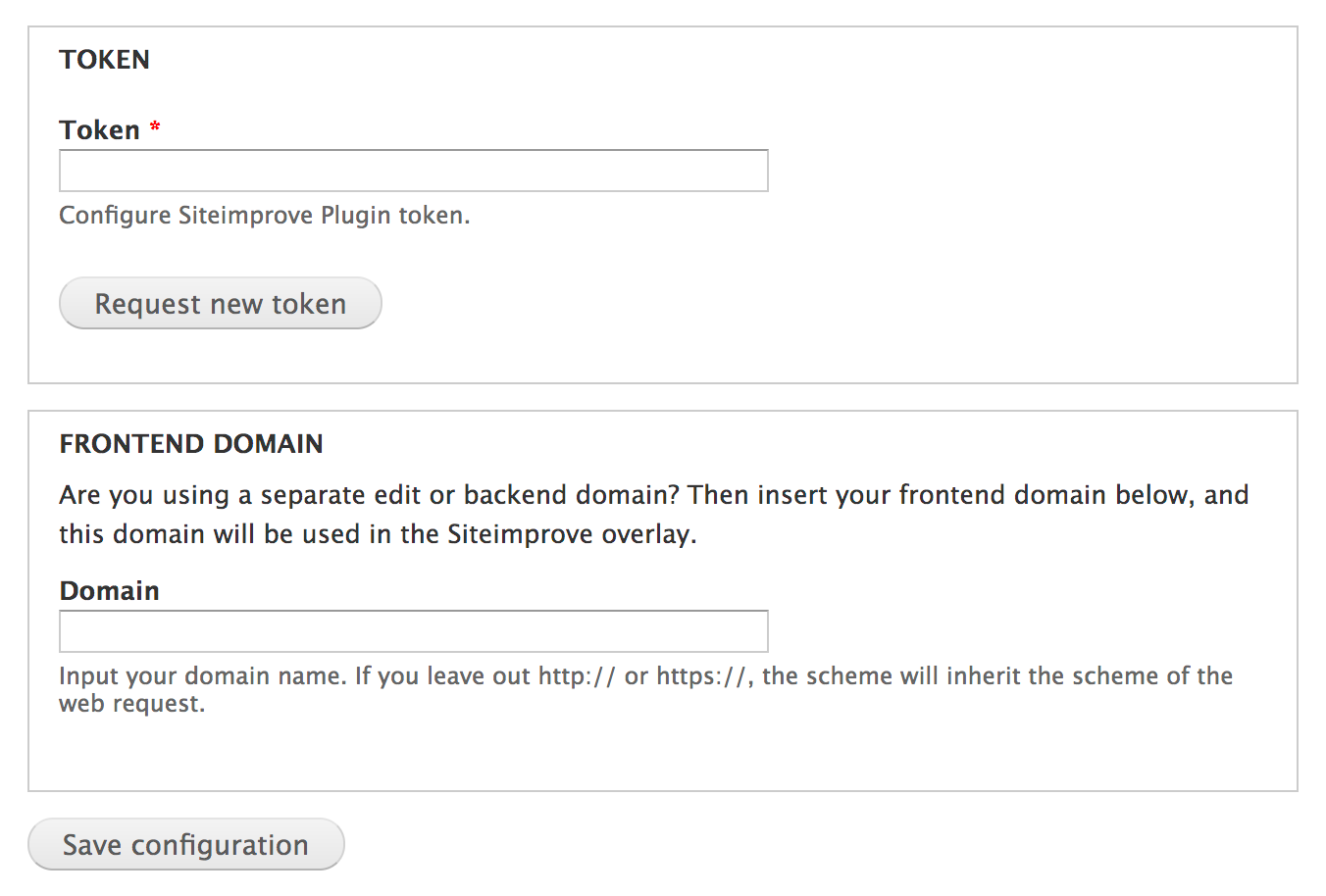
Configuration of the Siteimprove Plugin.
- Navigate to the Siteimprove Plugin settings page; /admin/config/system/siteimprove
- If the Token field is empty, click "Request new token".
- Are your Drupal 7 website using different frontend and backend domains (e.g. decoupled frontend, dedicated edit/backend domain etc.) then can you input your frontend domain in the Domain field. The domain has to be inputted without protocol, path/folders, trailing slash etc.
- Click on Save Configuration button.
Permissions
Now that we have finished the basic configuration is it time to grant our user roles access the the Siteimprove plugin. The Siteimprove module include the following permisions:
- Administer Siteimprove Plugin [machine name: administer siteimprove]
Access to configure the Siteimprove module settings. - Access Siteimprove Plugin [machine name: use siteimprove]
Access to use the Siteimprove Plugin (overlay). Only users with this permission will see the plugin.
Help improve this page
Page status: No known problems
You can:
You can:
- Log in, click Edit, and edit this page
- Log in, click Discuss, update the Page status value, and suggest an improvement
- Log in and create a Documentation issue with your suggestion
