
 Come together with the global Drupal community in Rotterdam, 28 Sept – 1 Oct 2026. Sessions, contribution, connection, and Early Bird savings until 8 June.
Introduction
Drupal 7 will no longer be supported after January 5, 2025. Learn more and find resources for Drupal 7 sites
The Accessibility project is a suite of modules that provide accessibility testing for content authors, theme designers, and developers. Once enabled, site maintainers can enable one or many accessibility tests — for example, checking that an image is missing its "alt" attribute — many of which are aligned with national or international guidelines like WCAG 2.0. All tests have a Severity level which corresponds to how sure the test is that an error is occurring.
- Severe - Test does not generate false positives.
- Moderate - Test can generate false positives, but results should be flagged for further review.
- Suggestion - Test cannot check this section of the page (i.e. flash content) and a human reviewer is required.
Note: while these modules help catch common or simple accessibility errors on your site, they are not meant as a replacement for a thorough review by an accessibility expert. There are many other best practices site creators can follow to ensure their content is accessible, and which can be used in concert with the accessibility project.
Installation and setup
Dependencies
Before you can enable any accessibility modules, you will need to install the following modules:
You will also need to download and install specifically the 2.0.3 version of the QUAIL jQuery library and install it in your library directory.
Setting up tests
While there are several modules in the project, the Accessibility module itself provides all mechanisms for testing pages. Use the normal process to enable the Accessibility module, then navigate to Administration > Configuration > Accessibility tests. This page will show you any tests which have already been installed.
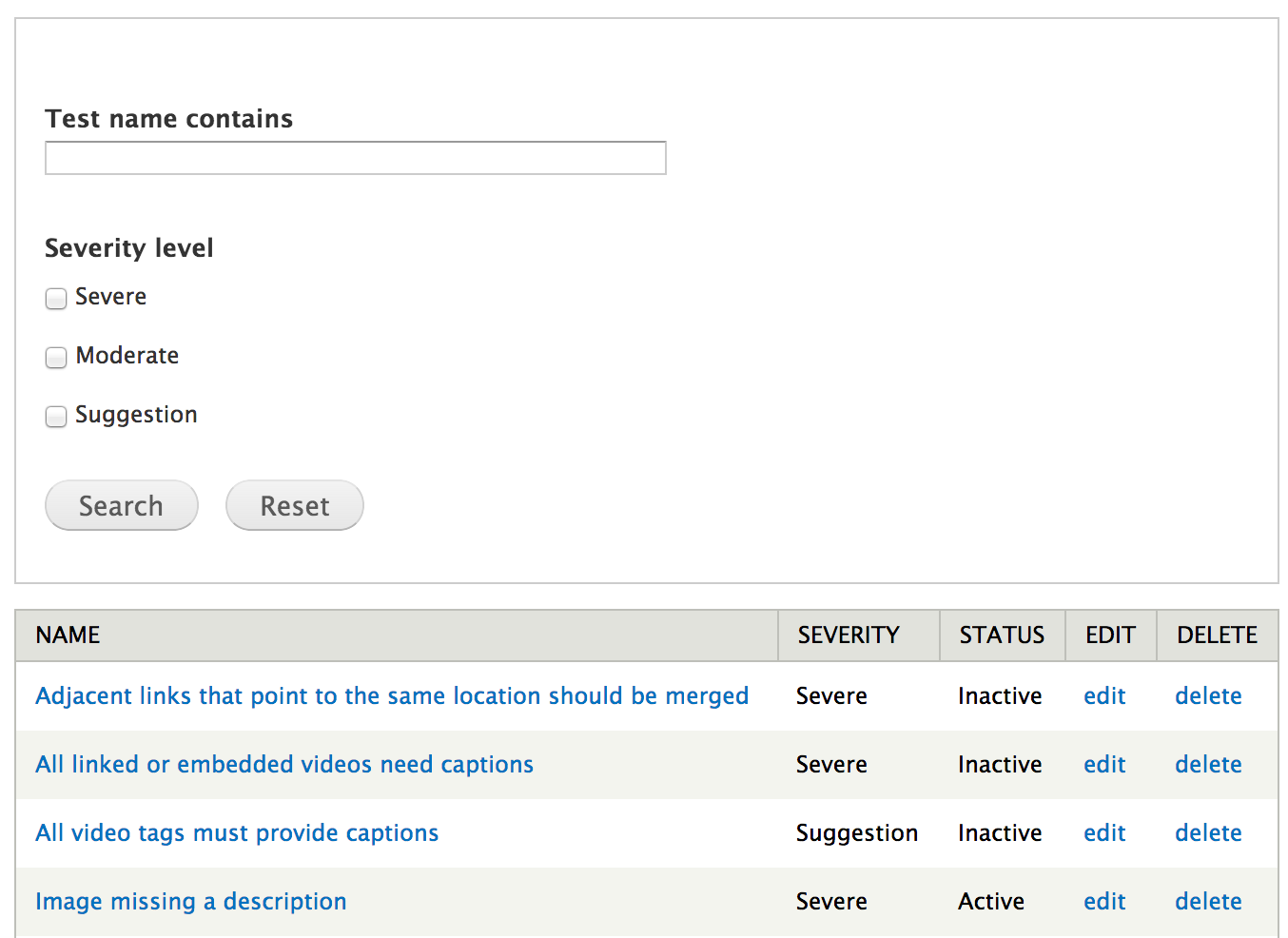
Accessibility tests are entities, and can have additional custom fields added to them. These are displayed to users when an error is found on their page, and behave just like fields in content types. You can manage your fields for accessibility tests under the Manage fields and Manage display sections of the Accessibility tests administration page.
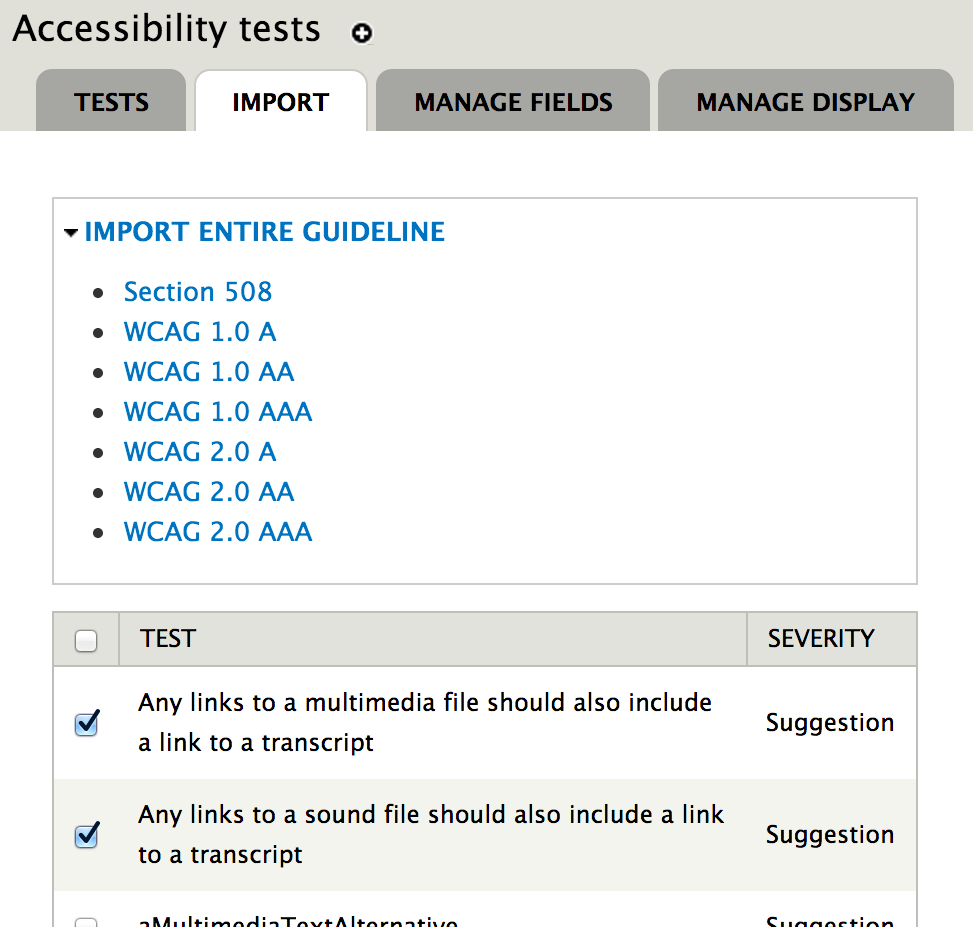
Once enabled for the first time, your site will have no tests installed. You can add new tests under the Import section or tab of the Accessibility tests administration page. Here you can check off one test at a time, or click any of the guidelines on the top of the page to check off tests that correspond to that guideline. Clicking the Import tests button will then create a new entry for each test.
Editing existing tests
All tests can be edited under the Accessibility tests administration page. The following are special fields that alter the way tests behave:
- Machine name - The name of the test, usually corresponding to a QUAIL test; however, there is a method for other modules to define their own tests.
- Test name - The actual name of the test, visible when managing tests, and displayed to users when they see errors.
- Severity - The severity level of the test.
- Test is active - Whether the test is active or not. Disabling a test is useful if you wish to keep the test information, but disable it for the time being.
Help improve this page
You can:
- Log in, click Edit, and edit this page
- Log in, click Discuss, update the Page status value, and suggest an improvement
- Log in and create a Documentation issue with your suggestion
