

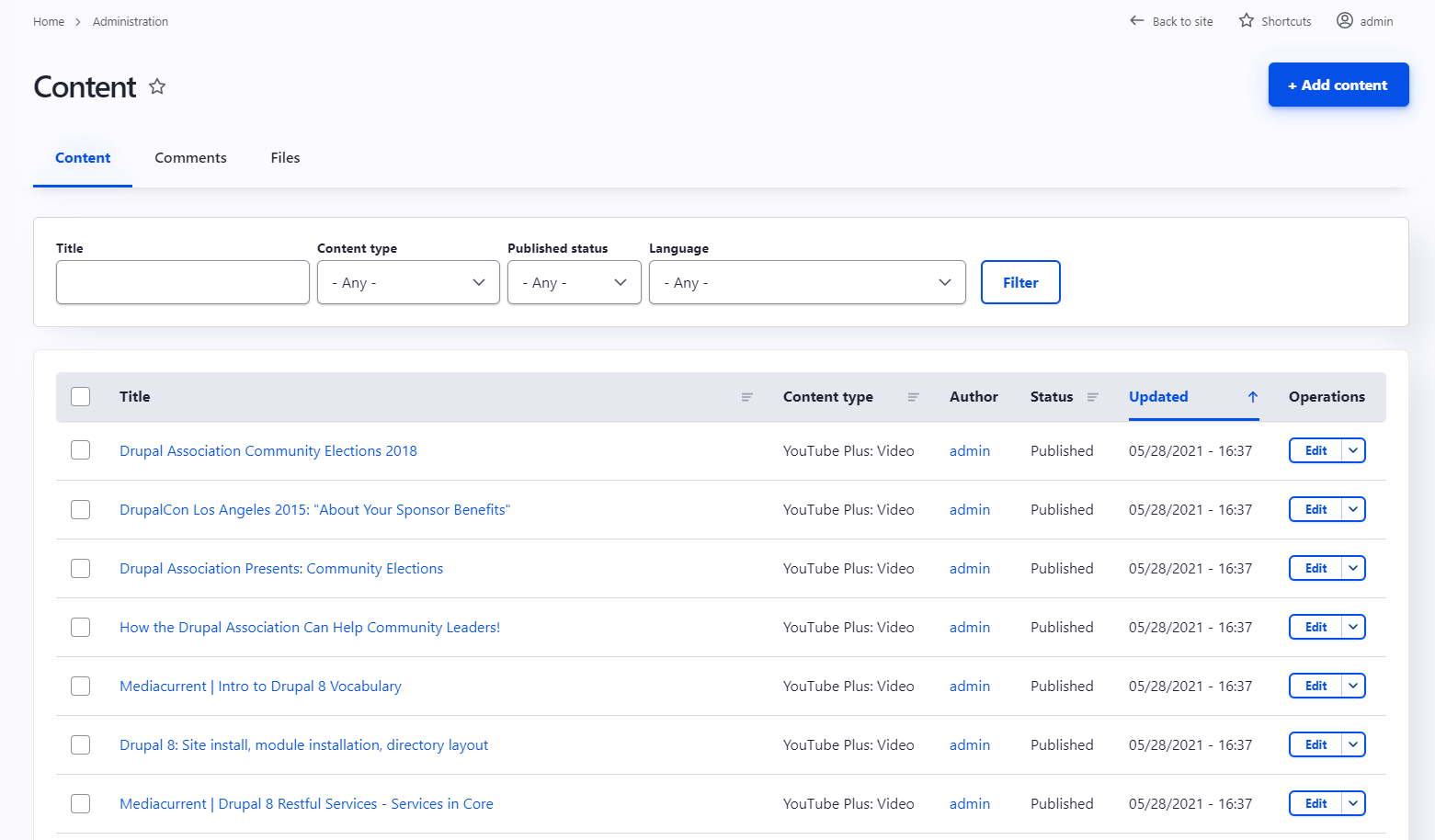
The YouTube Plus (youtube_plus) module imports Youtube video information as nodes in order to create video list on your site. It also allows you to configure and import multiple YouTube channel's and playlist's which result in the possibility to segregate content.
Provides a drush command to execute import/rollback contents by channel or in bulk. Also allows user to run it manually on the configuration page for each channel.
Features
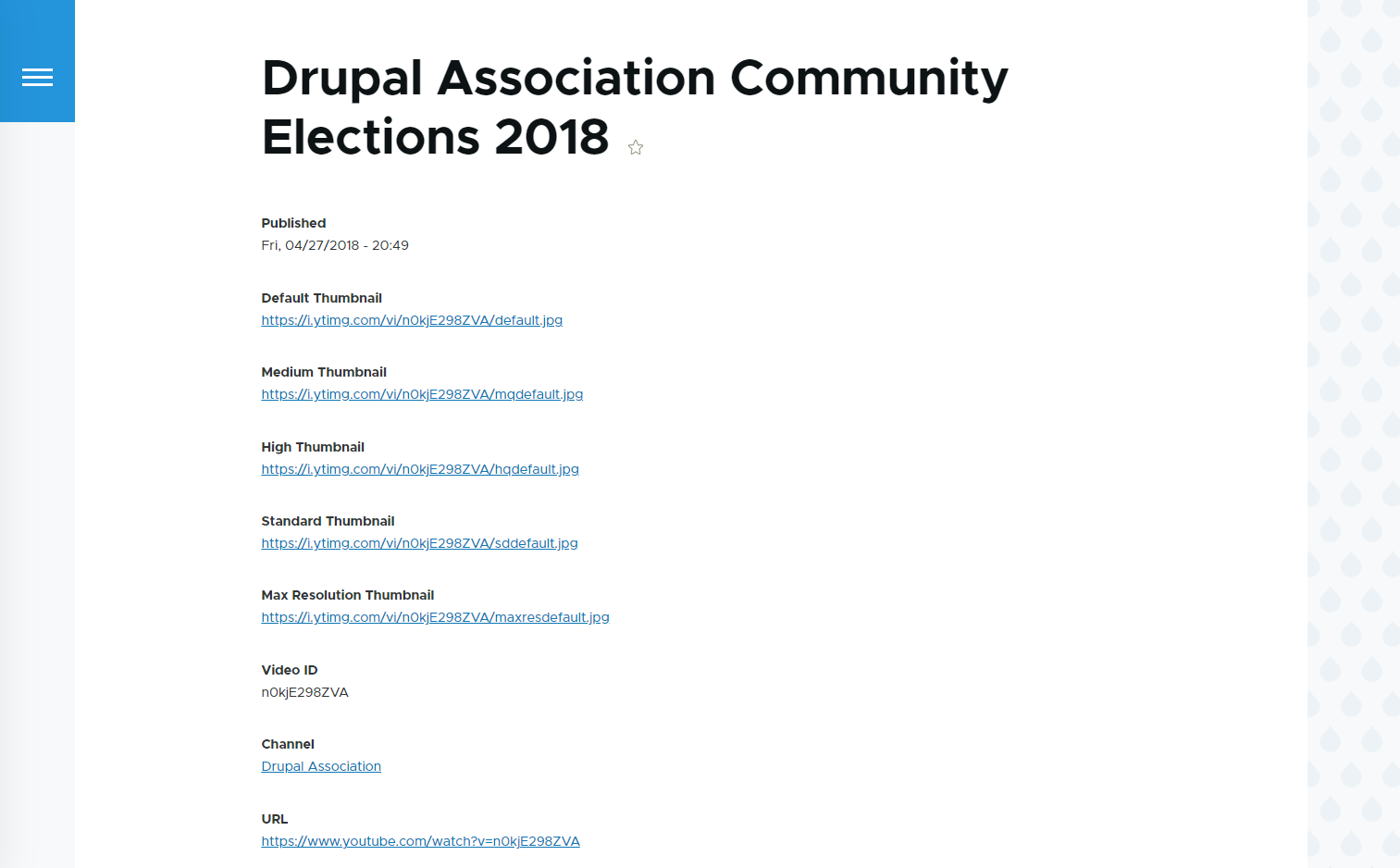
- Each video is imported as a node with the available metadata
- Each channel can be imported and managed separately
- The configured channel's are created as a Taxonomy term and referenced in each node
- The existing playlist's on the channel are created as a Taxonomy term and referenced in each node
Configuration
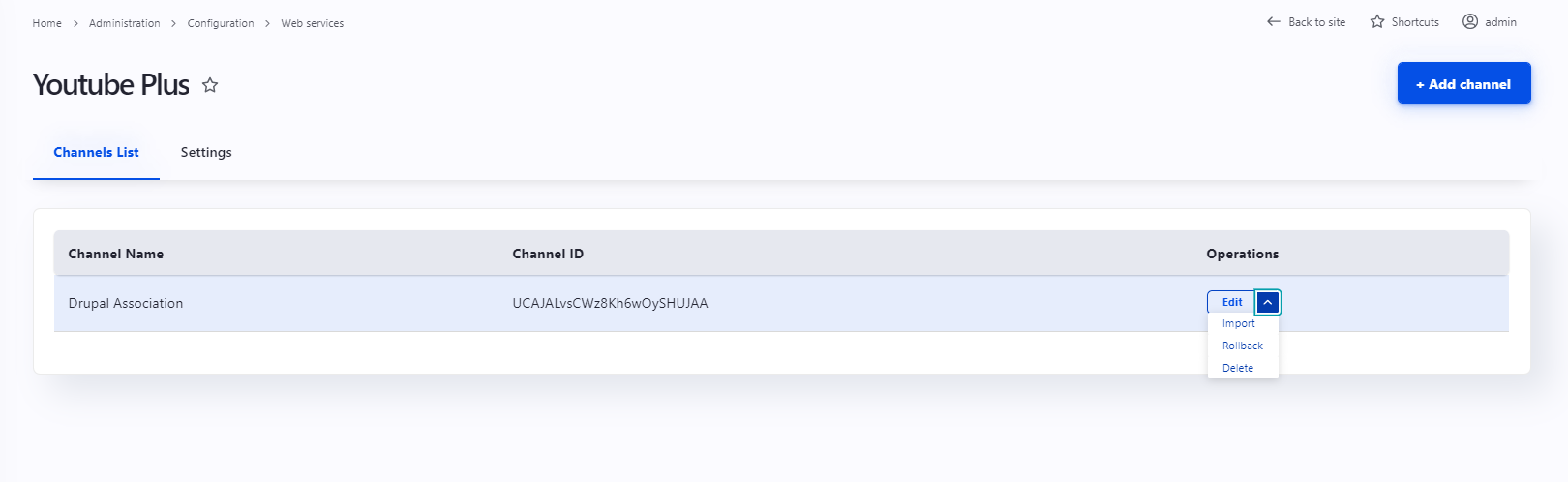
The configuration page can be found in admin/config/services/youtube_plus.
- Add an API Key in
settings - Add an Channel in providing the channel ID
- Select the channel and click "Import"
Note: You need to enable the Youtube Data API in your Google dashboard. You can follow this tutorial: Getting started
Data imported from YouTube
- Title
- Channel
- Playlist
- Video ID
- Video URL
- Medium Thumbnail URL
- High Thumbnail URL
- Standard Thumbnail URL
- Max Resolution Thumbnail URL
- Published date
Supporting organizations:
Project information
 Maintenance fixes only
Considered feature-complete by its maintainers.- Project categories: Content editing experience, Integrations
 119 sites report using this module
- Created by dgaspara on , updated
 Stable releases for this project are covered by the security advisory policy.
Look for the shield icon below.


