

Closed (fixed)
Project:
Views Slideshow JCarousel Thumbs
Version:
6.x-1.x-dev
Component:
Documentation
Priority:
Normal
Category:
Bug report
Assigned:
Unassigned
Reporter:
Created:
13 Aug 2010 at 14:57 UTC
Updated:
31 Aug 2010 at 15:20 UTC
Jump to comment: Most recent file

Comments
Comment #1
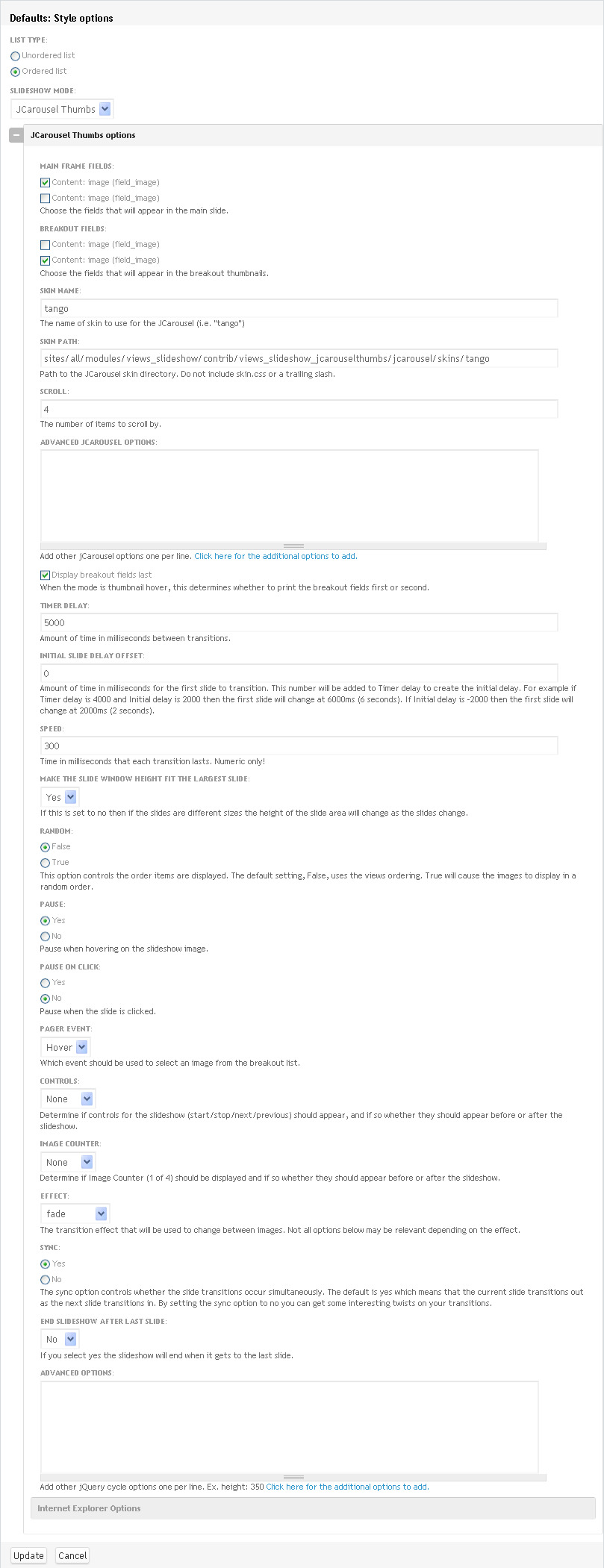
darrellhq commentedI should add that I have the row style set to field and attached a screen shot of my settings.
Comment #2
fearlsgroove commentedI mistakenly failed to include the jcarousel library in the cvs package. It's been committed now to CVS, so you can check it out now or wait until the new dev package comes tomorrow. Or just download the JCarousel library here:
http://sorgalla.com/projects/download.php?jcarousel
EDIT: You'll need to rename the directory in the tarball linked above to "jcarousel" and put it in the root of the module.
Comment #3
darrellhq commentedThank you for your response. I actually looked at the code and figured that out. However I still do not have movement in my carousel. I am not sure if it is a theming issue or not but right out of the box with Jcarousel in the proper place it does not seem to be working. How can I help you? What type of information would you like from me. I can thoroughly test this as I intend to use it on a current site. I'd like to help in any way. Thanks for working on this.
Comment #4
fearlsgroove commentedIs the carousel displaying as a carousel, or as just a normal, non-carousel list? Could you export the view and/or post a link to the view?
Comment #5
darrellhq commentedCurrently it is displaying as a carousel
Comment #6
fearlsgroove commentedSo .. it's working then? or not?
Comment #7
darrellhq commentedIt shows as a carousel but there is no movement. I hope that I am not pushing an issue that is just misconfiguration on my end.
Comment #8
fearlsgroove commentedWhat specifically isn't moving? The main frame, or the carousel? With default settings, the carousel will track the main slideshow, so as the main slideshow advances the carousel should advance too. Note that mousing over the slideshow will pause if "pause on mouseover" is true, which is the default.
The other way the carousel moves is by clicking the arrows.
Are you getting firebug errors? Could you paste or attach an export of the view?
Comment #9
darrellhq commentedI attached my view. What happens is the main slide fade in and out for all the images as expected. But in instead of the thumbnails sliding to the left when the slideshow advances it does not move at all. Although in firebug the scripting appears to be working. It will not advance the slide show by clicking on the next and prev button as well.
Comment #10
fearlsgroove commentedthanks for that .. could you either post an export of your content type as well, or provide a reduced test case with only out-of-the-box content types and fields?
Comment #11
darrellhq commentedNo problem. I could set up a dev box this evening but here are the two content type I use in my setup. This also uses the node relationships module to make it all work.
Comment #12
fearlsgroove commentedCan you re-export the view using the new content type names?
Comment #13
darrellhq commentedActually they do use the names. I added _content_type for some unknown reason to the txt file name. really it should just be carousel and carousel_image respectively. I hope that helps.
Comment #14
fearlsgroove commentedSorry maybe the names weren't actually the issue. The view references content types and fields that aren't in the content type exports you provided. After importing your content type exports, then trying to import the view, I get:
Comment #15
darrellhq commentedYou are absolutely right. The wrong content type were mistaken export. (I have several sandboxes on my machine. my apologies) I have attached the correct ones.
Comment #16
fearlsgroove commentedSo good news is I've got your test case set up. Bad news (sort of) is that it works fine for me! Using the current -dev version. Have you customized any .tpl.php files for the view? preprocessing? What os/browser are you using?
The only other way I could look into it further I think would be a link to a live version. Send it privately if you prefer.
Comment #17
fearlsgroove commentedOK i think i see what your issue is. The carousel moves as expected when clicking the arrows, but the main frame (the cycle instance) doesn't seem to work at all. I'm taking a look now ...
Comment #18
darrellhq commentedI believe that is it. When I look are the source the main frame is what appears not to respond. I will send you a test site privately in the next few hours. Thank you so much for looking into this!
Comment #19
fearlsgroove commentedOK on a fresh sandbox site, it does seem to work as I expect it to. I think I know what the issue is, but I'm not sure the best solution for it.
First if you load the page and don't do anything (don't mouse over the slideshow or click a carousel link) -- the slideshow should play as expected, and the carousel tracks the current slide.
If you hover over the main frame, it will pause. Disable that with a setting in the style properties if you'd like. If you click a slideshow navigation button, it will also pause! This is because if the slideshow continues playing, the carousel will continue to track the slideshow, leading to some not-user-friendly behavior.
If you enable the player controls (another setting) you should see it "pause" whenever you hit a jcarousel navigation.
Please confirm this is the issue you're seeing. It's definitely a problem that it pauses providing a way to resume the slideshow, but I'm not sure what the correct behavior should be. I could make it style option to pause on jcarousel navigation, or I could automatically not pause when the player controls are missing.
Comment #20
darrellhq commentedI will setup my current configuration on a live box for testing. While looking at the carousel in firebug jquery appears to be working to change the position of the carousel but it actually does not move. The main slide show image however continues to fade in and out. I think it would be a good idea to hover over either the slide show or thumbnail it should continue but if you click on a thumbnail then it should stop. Than allow you to manually control it. Just my thoughts.
Comment #21
zet commentedI'm not sure but the autocycling of jcarousel may be related to changing "wrap" variable from jquery.jcarousel.js
from
//wrap: null,
to
wrap: 'circular', or the other possible options
But first thing the configuration variables form jquery.jcarousel.js should be coded to be allowed to be changed from the view config page and checked to be working (overriding the defaults) !
and the timer delays from the slide should be synchronized with the timer delays of the thumbs .
I think is hard to explain in words for the testers the actual buggy behaviours of the thumb images /slide images synchronization.
check this issue too and the live preview on a site.
http://drupal.org/node/885330
Comment #22
darrellhq commented@fearlsgroove your latest snapshot of the module seems to be working just fine. Thank you again for making this module. In my opinion it was missing functionality from views sideshow.
Comment #23
fearlsgroove commentedGreat news. Thanks!