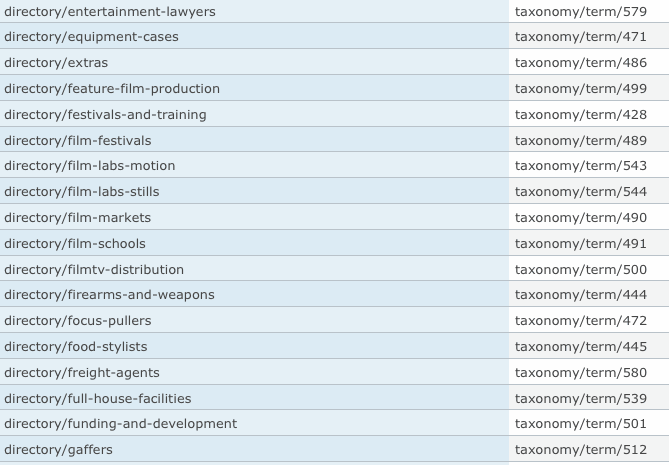
There is an option in views argument settings, named "Transform spaces to dashes in URL" that does not work.
This is an old issue I think,

see: http://drupal.org/node/277412

but still not working. Im using views 2.2 and still have the problem.
if I use a taxonomy term as an argument like below and select the Transform spaces to dashes in URL option:

www:site.com/category/taxonomy-term (not working with dashed taxonomy term allthough I selected "transform spaces to dashes" option)
www:site.com/category/taxonomy term (works with no dashes in taxonomy term)

Comments

Anonymous’s picture

I confirm this bug, not working. It replaces the spaces to dashes in URL but the content disappears.

In my opinion this is a very important feature not implemented properly.

liliplanet’s picture

Priority: Normal » Critical

Same here unfortunately. So the argument directs to a taxonomy term without the-dash ... therefor a blank result.

Is there perhaps a work around this please, very close to launch and this is important.

Thank you for any reply.
Lilian

liliplanet’s picture

I have been looking in the sql database and do not see where (if even if had to do it manually one-by-one) to convert the url for terms with dashes-please-this-is-important .. :)

damienmckenna’s picture

Version: 6.x-2.2 » 6.x-2.3

Is still an issue with v6.x-2.3.

merlinofchaos’s picture

I can't duplicate this. On my test system this is working exactly perfectly.

Can you please maybe paste a view and a query from the Views preview that demonstrates this failing?

merlinofchaos’s picture

Status: Active » Postponed (maintainer needs more info)
liliplanet’s picture

Status: Postponed (maintainer needs more info) » Active

Thank you MerlinofChaos,

This problem actually has me running in circles .. because if I use a Content Taxonomy field, cannot override the url ..

and if I just select taxonomy the link to override url in the view works, but without the d-a-s-h-e-s in the argument, although 'Transform spaces to dashes in URL' is selected.

$view = new view;
$view->name = 'directory';
$view->description = 'Directory';
$view->tag = 'directory';
$view->view_php = '';
$view->base_table = 'node';
$view->is_cacheable = FALSE;
$view->api_version = 2;
$view->disabled = FALSE; /* Edit this to true to make a default view disabled initially */
$handler = $view->new_display('default', 'Defaults', 'default');
$handler->override_option('fields', array(
  'picture' => array(
    'label' => '',
    'exclude' => 0,
    'id' => 'picture',
    'table' => 'users',
    'field' => 'picture',
    'override' => array(
      'button' => 'Override',
    ),
    'relationship' => 'none',
  ),
  'name' => array(
    'label' => '',
    'link_to_user' => 1,
    'exclude' => 0,
    'id' => 'name',
    'table' => 'users',
    'field' => 'name',
    'override' => array(
      'button' => 'Override',
    ),
    'relationship' => 'none',
  ),
  'field_company_value' => array(
    'label' => '',
    'link_to_node' => 0,
    'label_type' => 'custom',
    'format' => 'trimmed',
    'multiple' => array(
      'group' => TRUE,
      'multiple_number' => '',
      'multiple_from' => '',
      'multiple_reversed' => FALSE,
    ),
    'exclude' => 0,
    'id' => 'field_company_value',
    'table' => 'node_data_field_company',
    'field' => 'field_company_value',
    'override' => array(
      'button' => 'Override',
    ),
    'relationship' => 'none',
  ),
  'tid_1' => array(
    'label' => 'Directory',
    'alter' => array(
      'alter_text' => 0,
      'text' => '',
      'make_link' => 1,
      'path' => 'directory/[tid_1]',
      'alt' => '',
      'prefix' => '',
      'suffix' => '',
      'help' => '',
      'trim' => 0,
      'max_length' => '',
      'word_boundary' => 1,
      'ellipsis' => 1,
      'html' => 0,
    ),
    'type' => 'separator',
    'separator' => ', ',
    'empty' => '',
    'link_to_taxonomy' => 0,
    'limit' => 1,
    'vids' => array(
      '2' => 2,
      '6' => 0,
      '3' => 0,
      '4' => 0,
      '5' => 0,
      '10' => 0,
      '9' => 0,
    ),
    'exclude' => 0,
    'id' => 'tid_1',
    'table' => 'term_node',
    'field' => 'tid',
    'relationship' => 'none',
    'override' => array(
      'button' => 'Override',
    ),
  ),
  'tid' => array(
    'label' => 'Country',
    'alter' => array(
      'alter_text' => 0,
      'text' => '',
      'make_link' => 1,
      'path' => 'directory/[tid]',
      'alt' => '',
      'prefix' => '',
      'suffix' => '',
      'help' => '',
      'trim' => 0,
      'max_length' => '',
      'word_boundary' => 1,
      'ellipsis' => 1,
      'html' => 0,
    ),
    'type' => 'separator',
    'separator' => ',',
    'empty' => '',
    'link_to_taxonomy' => 0,
    'limit' => 1,
    'vids' => array(
      '3' => 3,
      '6' => 0,
      '4' => 0,
      '2' => 0,
      '5' => 0,
      '10' => 0,
      '11' => 0,
      '9' => 0,
    ),
    'exclude' => 0,
    'id' => 'tid',
    'table' => 'term_node',
    'field' => 'tid',
    'relationship' => 'none',
    'override' => array(
      'button' => 'Override',
    ),
  ),
  'tid_2' => array(
    'label' => 'City',
    'alter' => array(
      'alter_text' => 0,
      'text' => '',
      'make_link' => 1,
      'path' => 'production/directory/[tid_2]',
      'alt' => '',
      'prefix' => '',
      'suffix' => '',
      'help' => '',
      'trim' => 0,
      'max_length' => '',
      'word_boundary' => 1,
      'ellipsis' => 1,
      'html' => 0,
    ),
    'type' => 'separator',
    'separator' => ', ',
    'empty' => '',
    'link_to_taxonomy' => 0,
    'limit' => 1,
    'vids' => array(
      '4' => 4,
      '6' => 0,
      '3' => 0,
      '2' => 0,
      '5' => 0,
      '10' => 0,
      '11' => 0,
      '9' => 0,
    ),
    'exclude' => 0,
    'id' => 'tid_2',
    'table' => 'term_node',
    'field' => 'tid',
    'relationship' => 'none',
    'override' => array(
      'button' => 'Override',
    ),
  ),
));
$handler->override_option('sorts', array(
  'access' => array(
    'order' => 'DESC',
    'granularity' => 'second',
    'id' => 'access',
    'table' => 'users',
    'field' => 'access',
    'relationship' => 'none',
  ),
));
$handler->override_option('arguments', array(
  'name' => array(
    'default_action' => 'ignore',
    'style_plugin' => 'default_summary',
    'style_options' => array(),
    'wildcard' => 'all',
    'wildcard_substitution' => 'All',
    'title' => '%1',
    'default_argument_type' => 'fixed',
    'default_argument' => '',
    'validate_type' => 'none',
    'validate_fail' => 'ignore',
    'glossary' => 0,
    'limit' => '1',
    'case' => 'none',
    'path_case' => 'none',
    'transform_dash' => 1,
    'add_table' => 0,
    'require_value' => 0,
    'id' => 'name',
    'table' => 'term_data',
    'field' => 'name',
    'relationship' => 'none',
    'default_options_div_prefix' => '',
    'default_argument_user' => 0,
    'default_argument_fixed' => '',
    'default_argument_php' => '',
    'validate_argument_node_type' => array(
      'article' => 0,
      'casting' => 0,
      'equipment' => 0,
      'jobs' => 0,
      'page' => 0,
      'profile' => 0,
    ),
    'validate_argument_node_access' => 0,
    'validate_argument_nid_type' => 'nid',
    'validate_argument_vocabulary' => array(
      '2' => 2,
      '3' => 3,
      '4' => 4,
      '6' => 0,
      '5' => 0,
      '10' => 0,
      '11' => 0,
      '9' => 0,
    ),
    'validate_argument_type' => 'tid',
    'user_argument_type' => 'uid',
    'restrict_user_roles' => 0,
    'user_roles' => array(),
    'validate_argument_php' => '',
    'override' => array(
      'button' => 'Override',
    ),
  ),
));
$handler->override_option('filters', array(
  'status_extra' => array(
    'id' => 'status_extra',
    'table' => 'node',
    'field' => 'status_extra',
    'operator' => '=',
    'value' => '',
    'group' => 0,
    'exposed' => FALSE,
    'expose' => array(
      'operator' => FALSE,
      'label' => '',
    ),
    'relationship' => 'none',
  ),
  'type' => array(
    'operator' => 'in',
    'value' => array(
      'profile' => 'profile',
    ),
    'group' => '0',
    'exposed' => FALSE,
    'expose' => array(
      'operator' => FALSE,
      'label' => '',
    ),
    'id' => 'type',
    'table' => 'node',
    'field' => 'type',
    'relationship' => 'none',
  ),
  'tid_1' => array(
    'operator' => 'or',
    'value' => array(),
    'group' => '0',
    'exposed' => TRUE,
    'expose' => array(
      'use_operator' => 0,
      'operator' => 'tid_1_op',
      'identifier' => 'tid_1',
      'label' => 'Directory Listing',
      'optional' => 1,
      'single' => 1,
      'remember' => 0,
      'reduce' => 0,
    ),
    'type' => 'select',
    'vid' => '2',
    'id' => 'tid_1',
    'table' => 'term_node',
    'field' => 'tid',
    'hierarchy' => 1,
    'relationship' => 'none',
    'reduce_duplicates' => 0,
  ),
  'rid' => array(
    'operator' => 'or',
    'value' => array(
      '5' => '5',
      '4' => '4',
      '3' => '3',
      '6' => '6',
      '9' => '9',
    ),
    'group' => '0',
    'exposed' => FALSE,
    'expose' => array(
      'operator' => FALSE,
      'label' => '',
    ),
    'id' => 'rid',
    'table' => 'users_roles',
    'field' => 'rid',
    'relationship' => 'none',
    'reduce_duplicates' => 1,
  ),
  'tid' => array(
    'operator' => 'or',
    'value' => array(),
    'group' => '0',
    'exposed' => FALSE,
    'expose' => array(
      'operator' => FALSE,
      'label' => '',
    ),
    'type' => 'select',
    'vid' => '2',
    'id' => 'tid',
    'table' => 'term_node',
    'field' => 'tid',
    'hierarchy' => 0,
    'relationship' => 'none',
    'reduce_duplicates' => 0,
  ),
));
$handler->override_option('access', array(
  'type' => 'none',
  'role' => array(),
  'perm' => '',
));
$handler->override_option('title', 'International Film Production Directory');
$handler->override_option('items_per_page', 7);
$handler->override_option('use_pager', '1');
$handler->override_option('link_display', 'page');
$handler->override_option('style_plugin', 'table');
$handler->override_option('style_options', array(
  'grouping' => '',
  'override' => 1,
  'sticky' => 0,
  'order' => 'asc',
  'columns' => array(
    'picture' => 'picture',
    'name' => 'name',
    'field_company_value' => 'field_company_value',
    'field_directory_value' => 'field_directory_value',
    'tid' => 'tid',
    'field_introduction_value' => 'field_introduction_value',
  ),
  'info' => array(
    'picture' => array(
      'sortable' => 0,
      'separator' => '',
    ),
    'name' => array(
      'sortable' => 0,
      'separator' => '',
    ),
    'field_company_value' => array(
      'sortable' => 0,
      'separator' => '',
    ),
    'field_directory_value' => array(
      'separator' => '',
    ),
    'tid' => array(
      'separator' => '',
    ),
    'field_introduction_value' => array(
      'sortable' => 0,
      'separator' => '',
    ),
  ),
  'default' => '-1',
));
$handler->override_option('row_options', array(
  'inline' => array(
    'picture' => 'picture',
    'name' => 'name',
    'field_company_value' => 'field_company_value',
    'field_directory_value' => 'field_directory_value',
    'tid' => 'tid',
    'field_introduction_value' => 'field_introduction_value',
  ),
  'separator' => '',
));
$handler = $view->new_display('page', 'International Film Directory', 'page');
$handler->override_option('path', 'directory');
$handler->override_option('menu', array(
  'type' => 'default tab',
  'title' => 'Film Directory',
  'description' => 'International Film Production Directory',
  'weight' => '-1',
  'name' => 'primary-links',
));
$handler->override_option('tab_options', array(
  'type' => 'tab',
  'title' => 'Film Production Directory',
  'description' => 'International Film Production Directory',
  'weight' => '0',
));
$handler = $view->new_display('page', 'Page', 'page_1');
$handler->override_option('path', 'directory/%');
$handler->override_option('menu', array(
  'type' => 'tab',
  'title' => 'All',
  'description' => '',
  'weight' => '0',
  'name' => 'navigation',
));
$handler->override_option('tab_options', array(
  'type' => 'none',
  'title' => '',
  'description' => '',
  'weight' => 0,
));
$handler = $view->new_display('feed', 'Feed', 'feed_1');
$handler->override_option('style_plugin', 'rss');
$handler->override_option('style_options', array(
  'mission_description' => FALSE,
  'description' => '',
));
$handler->override_option('row_plugin', 'node_rss');
$handler->override_option('row_options', array(
  'item_length' => 'default',
));
$handler->override_option('path', 'film-company-directory.xml');
$handler->override_option('menu', array(
  'type' => 'none',
  'title' => '',
  'description' => '',
  'weight' => 0,
  'name' => 'navigation',
));
$handler->override_option('tab_options', array(
  'type' => 'none',
  'title' => '',
  'description' => '',
  'weight' => 0,
));
$handler->override_option('displays', array(
  'page' => 'page',
  'default' => 0,
  'page_1' => 0,
));
$handler->override_option('sitename_title', FALSE);

Look forward to your reply, and thank you so much.
Lilian

merlinofchaos’s picture

Can you also paste the query from the preview?

liliplanet’s picture

Status: Fixed » Active

Thank you so much MerlinofChaos,

Preview as follows:

SELECT node.nid AS nid,
   users.picture AS users_picture,
   users.uid AS users_uid,
   users.name AS users_name,
   node_data_field_company.field_company_value AS node_data_field_company_field_company_value,
   node_data_field_company.nid AS node_data_field_company_nid,
   node.type AS node_type,
   node.vid AS node_vid,
   users.access AS users_access
 FROM drupal_node node 
 LEFT JOIN drupal_users_roles users_roles_value_0 ON node.uid = users_roles_value_0.uid AND users_roles_value_0.rid = 5
 LEFT JOIN drupal_users_roles users_roles_value_1 ON node.uid = users_roles_value_1.uid AND users_roles_value_1.rid = 4
 LEFT JOIN drupal_users_roles users_roles_value_2 ON node.uid = users_roles_value_2.uid AND users_roles_value_2.rid = 3
 LEFT JOIN drupal_users_roles users_roles_value_3 ON node.uid = users_roles_value_3.uid AND users_roles_value_3.rid = 6
 LEFT JOIN drupal_users_roles users_roles_value_4 ON node.uid = users_roles_value_4.uid AND users_roles_value_4.rid = 9
 INNER JOIN drupal_users users ON node.uid = users.uid
 LEFT JOIN drupal_content_type_profile node_data_field_company ON node.vid = node_data_field_company.vid
 WHERE (node.status <> 0 OR node.uid = ***CURRENT_USER*** or ***ADMINISTER_NODES*** = 1) AND (node.type in ('profile')) AND (users_roles_value_0.rid = 5 OR users_roles_value_1.rid = 4 OR users_roles_value_2.rid = 3 OR users_roles_value_3.rid = 6 OR users_roles_value_4.rid = 9)
   ORDER BY users_access DESC
liliplanet’s picture

Hi MerlinofChaos,

Pretty stuck here, as I cannot launch until this is fixed.

When you click on a term for instance in the profile pages of a user, it has the d-a-s-h-e-s in the path, so basically no content for the view appears.

That is because the dashes are not created in the argument of the view, although it is selected.

Please is it possible to make the 'Transform spaces to dashes in URL' work in Views?

Look so forward to your reply, and thank you so much!
Lilian

merlinofchaos’s picture

I don't know what to tell you, Lili. In all of my tests, it works. I've tried it as many ways as I can think of and it has worked flawlessly for me. I do not understand why it doesn't work for you.

FYI that query you pasted? I don't see anything in it that even uses the transform argument.

merlinofchaos’s picture

Ok, I'm playing with your site. And I'm seeing something.

When I visit the URL http://www.yoursite.com/directory/Focus-Pullers it actually redirects me to http://www.yoursite.com/directory/focus-pullers.

I bet you have some kind of aliasing that is actually taking over and Views never even sees it.

For grins, try changing the path of your view from 'directory' to 'directoryx' and then trying to visit http://www.yoursite.com/directoryx/focus-pullers.

(Note: I've munged the URL so as to avoid providing unnecessary actual links to your site).

merlinofchaos’s picture

Status: Active » Fixed

Ok, now I'm sure it's right. Entering an actual term you have produces a URL with no exposed filter but does have the correct title.

However, entering a garbage value produces the title as expected...and the exposed filter.

You have aliases intercepting this, and the view is not being served. This is not a Views problem, which explains why I've never gotten it to break.

liliplanet’s picture

StatusFileSize
new38.41 KB
new38.07 KB
new44.07 KB

Dear MerlinofChaos,

Yes! one tiny step forward .. As per your suggestion, now I changed url of the view ..

The view outputs the focus pullers.

The problem is that the taxonomy term in the view does not submit the term with d-a-s-h-e-s although my url aliases are correct (see attached)

Please MerlinofChaos, here are 3 screenshots of my views setup for the directory.. (attached)

Honestly, been going in circles here, have tried every option and still just don't seem to get it right. Perhaps have set up the argument incorrectly?

Look so forward to hearing from you, and most most appreciate your help.
Lilian

liliplanet’s picture

Status: Fixed » Active
StatusFileSize
new31.57 KB

sorry, one more screenshot, the exposed term (attached)

liliplanet’s picture

Please how can I contact for paid support or perhaps donate to your services?

Most happy to pay .. to make the directory view work with dashed in the terms, and for exposed view to reset when a search was done.

Look so forward to making this work. Cannot import 11 800 users until I know the directory will work, so so stuck ...

Please contact via my contact form ..

=========

UPDATE: I deleted the whole view and started again.

Discovered that if you use the 'Output this field as a link' (which I definitely need) ... and in my case created link to directory/[tid] the term changes to no dashes.

Still not any closer to making this work, but at least found what causes no dashes.

merlinofchaos’s picture

I do not do paid support, I never have, and I resent being contacted about it. I resent the amount of time that I've *already* put into this issue for what was YOUR FUCKING ERROR. Now you're still bugging me about it?

merlinofchaos’s picture

Status: Active » Fixed

The bug report you initially opened here is FIXED. The screenshots you show are unrelated to the initial bug report, and are a support request. Also, the view isn't what you submitted earlier, and now you're basically just handing me stuff and saying FIX IT.

If you have another issue, please open a separate issue. And please be clear what your issue is. If you just want me to do your work for you, the answer is no.

michaelfavia’s picture

@Liliplanet - It is important to realise that these issue queues are handled on a volunteer basis and are done to fix issues with the *module* not issues with your site (which would be overwhelming if everyone did this). Thank you for trying to participate in the improvement of this very important module but please make sure that your "bugs" are actually bugs in the module and keep it too one bug per issue. Good luck. -mf

merlinofchaos’s picture

FYI Validators don't interact with the summary generation, so using the validator to transform spaces to dashes and a summary together will never work.

liliplanet’s picture

Status: Active » Fixed

Thank you Michael for confirming that this is a bug, and just asked for support and now trying to understand what this means:

"FYI Validators don't interact with the summary generation, so using the validator to transform spaces to dashes and a summary together will never work."

Obviously a bad day from the developer with YFE syndrome. Never knew that offering payment or donations was an insult.

Status: Fixed » Closed (fixed)

Automatically closed -- issue fixed for 2 weeks with no activity.

korayal’s picture

Version: 6.x-2.3 » 6.x-2.x-dev
Status: Closed (fixed) » Active

I have the latest dev version, and I'm thinking that this problem is back.

Here are the test samples;

http://www.yerelfutbol.com/test/sultanbeyli-belediyespor

http://www.yerelfutbol.com/test/sultanbeyli%20belediyespor

Merlin could you confirm if it's really a bug or my problem?

korayal’s picture

Status: Active » Closed (fixed)

I did something wrong on the validator section. It's working OK.

korayal’s picture

Status: Closed (fixed) » Active

sorry again, when I choose "Basic Validation" it works OK. But when I want that argument to work only if that term is in a specific vocabulary (so "Taxonomy validation"), the "Transform spaces to dashes in URL" option doesn't work.

Check:

http://www.yerelfutbol.com/test2/sultanbeyli-belediyespor

here is the output of my view;

$view = new view;
$view->name = 'kulup_sayfa';
$view->description = '';
$view->tag = '';
$view->view_php = '';
$view->base_table = 'node';
$view->is_cacheable = FALSE;
$view->api_version = 2;
$view->disabled = FALSE; /* Edit this to true to make a default view disabled initially */
$handler = $view->new_display('default', 'Defaults', 'default');
$handler->override_option('arguments', array(
  'name' => array(
    'default_action' => 'ignore',
    'style_plugin' => 'default_summary',
    'style_options' => array(),
    'wildcard' => 'all',
    'wildcard_substitution' => 'Tümü',
    'title' => '',
    'default_argument_type' => 'php',
    'default_argument' => '',
    'validate_type' => 'taxonomy_term',
    'validate_fail' => 'empty',
    'glossary' => 0,
    'limit' => '0',
    'case' => 'lower',
    'path_case' => 'lower',
    'transform_dash' => 1,
    'add_table' => 0,
    'require_value' => 0,
    'id' => 'name',
    'table' => 'term_data',
    'field' => 'name',
    'validate_user_argument_type' => 'uid',
    'validate_user_roles' => array(
      '2' => 0,
      '4' => 0,
      '3' => 0,
    ),
    'relationship' => 'none',
    'default_options_div_prefix' => '',
    'default_argument_user' => 0,
    'default_argument_fixed' => '',
    'default_argument_php' => '',
    'validate_argument_node_type' => array(
      'webform' => 0,
      'blog' => 0,
      'poll' => 0,
      'duyuru' => 0,
      'page' => 0,
      'story' => 0,
    ),
    'validate_argument_node_access' => 0,
    'validate_argument_nid_type' => 'nid',
    'validate_argument_vocabulary' => array(
      '3' => 3,
      '4' => 0,
      '1' => 0,
    ),
    'validate_argument_type' => 'name',
    'validate_user_restrict_roles' => 0,
    'validate_argument_php' => '$args[0] = str_replace(\'-\', \' \',$args[0]);',
    'override' => array(
      'button' => 'Override',
    ),
  ),
));
$handler->override_option('access', array(
  'type' => 'none',
));
$handler->override_option('row_plugin', 'node');
$handler->override_option('row_options', array(
  'teaser' => 1,
  'links' => 0,
  'comments' => 0,
));
$handler = $view->new_display('page', 'Sayfa', 'page_1');
$handler->override_option('path', 'test');
$handler->override_option('menu', array(
  'type' => 'none',
  'title' => '',
  'description' => '',
  'weight' => 0,
  'name' => 'navigation',
));
$handler->override_option('tab_options', array(
  'type' => 'none',
  'title' => '',
  'description' => '',
  'weight' => 0,
));
$handler = $view->new_display('page', 'Sayfa', 'page_2');
$handler->override_option('arguments', array(
  'name' => array(
    'default_action' => 'ignore',
    'style_plugin' => 'default_summary',
    'style_options' => array(),
    'wildcard' => 'all',
    'wildcard_substitution' => 'Tümü',
    'title' => '',
    'default_argument_type' => 'php',
    'default_argument' => '',
    'validate_type' => 'none',
    'validate_fail' => 'empty',
    'glossary' => 0,
    'limit' => '0',
    'case' => 'lower',
    'path_case' => 'lower',
    'transform_dash' => 1,
    'add_table' => 0,
    'require_value' => 0,
    'id' => 'name',
    'table' => 'term_data',
    'field' => 'name',
    'validate_user_argument_type' => 'uid',
    'validate_user_roles' => array(
      '2' => 0,
      '4' => 0,
      '3' => 0,
    ),
    'relationship' => 'none',
    'default_options_div_prefix' => '',
    'default_argument_user' => 0,
    'default_argument_fixed' => '',
    'default_argument_php' => '',
    'validate_argument_node_type' => array(
      'webform' => 0,
      'blog' => 0,
      'poll' => 0,
      'duyuru' => 0,
      'page' => 0,
      'story' => 0,
    ),
    'validate_argument_node_access' => 0,
    'validate_argument_nid_type' => 'nid',
    'validate_argument_vocabulary' => array(
      '3' => 3,
      '4' => 0,
      '1' => 0,
    ),
    'validate_argument_type' => 'name',
    'validate_user_restrict_roles' => 0,
    'validate_argument_php' => '$args[0] = str_replace(\'-\', \' \',$args[0]);',
    'override' => array(
      'button' => 'Use default',
    ),
  ),
));
$handler->override_option('path', 'test2');
$handler->override_option('menu', array(
  'type' => 'none',
  'title' => '',
  'description' => '',
  'weight' => 0,
  'name' => 'navigation',
));
$handler->override_option('tab_options', array(
  'type' => 'none',
  'title' => '',
  'description' => '',
  'weight' => 0,
));

I don't know if it is a workaround or an actual way to do this. But I created a filter to view nodes only for that specific taxonomy. And kept the results the way I wanted.

So when I tested it with a term on a different taxonomy, the preview query for both of the pages became like this;

test:
No query was run
test2:

SELECT node.nid AS nid
 FROM node node 
 LEFT JOIN term_node term_node ON node.vid = term_node.vid
 LEFT JOIN term_data term_data ON term_node.tid = term_data.tid
 WHERE (term_data.vid in ('3')) AND (term_data.name = 'istanbul')

They both present empty results, but on the first one it doesn't make any query since the validation failed.

techgirlgeek’s picture

I have stumbled on this bug also.
I didn't notice if anyone had spotted the actual issue, but what I found was in the query the taxonomy term converts the dash to a space, therefore the query doesn't resolve.

For instance:
Taxonomy term: sports-play
Query With 'Transform spaces to dashes'
* WHERE (node.status <> 0) AND (node.type not in ('page', 'profile_information')) AND (term_data.name = 'sports play')

Query Without 'Transform spaces to dashes'
* WHERE (node.status <> 0) AND (node.type not in ('page', 'profile_information')) AND (term_data.name = 'sports-play')

therefore no result, because that taxonomy term does not exist.

Hope this helps.

Thank you,

Karyn

merlinofchaos’s picture

Priority: Critical » Normal
Status: Active » Closed (won't fix)

It is a known and unsolvable issue that transform spaces to dashes does not work if your actual term has dashes.

Also, this isn't critical.

lesliewu’s picture

Version: 6.x-2.x-dev » 6.x-2.8

The option Transform spaces to dashes in URL does not work for me either. I don't have any dashes in my terms and spaces are not transformed in to dashes.
When I set the "case in path" to lower case, it does not work either.

So when I pass my "Term Name" as argument such as

view/Term Name

What I want in the url is view/term-name but it shows view/Term Name

nivelula’s picture

I'm experiencing the same bug.

I have tried disabling every aliasing module and even emptied the url_alias table, but it is still not converting the spaces in the taxonomy terms to dashes.

It would be nice to hunt down what could be causing the problem.

briinums’s picture

same problem here.
I had validation set to taxonomy -> specific vocabulary. changed to "Basic Validation" and it works ok. also added a filter to view for the vocabulary. thanks to hecatomber> comment #25

kram316’s picture

Version: 6.x-2.8 » 6.x-2.10
Status: Closed (won't fix) » Active

Got the same issue.

My transform spaces to dashes in URL option is not working.

Anonymous’s picture

Yes, same problem here.

merlinofchaos’s picture

Status: Active » Closed (won't fix)

Pretty much every comment in this issue after #29 are useless.

"Some problem here" with little to no detail will go ignored. If you can't be bothered to explain what you're doing in detail, please do not expect anyone else to be bothered trying to understand what you're doing wrong.

Look, please read the issue. I tested multiple times. The option works, but most of the posters earlier have been using it wrong. Either the are fundamentally not understanding what the option does, or they are having trouble with aliases or something else interfering.

If you can demonstrate that you're using the option correctly and it still doesn't work (and you'd best provide *exact* steps to make this happen) then I'll pay attention. Otherwise you're wasting people's time and causing frustration.

Anonymous’s picture

My apologies, I approached it with a fresh mind this morning and it worked perfectly. Obviously I had something misconfigured.

If you use Taxonomy:Term as the argument, and tick "Transform spaces to dashes in URL" then I can confirm it works fine.

e.g. for the taxonomy term "Black Widgets" you should be able to use the URL widgets/black-widgets using this method.

lhugg’s picture

This comment(#36) and #26 by techgeekgirl pretty much describe what is happening here. If no validation is selected, then "Transform spaces to dashes in URL" works as one would expect, and a search for "widgets/black-widgets" will find anything with a taxonomy of "black widgets". But, and I think this is the problem people are having here, as soon as a form of validation is selected in the pull down, this feature ceases to work, i.e. a search for "black-widgets" turns up nothing.

Hope that clarifies, because I was having the same problem. I haven't fully explored yet the implications of not using the validation, but wanted to confirm this behavior while I'm here.

xjm’s picture

Title: Views 2 Transform spaces to dashes in URL option » Views 2 Transform spaces to dashes in URL option does not work when a validator is used.
Version: 6.x-2.10 » 6.x-2.11

Confirming #25, #36, #37: This option does not work properly if a validator is used. Since the validation happens before the argument is added, the transformed spaces do not match.

EDIT: see #277412: Taxonomy Argument Ignores "Transform Spaces for Dashes" when a validator is used. It is not a duplicate of the "terms containing dashes" cause here, but of the "validator used" cause. (Both are discussed above.)

xjm’s picture

Title: Views 2 Transform spaces to dashes in URL option does not work when a validator is used. » Views 2 Transform spaces to dashes in URL option

Reverting back to original title since this issue was marked "won't fix" for one particular cause and #277412: Taxonomy Argument Ignores "Transform Spaces for Dashes" when a validator is used addresses the other.

field4000’s picture

Remember to flush all caches to see the changes.

SRampley’s picture

Version: 6.x-2.11 » 6.x-2.12

I have also came across a issue with the 'Transform spaces to dashes' tick box, with the node:title filter instead of terms. This was affecting the search query by replacing the dashes with spaces.
Since I am using the view though code, un-checking this option fixed my problems. But I though I should mention it.

rickmanelius’s picture

The problem I faced (drupal 7.4, views 3.x) is the interface between panels+ctools validating a term from the URL and then passing to views as a context filter.

Simple example. A panel at site.com/test/%term where %term is a Taxonomy term: ID set to Term name.

Panels+ctools will validate correctly on site.com/test/my%20term but not site.com/test/my-term
Views as a content pane display will only correctly validate with my-term but not "my term" or "my%20term"

For now, I'm simply switching over to term ID's. But if there is a way to get ctools+panels and views to have a common way to validate spaces, that would be cool. If not (because it's either a known but impossible to fully correct issue), I can totally get by with term id's with aliases for now.

merlinofchaos’s picture

At the moment, Page Manager still lacks a good way to do automated translations of this nature. It's a frustrating problem. The correct solution, IMO, is to use some kind of field to create additional unique identifiers that can then be used, but such a solution has not yet materialized in the years that I've been hoping someone would contribute one.

You can use a string context and pass that through to Views as a string, rather than a taxonomy term, and that will work. But otherwise, there is not yet a good solution. :/

sockah’s picture

Subscribing.

nvaken’s picture

Priority: Normal » Major

Experiencing same issue. Using "taxonomy term" validator breaks the "Transform spaces to dashes in url" option on terms with a dash in the name. Which sounds as a "major" bug to me as it would not be unusual to have dashes in term names and this breaks functionality of term validation per vocabulary basis and having pretty URL's.

Ofcourse, about this priority change, feel free to change this back if I might be wrong at this judgement. If I am so, please accept my humble apology in advance. ;-) (I think the frustration level in this issue report are already a bit high, so I step on my toes here. ;-) )

nvaken’s picture

Priority: Major » Normal
Status: Closed (won't fix) » Needs work

I am sorry, I was a bit hasty on my contribution above. I just read this post:

http://pixelclever.com/how-remove-spaces-when-using-term-names-or-node-t...

Which describes why the combo does not work. Still this post does not explain to me why the combination of Basic validation actually does work and the Taxonomy term validation does not. But if that workaround is a valid fix, I'd think this bug isn't that major. So changing the priority back.

Though I strongly suggest this bug being fixed, one way or the other. Since the current state of views suggests that dashes should be working in URL's, while it clearly does not. So this is a case of "does not work as designed". Maybe removing the dashes option is a better option if this is non-fixable, still I think this should be fixed, maybe in conjunction with core modules, but it's a true shame if this would not work.

mustanggb’s picture

Issue summary: View changes
Status: Needs work » Closed (won't fix)