

Active
Project:
VBO export
Version:
8.x-2.x-dev
Component:
Code
Priority:
Normal
Category:
Support request
Assigned:
Unassigned
Reporter:
Created:
10 Oct 2017 at 22:10 UTC
Updated:
1 Feb 2018 at 09:18 UTC
Jump to comment: Most recent, Most recent file



Comments
Comment #2
robpowellIt seems like there is some cruft being added to the excel field
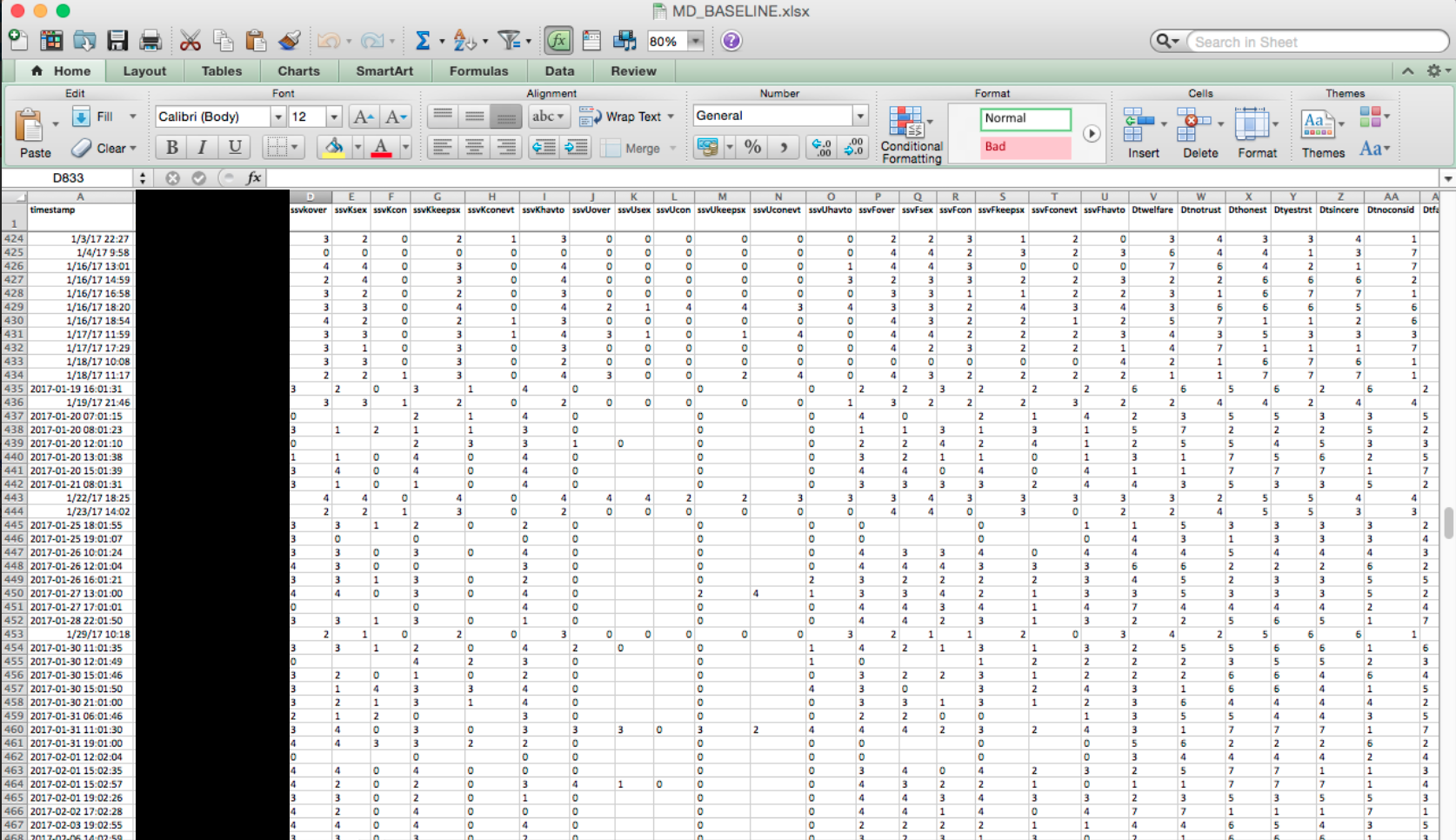
For example, here is the mac excel with the values working:

Here is the windows version that doesn't work:

again, same file different OS rendering different output.
In the mac screenshot, you can see the rows from vbo_export are formatted oddly (ie. left aligned or have a line break). I wonder if this cruft is making it so it can't render in windows.
Here are some stack overflows posts that may help:
Comment #3
graber commentedDid you check the actual values outputted from your fields to the view? Looks like some of them are numbers only and other contain some extra characters.
Comment #4
robpowell@graber thanks for following up with me. So I guess there's a couple of things to think about in terms how my webform submissions are getting into these csvs. Here are all the contact points:
I can confirm that the data in the database is pristine. When I look at the view the above outputs are based on, I see the data rendered correctly. One thing I do find a bit odd is when I export the data in xlsx, each field seems to have a line break or space after the value.
This is what is leading me to an encoding issue or random cruft. Regarding the mac screenshot above, I was trying to call out that odd formatting of the rows that were merged in from the vbo_export. Here is a new screenshot with those rows highlighted.
Comment #5
robpowellAlright, I put a little more thought into this and decided if I could test vbo_export with a non webform_view and get the same results then it is a vbo issue. I went ahead and updated the content view and removed the default bulk operator and added vbo_export. When I opened the csv in pc, I was able to see the data. So the best I can tell, this is not a vbo_export issue.
Comment #6
robpowellComment #7
graber commented