

 Come together with the global Drupal community in Rotterdam, 28 Sept – 1 Oct 2026. Sessions, contribution, connection, and Early Bird savings until 8 June.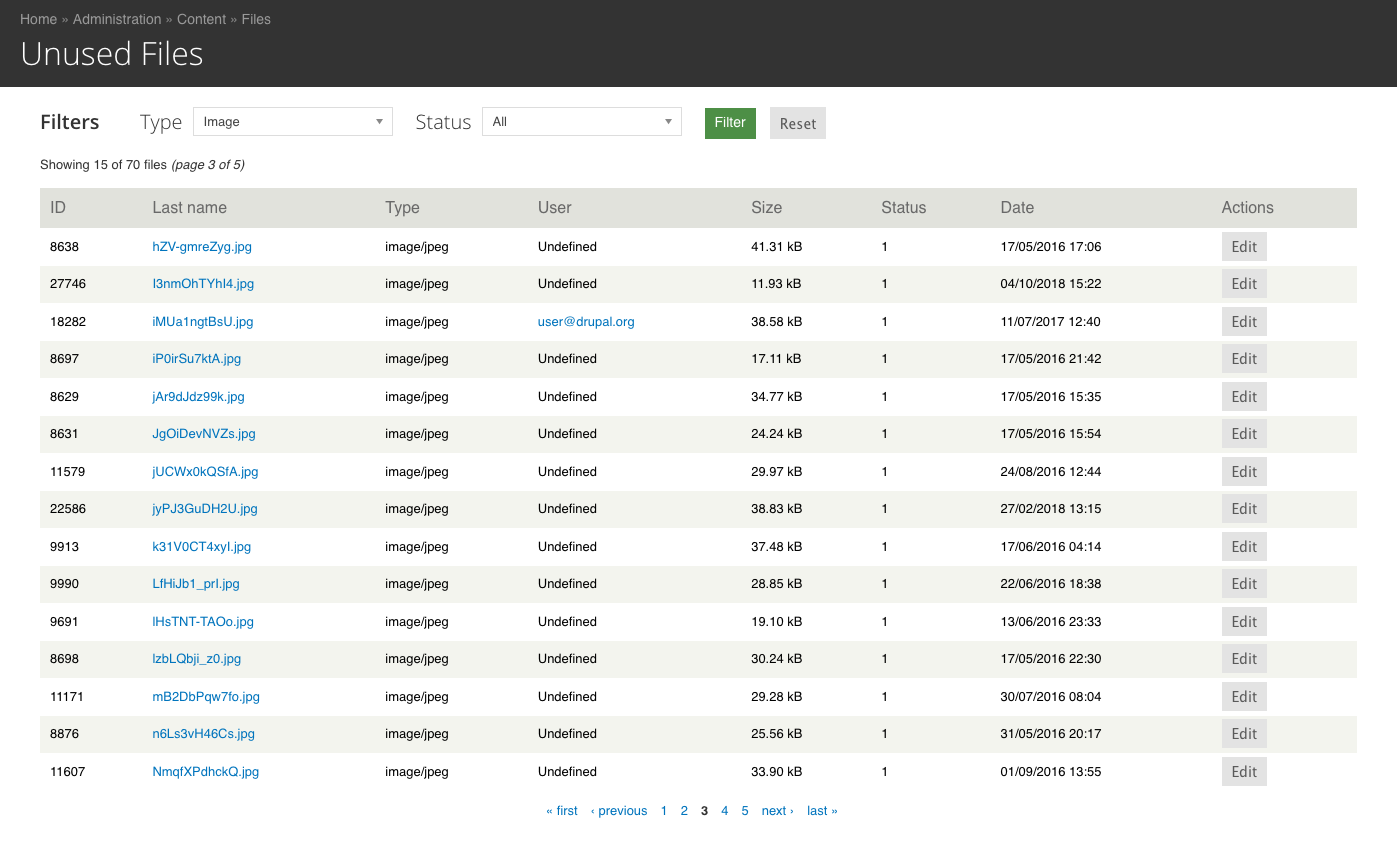
This project is not covered by Drupal’s security advisory policy.
Introduction
The Unused Files menu module displays every unused files from your website, that can be filtered by file type and status.
The unused files list is can be seen through the administration menu by navigating in Content > Files > Unused Files, or by the link to /admin/content/file/unused
In this list you can see every file that is not used by one of the fields from the content of your website, like your nodes or taxonomies. It lists the file main informations like the name, type, author, date and status.
Installation
To install the Unused Files module, you have to put the module to your modules path (sites/all/modules) and to enable it by the administration page of Drupal modules or with drush (drush en unused_files).
Project information
 Minimally maintained
Maintainers monitor issues, but fast responses are not guaranteed.- Maintenance fixes only
Considered feature-complete by its maintainers. - Project categories: Media
 5 sites report using this module
- Created by agence.opsone on , updated
 This project is not covered by the security advisory policy.
Use at your own risk! It may have publicly disclosed vulnerabilities.

