

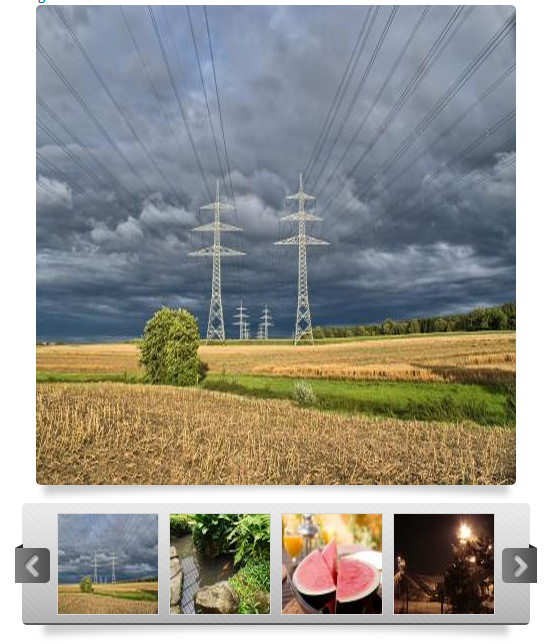


OVERVIEW
The Total Gallery Formatter module creates both a gallery formatter and a carousel formatter for image fields with more than one number of values, It gives you the full control over its funtionality and styling, because offers you many options.
This module exceeds the capabilities of other existing gallery formatter modules, because it uses the CarouFredSel jQuery Plugin which gives more features. And creates responsive galleries and carousels.
This module can use colorbox if you have installed the colorbox module:
https://drupal.org/project/ColorBox
¡Works on Drupal Commerce!
DEPENDENCIES
- jQuery Caroufredsel Library - https://github.com/gilbitron/carouFredSel
- jQuery Update - https://www.drupal.org/project/jquery_update
- Libraries API - https://www.drupal.org/project/libraries
INSTALLATION
- Place the entire Total Gallery Formatter directory into your Drupal sites modules directory (eg sites/all/modules).
- Enable this module by navigating to: Administration > Modules.
- Download and enable the libraries module.
- Download jQuery Caroufredsel Library from https://github.com/gilbitron/carouFredSel, Install it in sites/all/libraries directory, and rename the directory to carouFredSel. The library should be available at a path like sites/all/libraries/carouFredSel/query.carouFredSel-6.2.1-packed.js.
- Version 7.x-1.4 - Download imagesLoaded Library from https://github.com/desandro/imagesloaded, Install it in sites/all/libraries directory, and rename the directory to imagesloaded. The library should be available at a path like sites/all/libraries/imagesloaded/imagesloaded.pkgd.min.js.
CONFIGURATION
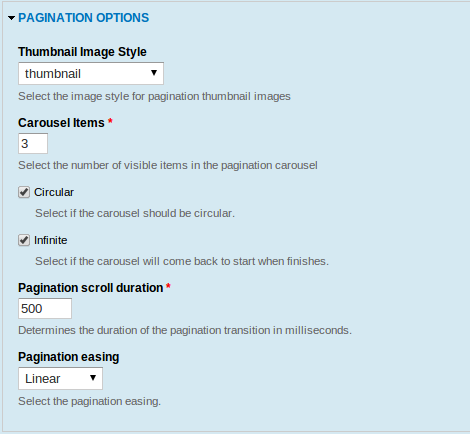
The Total Gallery Formatter settings are found in the Manage display tab for content types, users, and other entities that have an image field with more than one number of values. A new Format will appear named "Gallery with carousel".
STYLING
This module has an optional elegant style, but the default style is "No Style" in order you can use your custom CSS.
Project information
- Project categories: Site structure
 481 sites report using this module
- Created by jidrone on , updated
 Stable releases for this project are covered by the security advisory policy.
There are currently no supported stable releases.

