The 2026 Drupal Business Survey is open. Your response will help shape the future of the Drupal business ecosystem.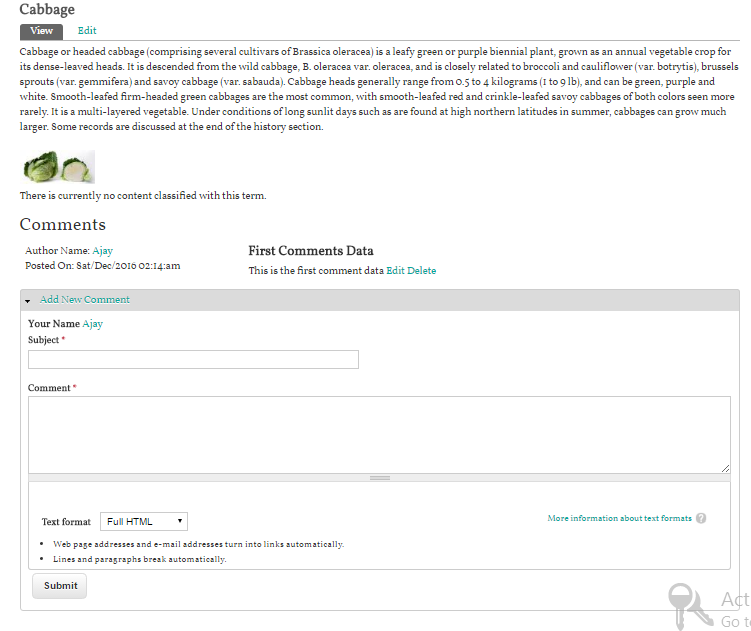
This project is not covered by Drupal’s security advisory policy.
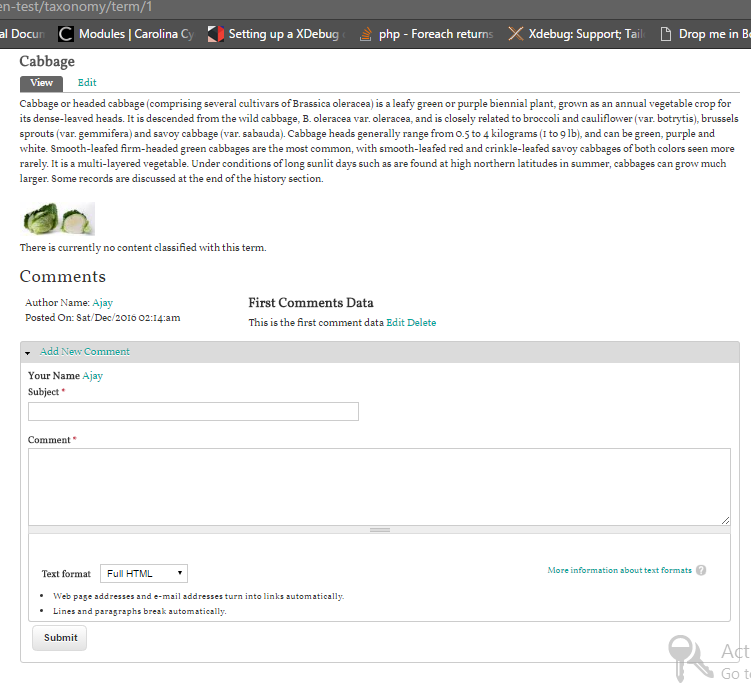
By enabling this module there will be a comment form for a taxonomy term. There are some steps to follow for enable commenting for a taxonomy term.
Module Configuration
- Download and extract this module to your sites/all/modules folder
- Enable this module by visiting admin/modules
- Firstly Make some configuration for enabling the comment form for available vocabulary where you can select a vocabulary to enable comment by visiting admin/structure/taxonomy/comment_vocab
- After completing the above step you'll be able to make comment for a term in respect of that vocabulary i.e enable for commenting
- You can set the permissions for enable comment form and Edit/Delete their comments for each user role
Comment Listing and Bulk Operations on Comment
You can list all the taxonomies and perform your bulk operations on this step:
- You can see available comments for each taxonomy terms by visiting admin/content/taxonomy-comment
Supporting organizations:
Project information
- Project categories: Site structure
 4 sites report using this module
- Created by satyam upadhyay on , updated
 This project is not covered by the security advisory policy.
Use at your own risk! It may have publicly disclosed vulnerabilities.