

 The 2026 Drupal Business Survey is open. Your response will help shape the future of the Drupal business ecosystem.
This project is not covered by Drupal’s security advisory policy.
Drupal 8 Module for Mobile Menu
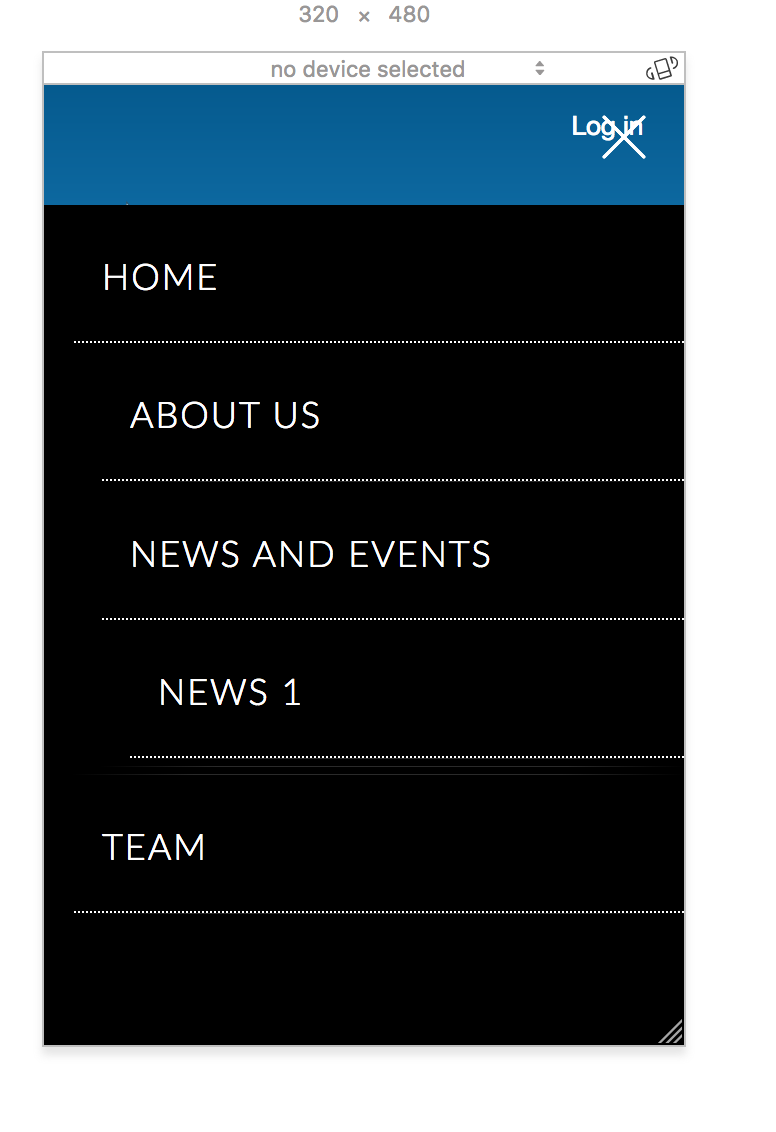
This simple mobile menu module will automatically generate a mobile menu for the selected menu. When the user opens the website in mobile, sandwich menu icon will be displayed on the top right corner with the help of jquery.
Installation
- Paste the simple_mobile_menu folder inside the modules folder
- Enable the simple_mobile_menu, it will be under USER INTERFACE
- Now the module is ready to do the configuration
Configuration
After enabling the Simple Mobile Menu module we're ready to configure it:
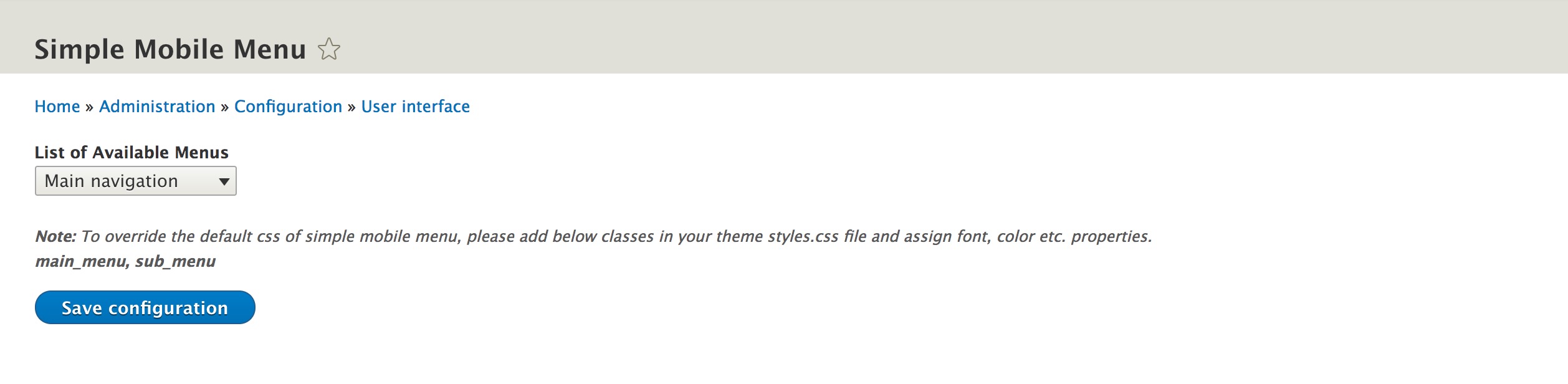
1. Goto: Administration->Configuration->User interface->Simple Mobile Menu

2. Select the menu you want to show in the mobile from "List of Available Menus"
3. Click the "Save Configuration" button
Now place the simple_mobile_menu block in the layout
4. Goto: Administration->Structure->Block layout
5. Click on the Place block button next to Primary menu
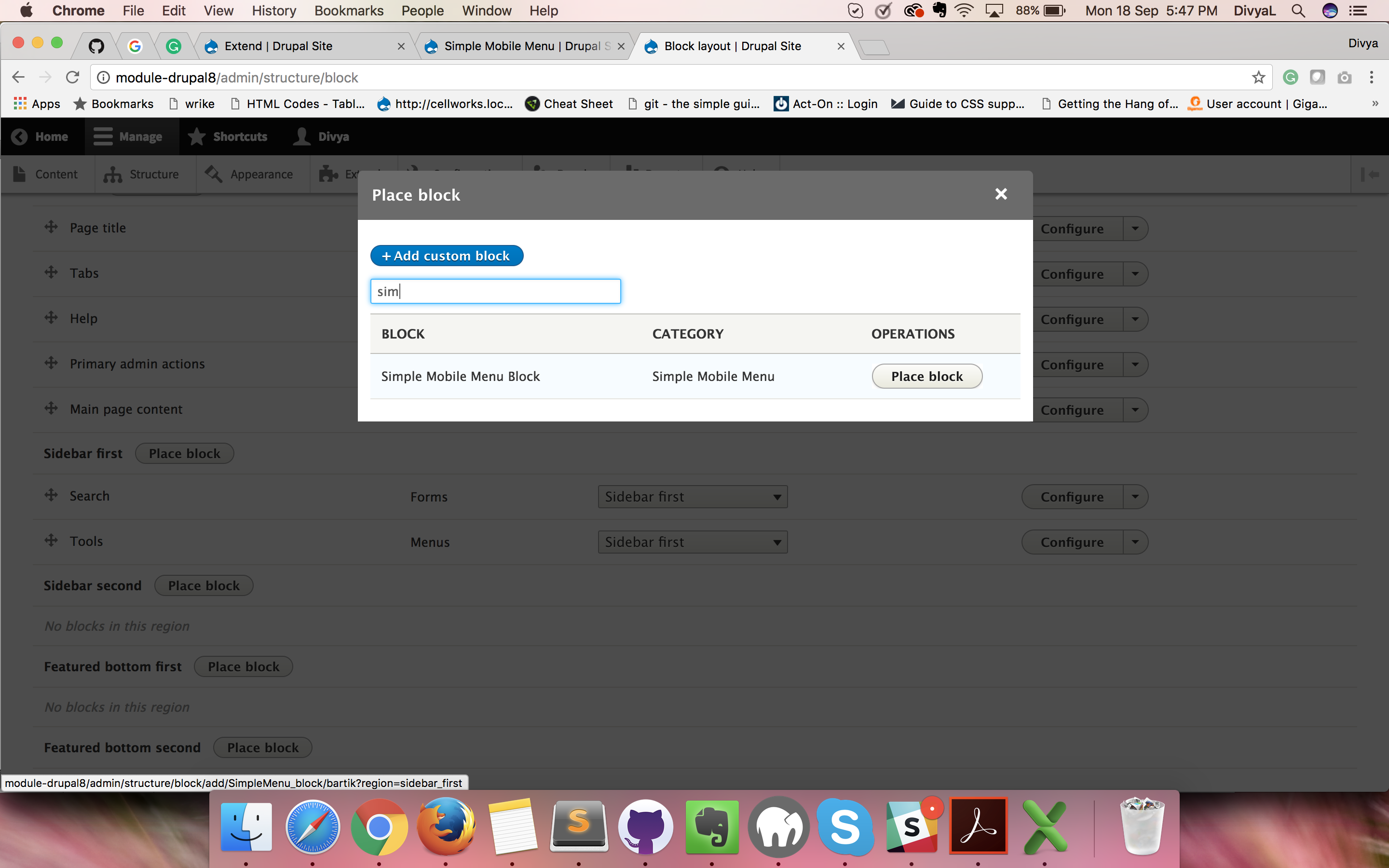
6. Type "sim" on the "Filter by block name" text box, it will show the Simple Mobile menu
7. Click on the "Place block" button, it will open the configuration window
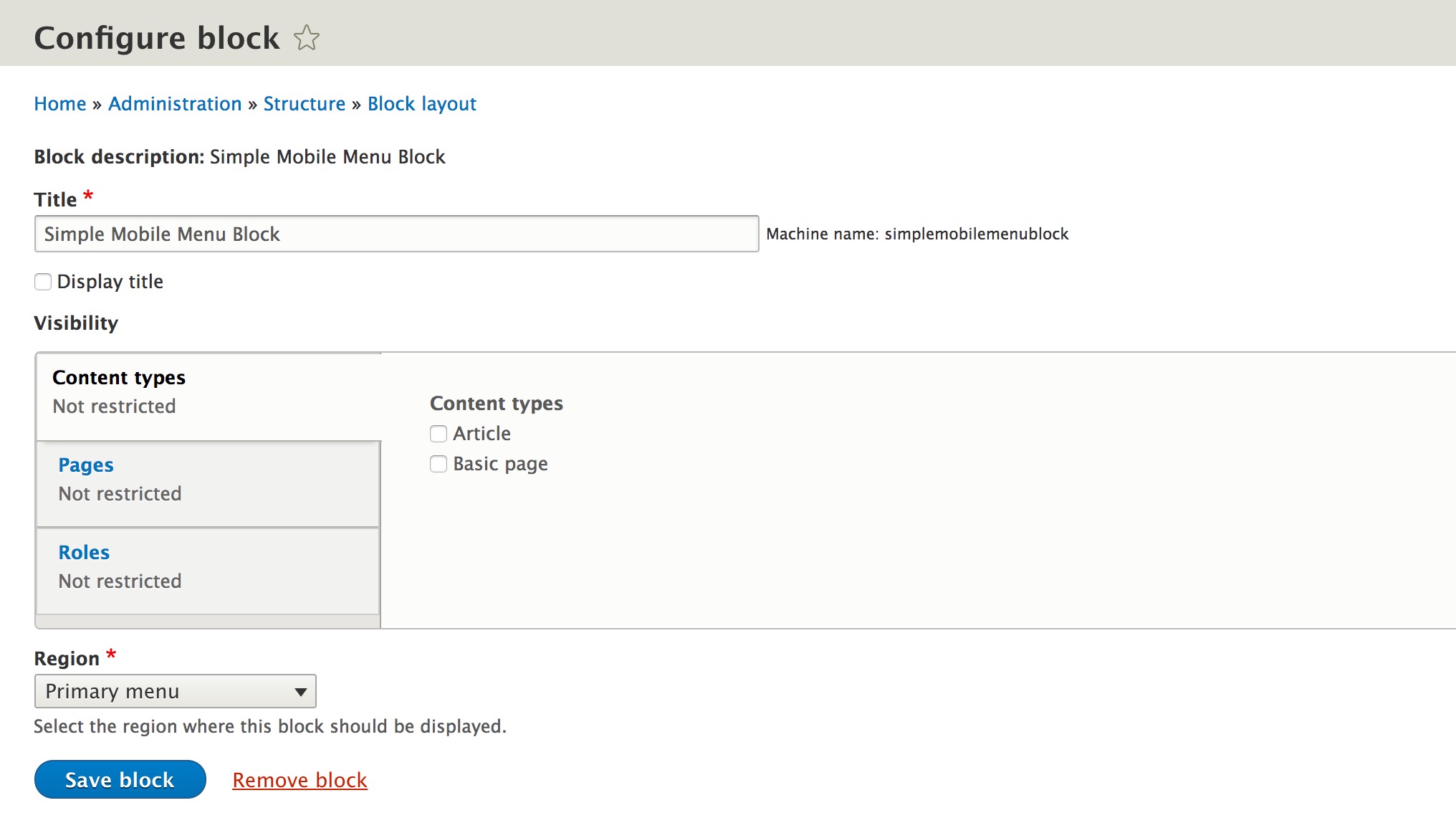
8. Uncheck the "Display title" to hide the title on the screen
9. Click the "Save block" button

Now you can view your selected mobile menu on the mobile device
Dependencies
The Drupal 8 version of Simple Mobile Menu Module requires the Menus attribute Module
Supporting organizations:
Development, Maintinance
Project information
- Project categories: Developer tools, Site structure
 181 sites report using this module
- Created by position2 on , updated
 This project is not covered by the security advisory policy.
Use at your own risk! It may have publicly disclosed vulnerabilities.


