


Description
The Save Entities (save_entities) module provides a simple way for users to
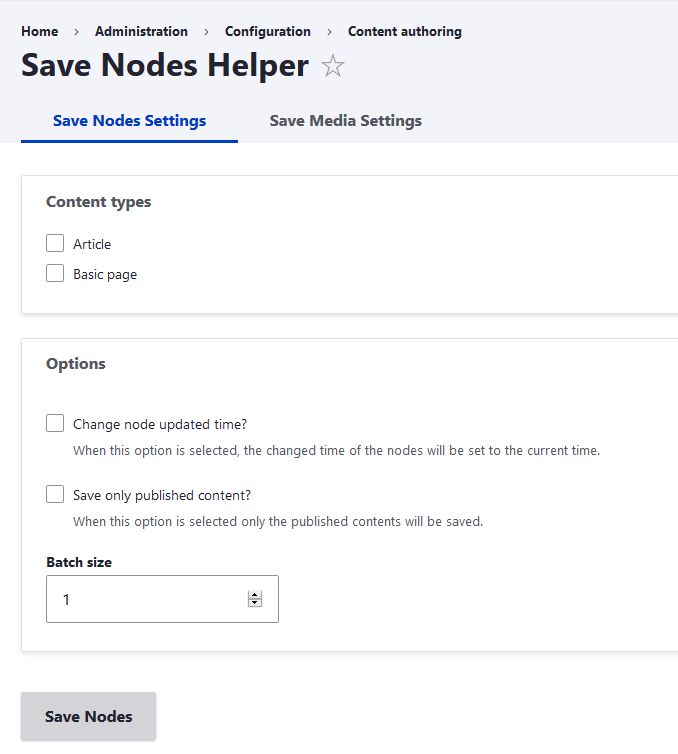
save nodes and media in bulk using a form. Besides the ability of choosing which content types or media types to save, the module also provides the option of saving only published content and to update the changed date of the entities.
Requirements
This module requires no modules outside of Drupal core.
Installation
Install as you would normally install a contributed Drupal module. Visit https://www.drupal.org/docs/8/extending-drupal-8/installing-drupal-8-mod... for further information.
Configuration
The configuration pages can be found in admin/config/content/save-media and admin/config/content/save-nodes.
After choosing the form, simply select the entities that you would like to save as well as the extra options that you would like to be applied and press save.
The access to the configuration pages is controlled by permissions so head to the permissions page to configure which roles should have the permission.
Supporting organizations:
Project information
- Project categories: Administration tools, Content editing experience, Developer tools
 43 sites report using this module
- Created by nsalves on , updated
 Stable releases for this project are covered by the security advisory policy.
Look for the shield icon below.


