

This project is not covered by Drupal’s security advisory policy.
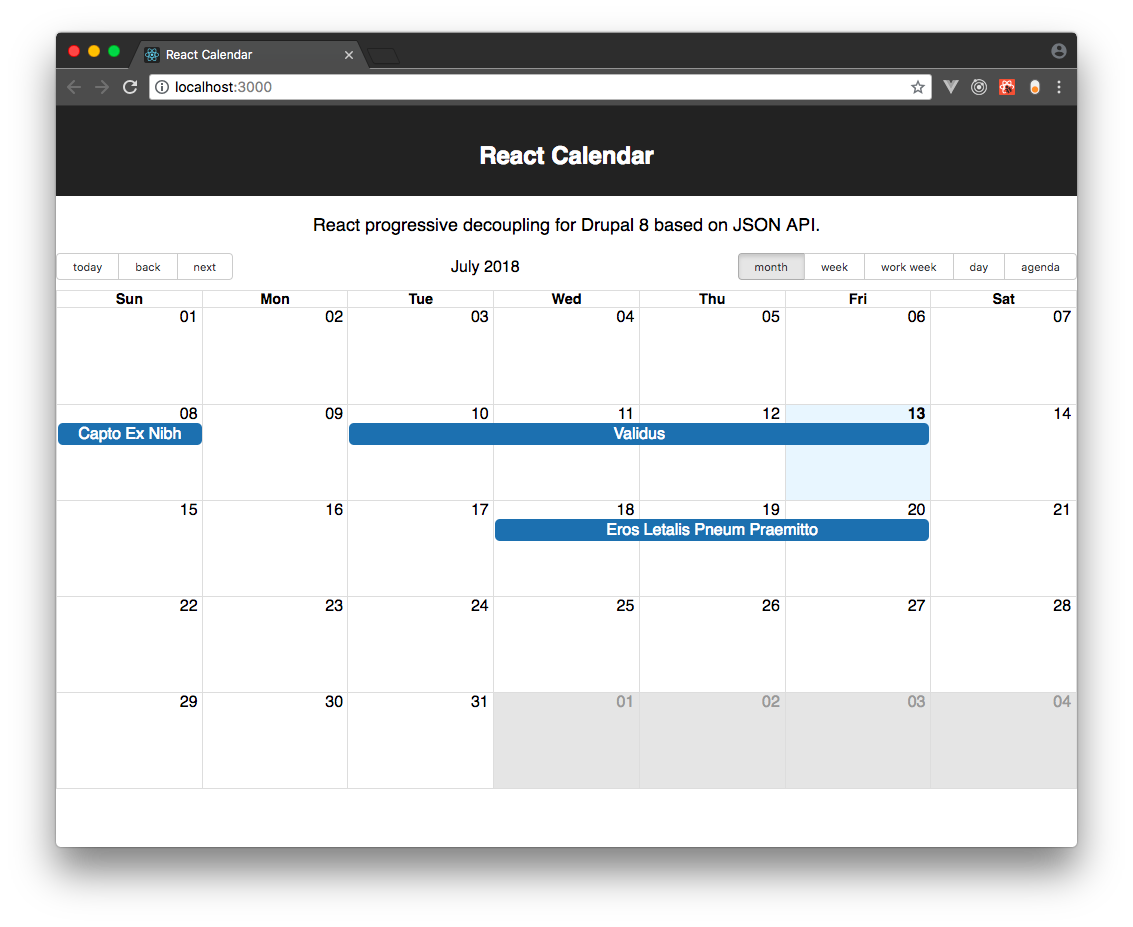
React progressively decoupled Calendar based on JSON API.
Dependencies
React
Drupal
- Date Range or Date (core)
- JSON API 2.x (The path for JSON API to core)
Configuration
- Enable the Date Range or Date module
- Add a date range or date field to a content type
- Use the content type tab to enable 'React Calendar' for the desired content type(s) and set the date field that will be used
- Head to /react_calendar/calendar
Roadmap
Expose calendar as a block- Content translation review for language fallback
(/admin/config/react_calendar/settings) - Configure events title display as multiline in month view
- Timezone support
- Provide configuration for BigCalendar React props, including views (month, week, work week, day, agenda)
- Clear cache after module installation to display the React Calendar tab on the content type
- Set enabled entity types from the date or date range field instance definition instead of the content type configuration that currently limits the exposed entities to nodes
- Set Calendar view and date from the routing
- Configure Calendar exposed views (month, week, day, agenda)
- Add permission to view the calendar
- Week start day based on system configuration
- Provide configuration and translation for status messages (loading, error)
- Set calendar locales based on current interface language
- Optionally set event colors based on a taxonomy vocabulary (e.g. event type)
- Provide GraphQL implementation
- Choose between GraphQL or JSON API from the configuration
- Update events via drag and drop
- Styling documentation
Development
Drupal
- Enable the Date Range module
- Enable the React Calendar module
- Configure CORS to allow
* | http://localhost:3000 - Create an 'event' content type with a 'date range' field named 'field_datetime_range'. These values are coming from the static js/public/index.html file
- Use the event content type tab to enable 'React Calendar' and set the date field to the date range field previously created
- Devel generate some events
React
- cd in react_calendar/js/src
- Install dependencies with
yarn install - Copy the constants/.env.example.js file to constants/.env.local.js and set there your Drupal 8 development site url. It will be used while debugging React as a standalone app for JSON API requests
- Edit App.js or the components
- Run
yarn startto start the React development server and test your app outside of Drupal (localhost:3000) - Run
php build.phpto bundle the dist js and css that are referenced by react_calendar.libraries.yml
Project information
 Minimally maintained
Maintainers monitor issues, but fast responses are not guaranteed.- Project categories: Site structure, Integrations
- Created by colorfield on , updated
 This project is not covered by the security advisory policy.
Use at your own risk! It may have publicly disclosed vulnerabilities.

