

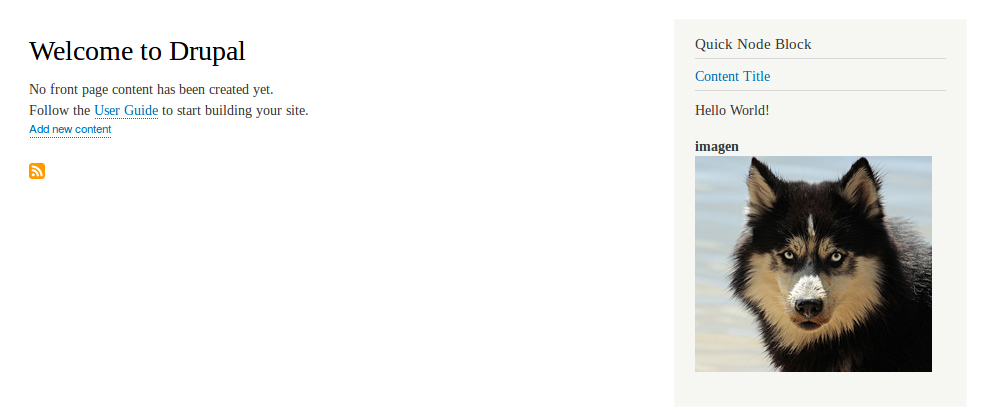
Description
This module allows you to display any type of content in a block. The administrator can create a block indicating the content title and the display mode he wants to establish.
The objective of this module is provide an easy way to place links to content. These links will be dynamic as content is updated.
If you always use the same display mode on each node type you can easy give styles to these nodes and create a simple navigation flow in your site.
Installation
Install this module via composer by running the following command:
composer require drupal/quick_node_block
Tutorial use Quick Node Block module for Drupal 8|9|10
Create a block
Admin > Structure > Block layout > Place Block

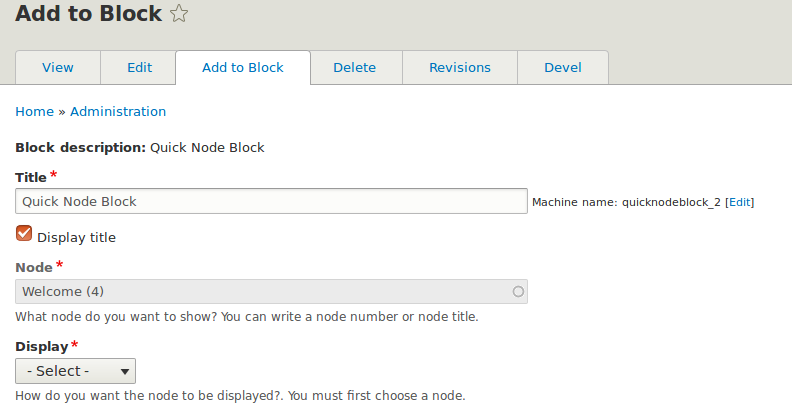
Configure the block
- Node: Choose the node you want to display. You can put the title or node number, it's an autocomplete field.
- Display: Choose the type of display you want for the node in the block.

Create a block directly from the node. You can find the tab when you edit a node or through admin/node/[nid]/quick_node_block
Supporting organizations:
Project information
- Project categories: Administration tools, Content editing experience, Content display
 1,170 sites report using this module
- Created by saesa on , updated
 Stable releases for this project are covered by the security advisory policy.
Look for the shield icon below.

