

 Come together with the global Drupal community in Rotterdam, 28 Sept – 1 Oct 2026. Sessions, contribution, connection, and Early Bird savings until 8 June.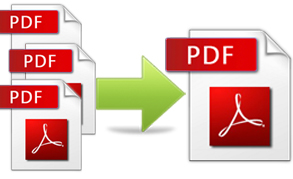
PDF Merge module allows to merge unlimited number of PDF files into single one.
Installation
- Download and install PDFtk library from http://pdftk.com.
- Install PDF Merge module.
Usage
Using Drupal UI
- Open Content/Files (admin/content/file) page.
- Upload several PDF-files or select existing.
Note: Selected non PDF files will be ignored. - In 'Update options' select 'Merge PDF file' and press 'Update'.
Expected result: New PDF file will be shown in the list.
Using Rules Link module.
Preparations:
- Install Rules Link module.
- Install File Entity module.
- Create new custom entity and name it 'document'.
- Add field 'field_pdf_file' to 'document' entity.
- Create new entity 'project'.
- Link project and document entities using referrence.
- Create a view (with VBO).
- Create new rule link at admin/config/workflow/rules_links.
- Attach this link to 'project' entity.
- Add new rule action: Load entity id list (VBO).
- Add new rule action: Merge PDF files.
- Select 'entity_id_list' as a value.
Test:
- Create a test project and attach several PDF files to it.
- Click rules link.
- Check if merged file appears at admin/content/file.
Using Rules Component
Import the following component to demonstrate the functionality:
{ "rules_test_pdf_form_merging" : {
    "LABEL" : "Test PDF Form Merging",
    "PLUGIN" : "rule",
    "OWNER" : "rules",
    "REQUIRES" : [ "rules", "pdf_merge" ],
    "USES VARIABLES" : {
      "file1" : { "label" : "File1", "type" : "file" },
      "file2" : { "label" : "File2", "type" : "file" },
      "merged_file" : { "label" : "Merged File", "type" : "file", "parameter" : false }
    },
    "DO" : [
      { "variable_add" : {
          "USING" : { "type" : "list\u003Cfile\u003E", "value" : [ "" ] },
          "PROVIDE" : { "variable_added" : { "list_of_file_items" : "list of file items" } }
        }
      },
      { "list_add" : {
          "list" : [ "list-of-file-items" ],
          "item" : [ "file1" ],
          "unique" : "1"
        }
      },
      { "list_add" : {
          "list" : [ "list-of-file-items" ],
          "item" : [ "file2" ],
          "unique" : "1"
        }
      },
      { "pdf_merge_rules_action" : {
          "USING" : { "entity_objects" : [ "list-of-file-items" ] },
          "PROVIDE" : { "merged_pdf" : { "merged_pdf" : "Merged PDF File" } }
        }
      },
      { "data_set" : { "data" : [ "merged-file" ], "value" : [ "merged-pdf" ] } }
    ],
    "PROVIDES VARIABLES" : [ "merged_file" ]
  }
}
Supporting organizations:
Ideas and support
Project information
- Project categories: Media, Automation
 2 sites report using this module
- Created by vladsavitsky on , updated
 Stable releases for this project are covered by the security advisory policy.
There are currently no supported stable releases.


