

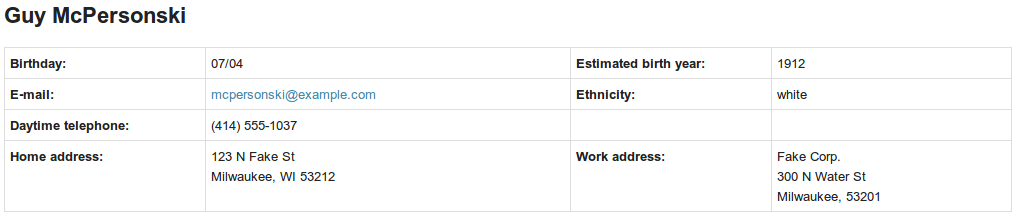
A panels region style for displaying panes in a table.
How to use it
- Enable the "Panels table style" module
- In Page manager on the Content section, click the gear next to the region and select Style -> Change and select "Table"
- Choose from the options (the most important is the number of columns you want and if titles should be displayed)
- Put panes you want to appear as table cells into the region.
- Click "Update and Save" and view your page!
Recommended modules
- Mini panels (comes with Panels): Allows you to create a Pane which consists of other Panes. It can be useful if you want a region to contain more than just the table.
Project information
 138 sites report using this module
- Created by dsnopek on , updated
 Stable releases for this project are covered by the security advisory policy.
There are currently no supported stable releases.

