



This project is not covered by Drupal’s security advisory policy.
Outdated content allows you to specify, in days, how much time should pass before content is seen as "outdated" by the system.
When setting up outdated content, each content type can be configured independently, with overriding also available per content item.
Content listing
Once content reaches an outdated state, it becomes visible through a content listing view that allows CMS administrators to see at a glance what/where content may need to be updated to stay relevant.
Note:
Overridden content is not included in the outdated content listing and it's recommended that overriding be used sparingly.
If you do require a listing of overridden content you can:
- Create a new view that displays the types of content (nodes) you want
- Add filter "override outdated content configuration" and set the value to "TRUE"
Messaging / notification banner
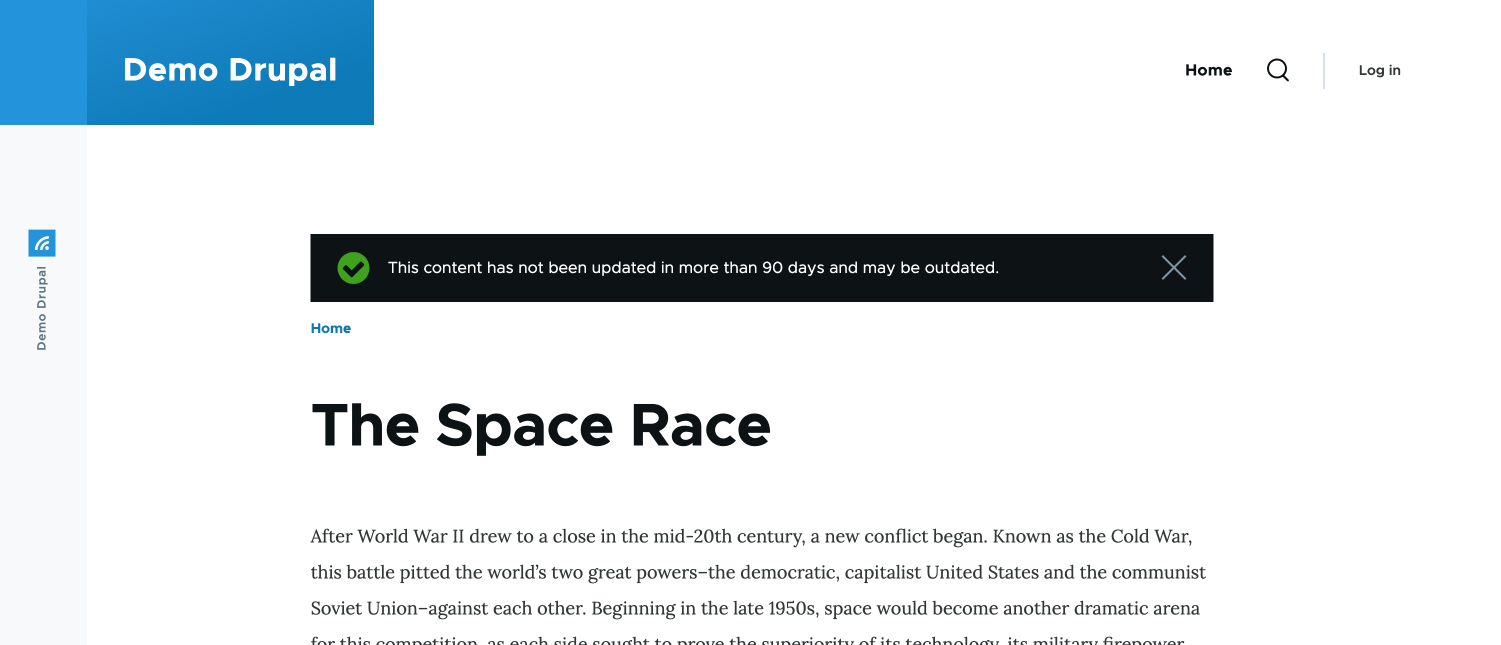
To inform users about content being outdated, a message banner can be enabled by navigating to the outdated content configuration (url: /admin/config/outdated-content) and selecting "display banner".
Installation
- Install outdated content as you would normally a module by:
- Navigating to "/admin/modules"
- Selecting "Outdated content"
- Clicking "Install"
- Configure the module by navigating to "/admin/config/outdated-content"
- Enable outdated content per content type by:
- Editing the content type
- Selecting "Outdated content"
- Checking "Enable outdated content"
- Specifying a "Number of days" you'd wish to pass before the content is seen as outdated.
- Clicking "Save content type"
- Outdated content can be viewed at "/admin/content/outdated"
Project information
 Minimally maintained
Maintainers monitor issues, but fast responses are not guaranteed.- Project categories: Access control, Content display, Content editing experience
- Created by craigperks on , updated
 This project is not covered by the security advisory policy.
Use at your own risk! It may have publicly disclosed vulnerabilities.

