

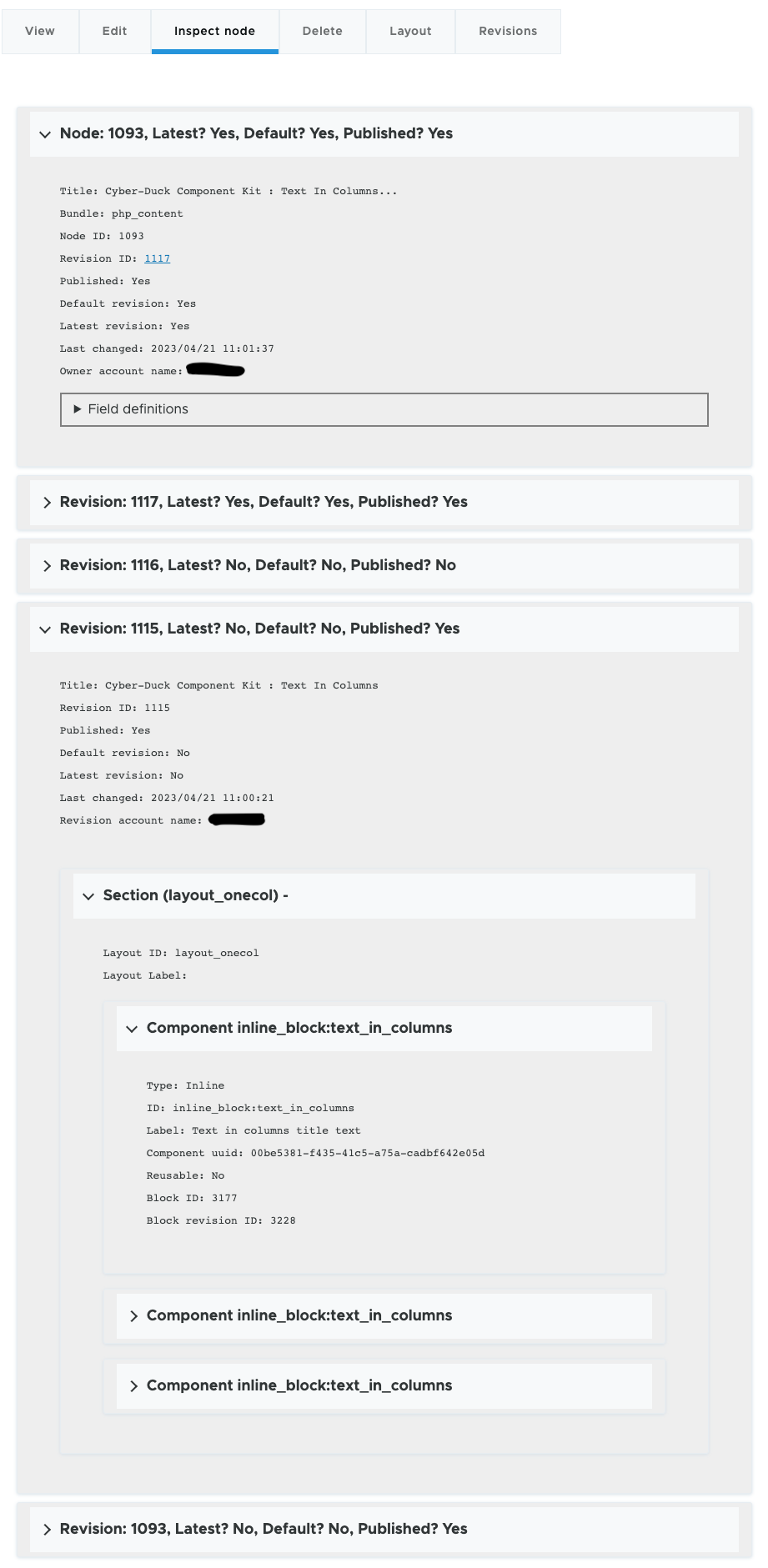
Node inspector provides a tab on the node edit page that shows internal details of the node, its revisions and the layout section and blocks used if the node is built using Layout Builder.
It is useful for development for quickly accessing entity IDs, revision data, block IDs etc.. which can be very helpful when trying to debug issues especially if you need to look in the database to see whats going on under the hood.
Although the module only provides debug information and does not update anything it is recommended it only be installed on non production environments.
Instructions
- Install the module using composer as detailed below.
- Enable the module.
- Add the 'Access the node inspector tab' permission to the required roles.
- Edit a node and click on the 'Inspect node' tab.
Supporting organizations:
Cyber-Duck funded development of this module.
Project information
- Project categories: Content editing experience, Developer tools
- Ecosystem: Layout Builder
 1 site reports using this module
- Created by arcaic on , updated
 Stable releases for this project are covered by the security advisory policy.
Look for the shield icon below.

