

Closed (fixed)
Project:
Node Gallery
Version:
6.x-2.0-alpha12
Component:
Code
Priority:
Normal
Category:
Bug report
Assigned:
Unassigned
Reporter:
Created:
25 Jan 2010 at 05:03 UTC
Updated:
18 May 2010 at 10:40 UTC
Jump to comment: Most recent file


Comments
Comment #1
designwork commentedHi Osman,
you know how to code it? Go to this function node_gallery_get_type_fields($type)
get your cck fields just loading them into this function than you will have the possibility to make the fields available on the admin form. Issue 608854 is fixed as you can see.
if (module_exists('taxonomy') && taxonomy_get_vocabularies($type_name)) {
$extra['taxonomy'] = array(
'label' => t('Taxonomy'),
'description' => t('Taxonomy module form.'),
'weight' => -3
);
}
Dirk
Comment #2
osmanHi Dirk,
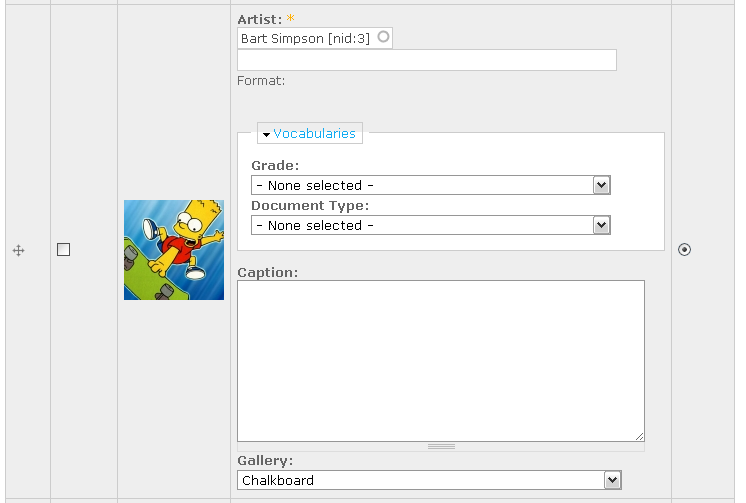
I thought I attached a couple screen shots to describe the problem, but I don't see them now. Trying again...
As you can see the field "artist" is displayed as it should. But with no options. It is a node_reference field which populates the options on other pages.
Thanks,
Osman
Comment #3
osmanHi Dirk,
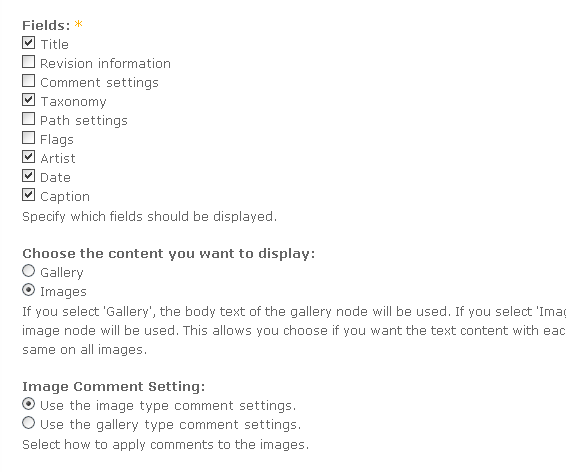
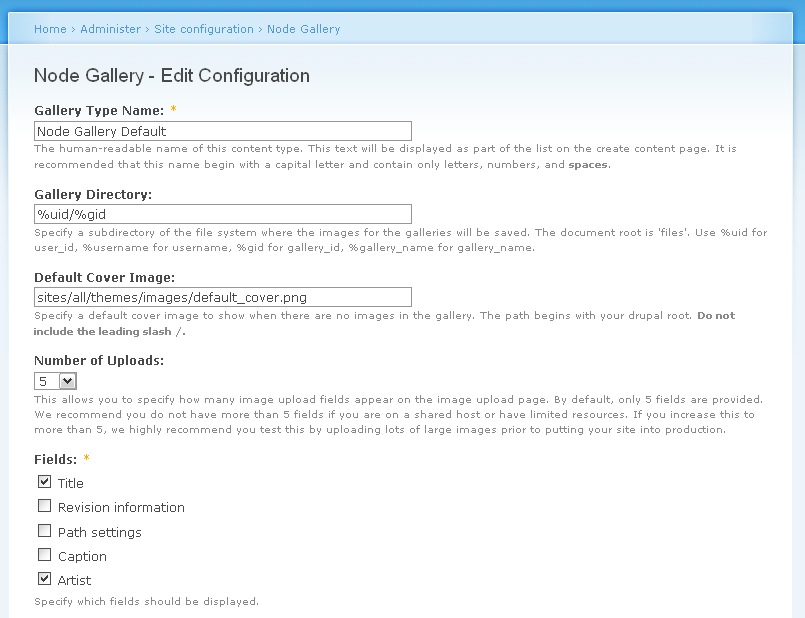
I appreciate if you could provide a bit more details for node_gallery_get_type_fields($type) function customization. As far as I understand, currently it only gets the field names to display on the config page; admin/settings/node_gallery/edit/node_gallery_gallery
There I have no problem, (screenshot: node_gallery_Settings.png).
But when I try to manage the images in a gallery, CCK fields all act differently. As I mentioned before, CCK node_reference works only in autocomplete widget, no other widgets pull its content. (Artist)
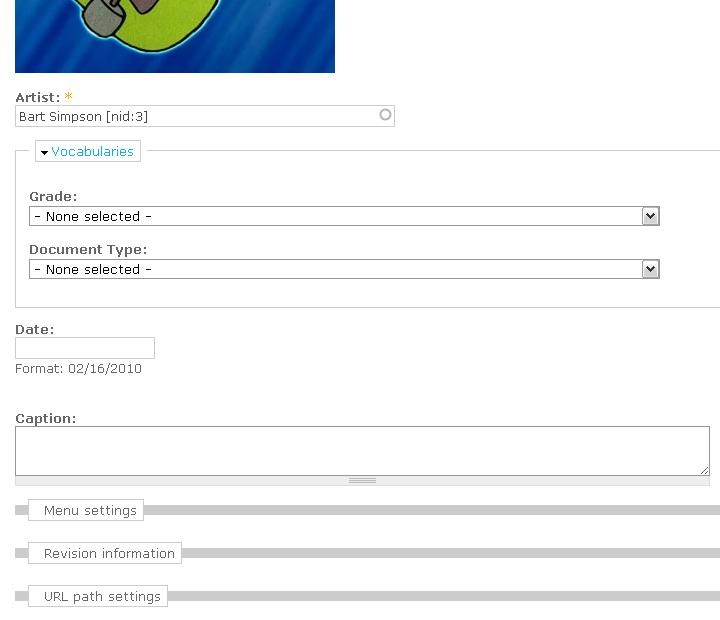
As you can see I have 2 more CCK fields; Date and Caption.
Date field's label, default value, format example do not display at all. (screenshot: node_gallery_Manage_Images.png)
Caption is a text area field with the row setting of 3. It doesn't get row setting.
Taxonomy fields have no problem.
I include 3 screenshots, I believe they are actually self-explanatory.
If you could point me into the direction I need to look into, that would be great too. Thanks,
Osman
--
Drupal 6.15
Node Gallery 6.x-2.0-alpha12
CCK 6.x-2.6
Date 6.x-2.4
Comment #4
osmanI just noticed the problems in #3 differs for "Sort Images" tab view.
While "Manage Images" tab somehow(!) displays the CCK fields, "Sort images" tab doesn't display any additional fields, I think this behavior is expected and normal for this tab. But when I change the cover image and save it, or change sort order and save it, I get error messages for Artist CCK field and for another field (label is not shown).
I don't understand why CCK fields are checked against form validation for this view.
Here's the error message I get. Same error message is repeated for each image:
Notice that second line can't even get the name of the field. I suspect it is the date field I have, but the thing is, it is not a required field!
Seems like function node_gallery_sort_images_form checks against all the fields there.
Need confirmation.
Comment #5
msztorc commentedI have the same problem with cck :(
Comment #6
colemanw commentedI am having a similar problem.
Select-list and checkbox/radio widgets display no values in the "manage images" page. If the fields are required, the form won't pass validation because there are no options to select. They do work correctly on the individual image node/edit page, of course.
Text box widget does work correctly, which is the workaround I'm using for now.
Comment #7
dddave commentedDue to the more qualified input in this issue I marked the older #633648: Added fields with "advanced" widgets display empty on "Manage Images" as duplicate.
Comment #8
dddave commented#765024: CCK & Node Gallery Solution claims to be a solution, doesn't it? Can somebody review it please?
Comment #9
designwork commentedHi Dave
I will review this today.
Dirk
Comment #10
dddave commentedSee #8