

Closed (fixed)
Project:
Node Gallery
Version:
6.x-2.x-dev
Component:
User interface
Priority:
Normal
Category:
Support request
Assigned:
Reporter:
Created:
19 Nov 2009 at 12:34 UTC
Updated:
23 Jun 2010 at 00:24 UTC
Jump to comment: Most recent file


Comments
Comment #1
Rik commentedSee http://drupal.org/node/544748 (CSS to Display Gallery Thumbnail Page in a Grid (2 examples))
Comment #2
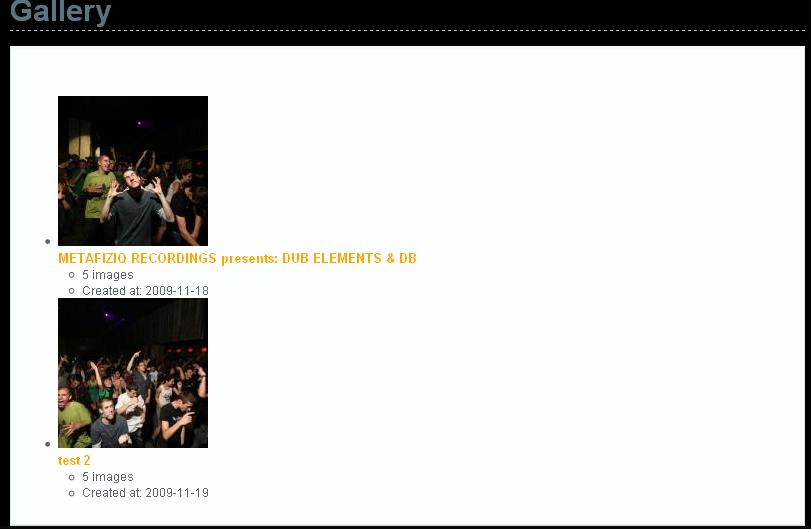
brzbg commentedYeah i try like that but only fixes the inside images ... see the attach
Comment #3
Rik commentedThats because you have defined a fixed width for those images (which is alright, it makes the grid look cleaner) but now the browser is resizing your images which you do not want. You might want to checkout ImageCache and define how thumbnails should be handled (Crop, resizing)
Comment #4
brzbg commentedYou don't understand me :) .... my problem is that when i click on "My Galleries" button it appear the first attachment ... there are two galleries ... so when i click and enter in the gallery everything is ok... so i want the first attachment with the galleries to look like the second with the images :)
Comment #5
Rik commentedI see, then I think you need to create a custom view. Basically what you want is something like this: http://www.hartemink-interieurbouw.nl/zakelijk-interieur the images you see are galleries.
Comment #6
brzbg commentedYeah that is what i want :) ... so how can i create it ... ? :)
Thanks
Comment #7
Rik commentedI did it by creating a custom view, are you familiair with the Views module? You should look into that. Luckily you can import a view so here is the export of the page you just saw and you can start off with that:
Comment #8
brzbg commentedThank you ... i will try later ... thanks again :)
Comment #9
kmontyComment #10
sayansk commentedWhen you import a package given this error:
Display plug panel_pane impossible.
Unable to import the view.
Help please