


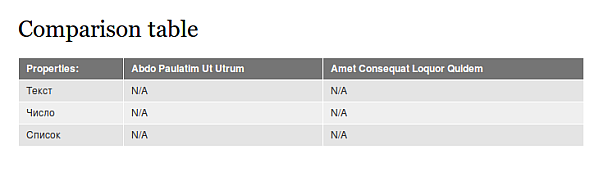


The module to provide node comparison functionality on user request. It compares the values of the fields of nodes.
Features
- In a settings you can specify which fields are allowed to compare. Separately for each type of node.
- There is a possibility control the number of elements being compared.
- Using AJAX for add / delete / clear the selected nodes to compare.
- Customizable text for links to add / remove items to compare.
- Integration with Views (“Add to Compare” link).
Installation and Usage
- On the page of your site with a list of available modules, Node Compare can be found in the group of "Content".
- After installing the module you can configure settings by navigating to: Administration » Configuration » Content authoring » Node Compare settings (admin/config/content/node_compare).
- Set the region to display the block which to display a deferred items to compare.
- Set permissions for existing user groups to use the comparison. (admin/people/permissions#module-node_compare)
- Set the display settings for the link to "add / remove" on "Manage Display" settings page (for a node content type).
Live demo is available here.
Project information
 Minimally maintained
Maintainers monitor issues, but fast responses are not guaranteed.- Maintenance fixes only
Considered feature-complete by its maintainers. - Project categories: E-commerce, Content editing experience, Site structure
 148 sites report using this module
- Created by Dalay on , updated
 Stable releases for this project are covered by the security advisory policy.
There are currently no supported stable releases.

