

Closed (works as designed)
Project:
Node breadcrumb
Version:
5.x-2.0
Component:
User interface
Priority:
Normal
Category:
Support request
Assigned:
Reporter:
Anonymous (not verified)
Created:
14 Nov 2008 at 18:14 UTC
Updated:
8 Oct 2018 at 11:15 UTC
Jump to comment: Most recent, Most recent file


Comments
Comment #1
Anonymous (not verified) commentedCorrection . ignore the bit about the CSS file it didnt work
Comment #2
Anonymous (not verified) commentedComment #3
edhel commentedcan you post screenshot?
Comment #4
Anonymous (not verified) commentedOK i have figured the cause
It is due to the addition of the CSS file at some point between 5.x-2.0-beta1 and 5.x-2.0-rc2
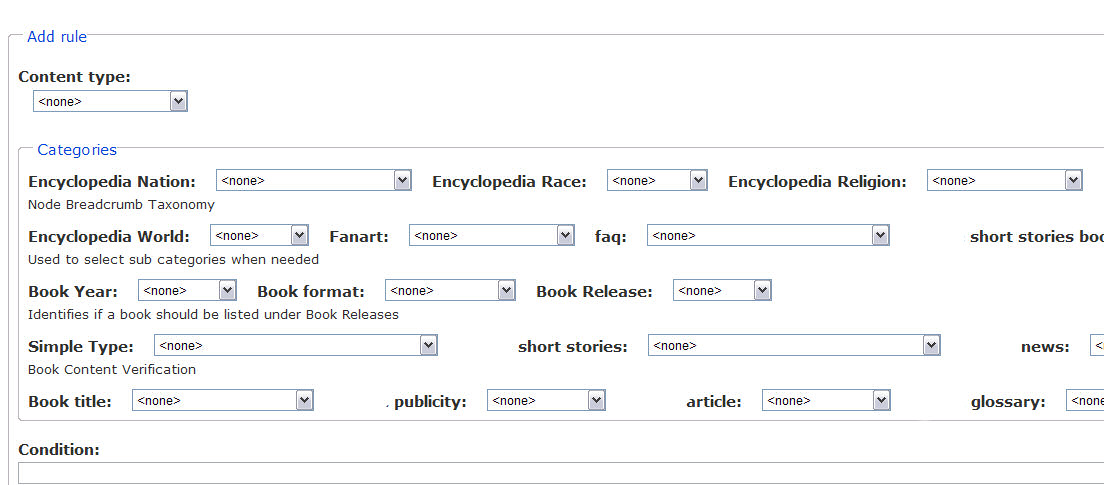
Image2 is what I had always been getting
Image1 is what you currently get
I just made the following change to the css which puts everything back where in my opinion it belongs (image2)
Comment #5
edhel commentedSuch layout was made for more compact representation. You can change module's css-file or add css to your theme.
Change first or second line of node_breadcrumb.css: display:inline => display:block. Or insert changed lines to your theme.
Comment #6
Anonymous (not verified) commentedI just realised though that soemthing doesnt make sense, as my test site has the unmodified css file, and is showing the original layout. So something other than the theme must have been modifying it after the module to give me the a different layout
This sort of indicates that something has probably been fixed elsewhere which now puts things back to as expected
Thanks again for your help. This is one very useful module