



This project is not covered by Drupal’s security advisory policy.
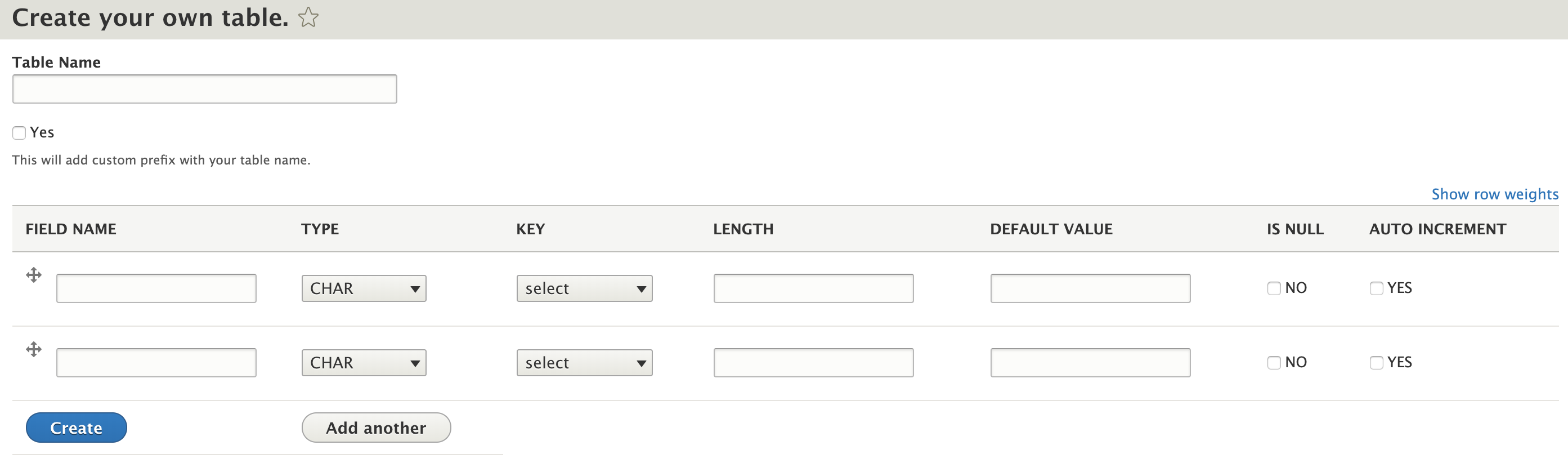
More Tables module is all about managing your schema from cms itself.
Key functionality of this module is:
- Create Table
- Drop or Truncate Table
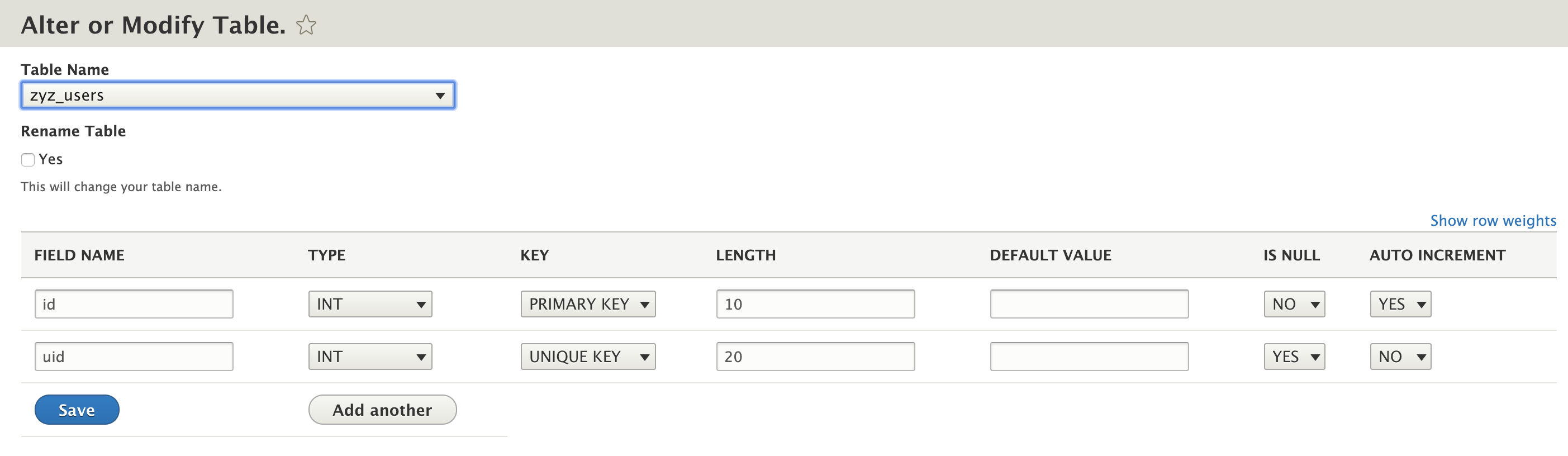
- Alter Table
- Rename Table
- Drop or Add column
- Modify or Change column
Once you installed this module user can all above operations itself.
User can also use drush commands to perform operations like:
- Change Column : drush mt-change-col/mtcc table_name column new_column definition
- Change Table Name : drush mt-rename/mtr table_name new_table_name
- Truncate Table : drush mt-truncate/mttr table_name
- Drop Table : drush mt-drop/mtd table_name
For Installation:
- Add drupal/more_tables in your composer.json at root dir.
- drush en more_tables
- Go to admin > modules > Enable More Tables.
- drush cr to clear all caches
- More Table menu comes under configuration from where you can do all the operations.
Supporting organizations:
Project information
 Unsupported
Not supported (i.e. abandoned), and no longer being developed. Learn more about dealing with unsupported (abandoned) projects- Obsolete
Use of this project is deprecated.  2 sites report using this module
- Created by ankitv18 on , updated
 This project is not covered by the security advisory policy.
Use at your own risk! It may have publicly disclosed vulnerabilities.


