




This project is not covered by Drupal’s security advisory policy.
What it does
The module allows site developers and maintainers to add a view layer on top of the Monolog module, to better manage the file logs. It is built as a replacement for the Database Logging (dblog) report, for better site performance, reliability and management for developers: logs are written to files instead of the database once dblog is uninstalled.
Features
- Read logs from the private file system, written by the Monolog module.
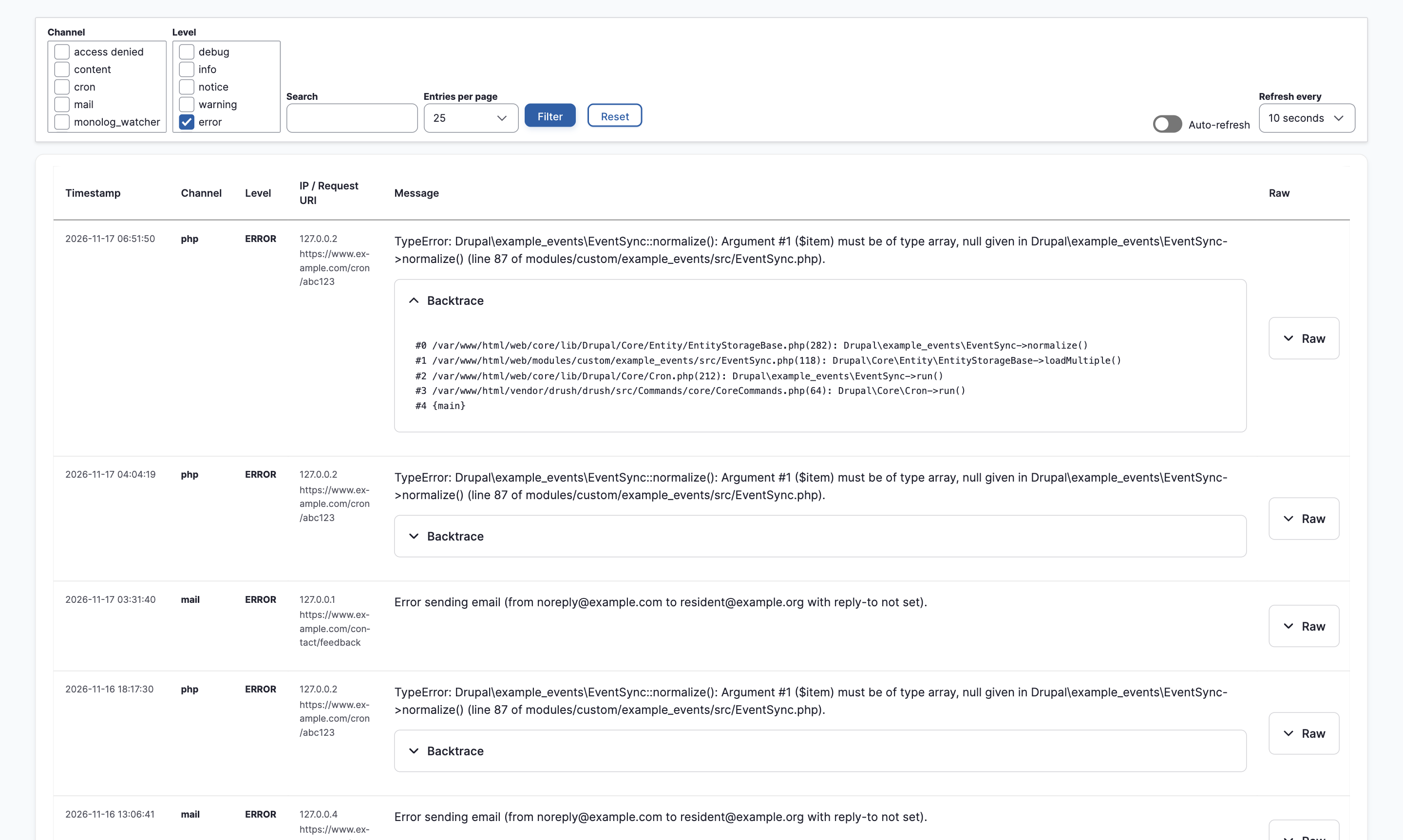
- View them in a report under Reports > Monolog Logs: filter by channel, level and text, page through entries, auto-refresh, and expand exception backtraces.
- Configure the logs directory, archiving and cleanup on cron (off by default), when older logs are archived, when archived logs are permanently deleted, a maximum total size for the logs directory (a hard limit), and an option to write exception backtraces into log messages.
- Access permissions to view the logs, notably: View Monolog Watcher logs and Administer Monolog Watcher. Log lines can contain IP addresses, request URIs, one-time login links and tokens, so grant the view permission only to trusted roles.
- Quick Drush commands to view logs from the command line, including
monolog-watcher:recent(mwr) andmonolog-watcher:tail(mwt).
Requirements
- Drupal 10.3 or later, or Drupal 11, on PHP 8.1 or later.
- Monolog 2.x or 3.x.
- A configured private file system. The logs directory must be inside it.
- JavaScript in the browser. The report table loads over AJAX; the Drush commands work without it.
Installation
composer require drupal/monolog_watcher
drush en monolog_watcher
See the README for configuring the Monolog handler and the module.
Note on backtraces
Installing the module adds exception backtraces to log messages for every Monolog handler, including handlers that send mail or forward logs to external services. Backtraces include file paths and parts of function arguments. Turn this off with Write exception backtraces into log messages in the settings.
Similar modules
- Monolog File writes Monolog logs to daily files and lists them for administrators to open. Monolog Watcher instead parses the entries into a filterable report, and adds archiving, cleanup, a size limit and its own permissions.
- Syslog Watcher does a similar job for core's Syslog module, on Drupal 9 and 10.
- Core's Database Logging module stores logs in the database; Monolog Watcher keeps them in files.
AI disclosure
I designed the module's architecture and wrote the original code. AI tools were used for documentation, refactoring, additional settings (opt-in archiving, the backtrace setting), bug fixes, and most of the automated tests. I reviewed and tested all AI-assisted changes.
Project information
- Project categories: Administration tools, Developer tools
- Ecosystem: Monolog
- Created by gurpreet_chahal on , updated
 This project is not covered by the security advisory policy.
Use at your own risk! It may have publicly disclosed vulnerabilities.

