

Metals API is a Drupal module that consumes, caches and produces blocks to display precious metal prices from the 3rd party Metals API (metals-api.com).
Purpose
If you're looking for a method to place precious metal pricing on your website, this may be the solution you're looking for.
I had a requirement to publish the prices of precious meals on the websites I was building with the ability to present the information according to the branding of the website. The main challenge was finding an inexpensive and dependable dataset. After some research, it seems that Metals API provide a decent solution to the problem of finding an inexpensive and dependable dataset.
If you only need to present a daily snapshot of precious metal prices, their FREE license is all that is needed. The website can refresh the rate once a day (every 24 hours) and it will fall within the 50 requests per month that the FREE license allows. Additional refreshes per day will require a paid license which can be had relatively cheaply.
At this time Metals API provides pricing information for: Gold, Platinum, Palladium & Silver.
Dependencies
As noted above, this module consumes a dataset from the Metals API web service so an API Key from Metals API will be necessary. The Free key will allow for refreshing the feed once a day. You can acquire one from: https://metals-api.com/pricing
Usage
In order to use the Metals API module, install the module following Standard Drupal module installation practices. More information is included in the README.txt file.
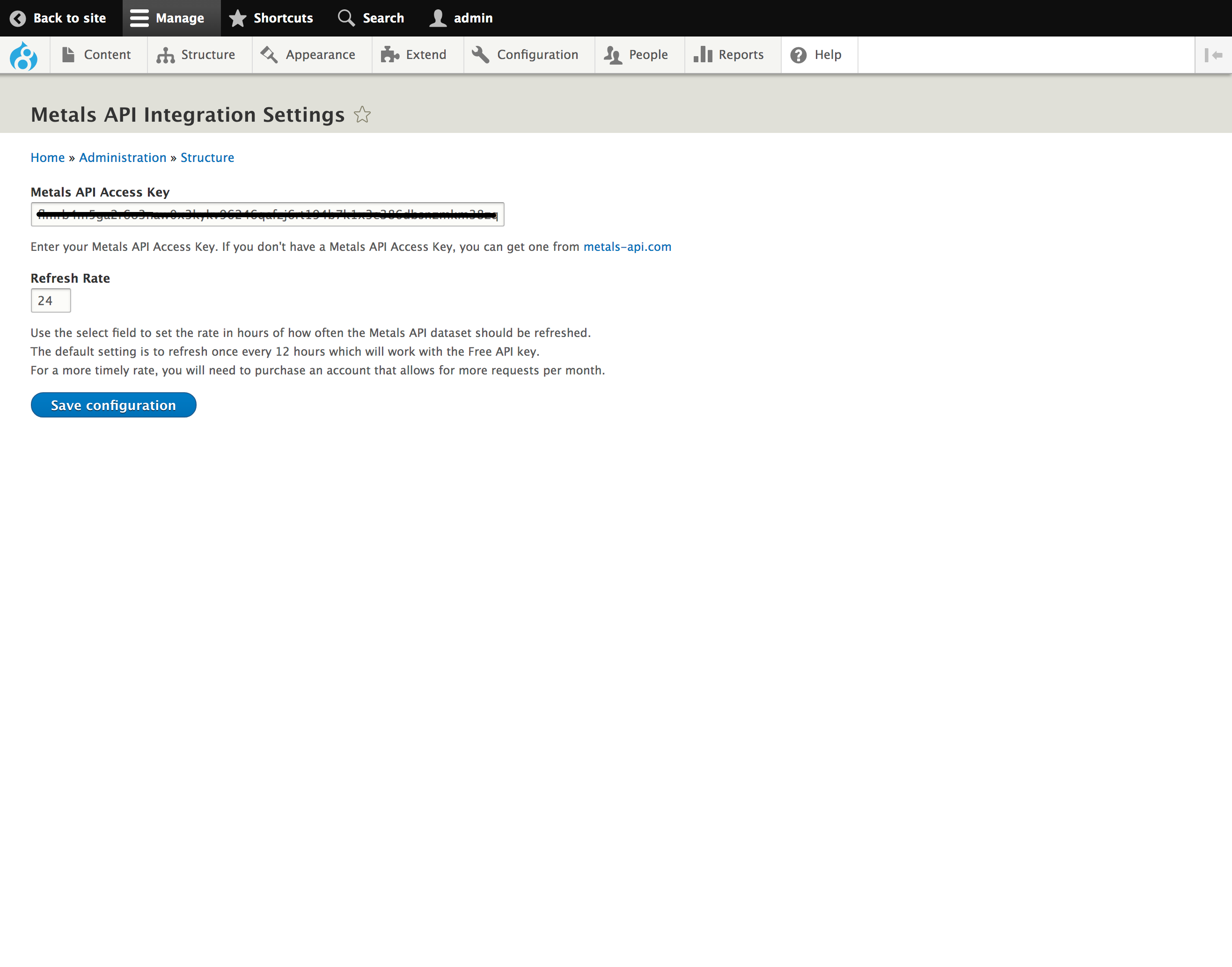
Once the module is installed, navigate to the Metals API Integration Settings page from the Configuration -> Web Services menu item and paste your Metals API Key in the provided field. The module is configured to refresh the feed at a rate of once every 24 hours. You can adjust that to whatever rate you feel is necessary providing that your Metals API Account allows for it.
Note: If you do choose a higher refresh rate than once per day, you will need to configure your server to run cron at a rate in synchronization with your refresh rate. In other words, if you choose to refresh the Metals API feed every hour, you will need to have cron run at least every hour and perhaps running cron every 30 minutes would be a safer rate.
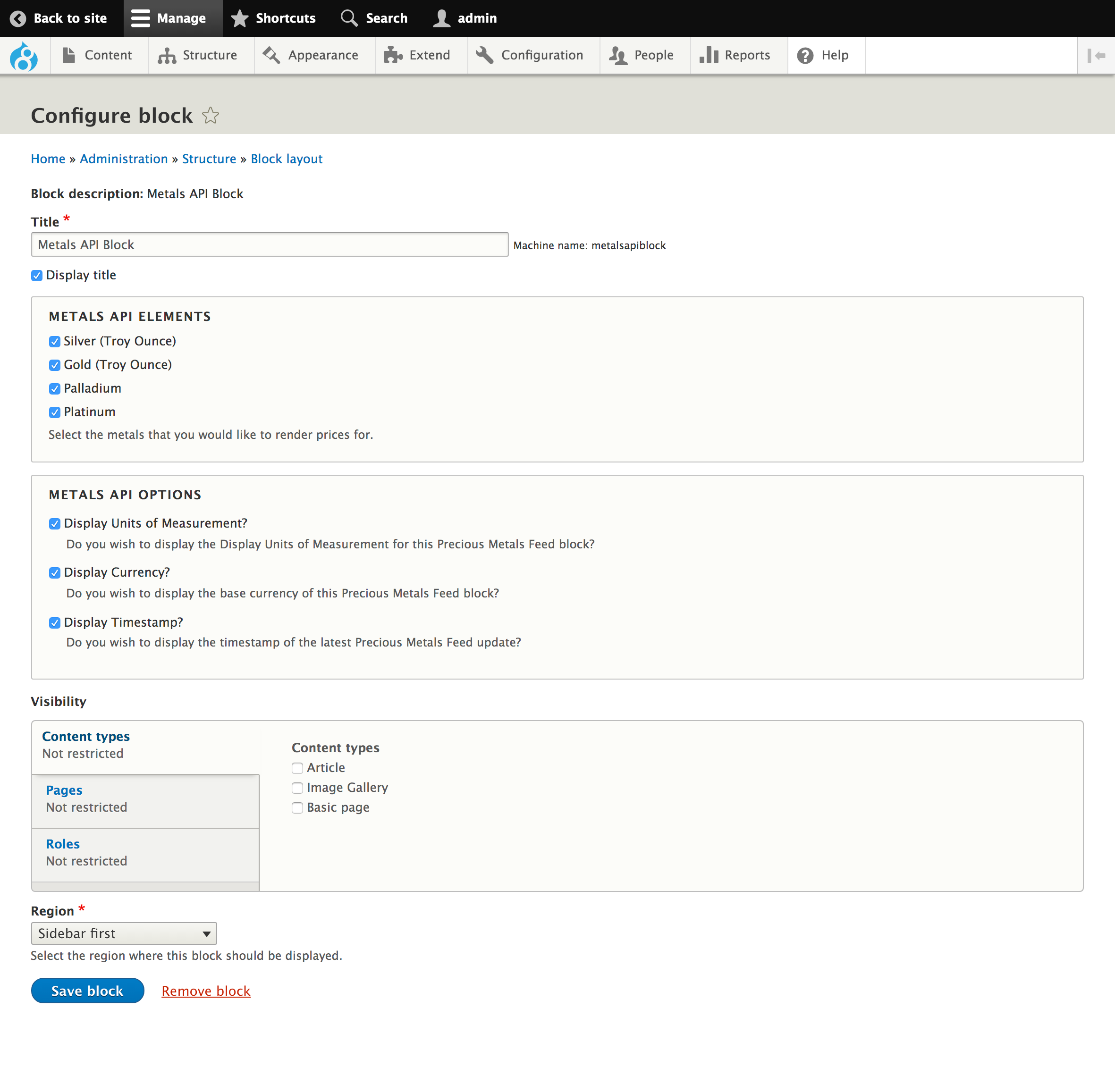
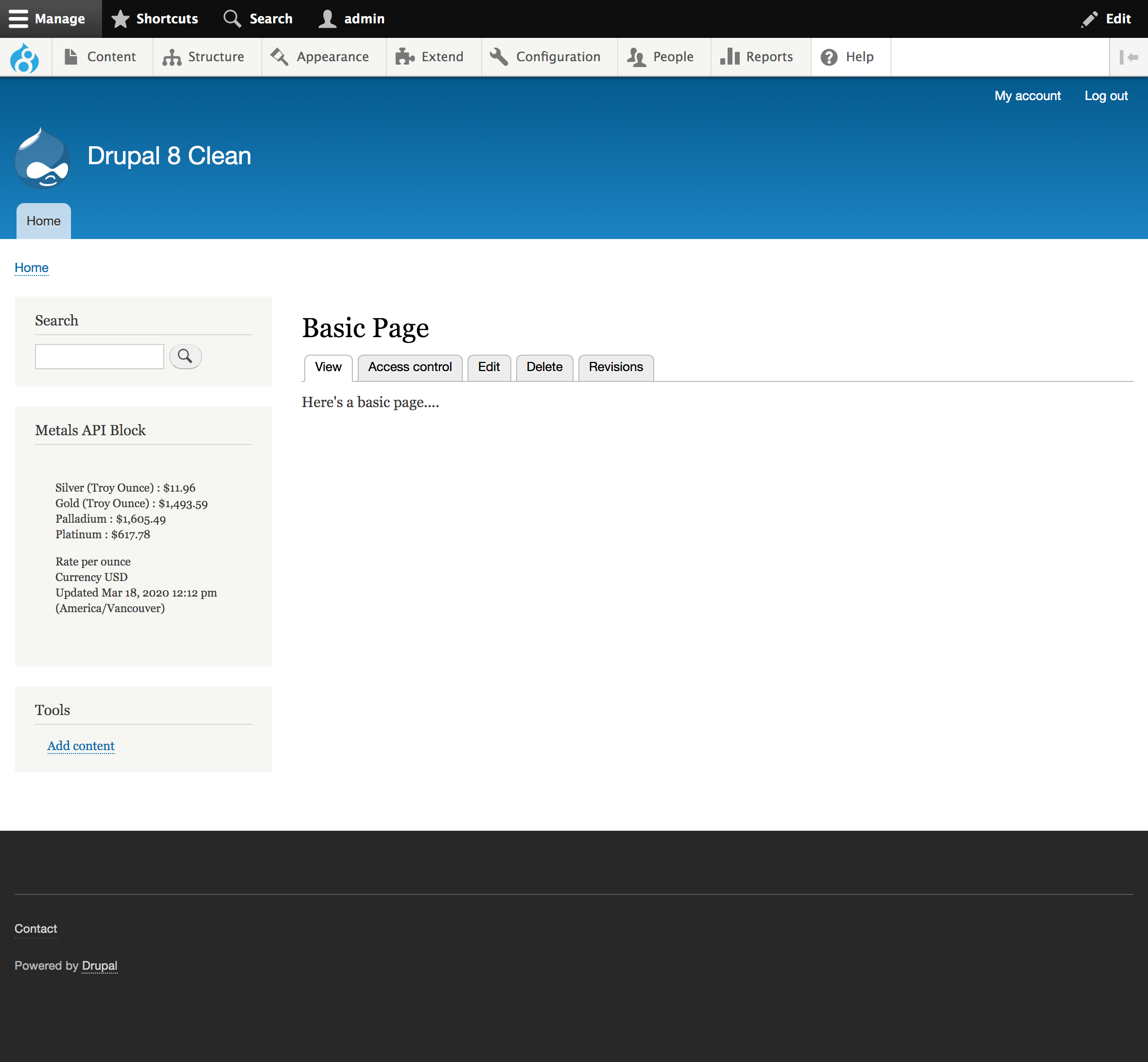
After the API Key and Refresh Rate are set, you can place a Metals API block on your site by navigating to the Structure -> Blocks menu item, clicking Place Block on the region desired and typing Metals API in the auto-complete field. Edit the title, select the metals and options desired and save the block. Providing the API Key is present and active, the block will render and refresh according to the rate you have chosen.
Status
The Stable release is now available for this module.
Project information
- Project categories: E-commerce, Integrations
- Created by awasson on , updated
 Stable releases for this project are covered by the security advisory policy.
Look for the shield icon below.
Releases
released 14 December 2022
Stable release. Automated Drupal 10 compatibility fixes. No known issues
Development version: 8.x-1.x-dev updated 14 Dec 2022 at 22:15 UTC

