

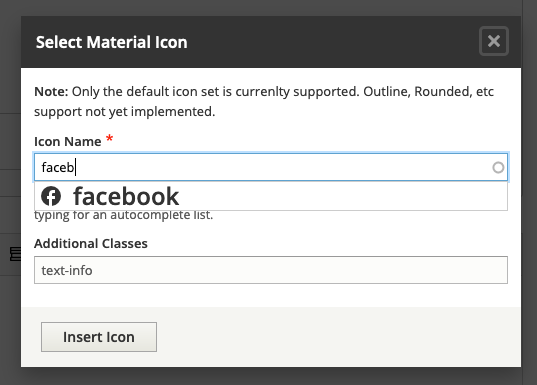


 This module provides access to Material Icons (Google's Icon Font).
Field Support
- A custom Field Type supporting material icons
- Widget options to allow extra settings
CKEditor Support
- Allow using icons inline in CKEditor
Material Icons Library
- Customizable Font Family Selection
- Automatically attached to every page
Version Support
| 1.x | 2.x | |
|---|---|---|
| Core | ^8 || ^9 | >=9.3 || ^10 |
| Field Formatter | Y | Y |
| Material Symbols | N | Y |
| CKEditor 4 | Y | Y |
| CKEditor 5 | N | Y |
INSTALLATION
------------
Install the module per normal
FONT FAMILY:
1. Configure available icon styles at /admin/config/content/material_icons
FIELDS:
1. Add a new field to any entity type of type Material Icons
2. Configure the Form Display
CKEDITOR:
1. Select a text format to enable the CKEditor plugin for
at /admin/config/content/formats
2. Drag the Material Icons button from "Available buttons"
to "Active toolbar"
3. Ensure your text format is not limiting HTML, or has the ability
to have classes on <i> elements
4. Save the text format.
Supporting organizations:
| Attachment | Size |
|---|---|
| Material Logo | 2.99 KB |
Project information
 Seeking co-maintainer(s)
Maintainers are looking for help reviewing issues.- Maintenance fixes only
Considered feature-complete by its maintainers. - Project categories: Content display, Content editing experience, Developer tools
- Ecosystem: CKEditor 4 - WYSIWYG HTML editor
 2,543 sites report using this module
- Created by b_sharpe on , updated
 Stable releases for this project are covered by the security advisory policy.
Look for the shield icon below.


