Active
Project:
jTooltips
Version:
6.x-1.8
Component:
Code
Priority:
Normal
Category:
Bug report
Assigned:
Unassigned
Reporter:
Created:
29 Jul 2010 at 15:29 UTC
Updated:
7 Sep 2010 at 18:57 UTC
Jump to comment: Most recent file


Greetings,
I have jtooltips enabled to show on specific thumbnails, used for navigation in a client site.
Everything is working as intended, but unfortunately a grey box (see attached image) is appearing on all pages. This is only happening in Safari and Chrome of the browsers tested.
One thing that happens is once the jtootips are fired (with mouse over event) on a page the box then disappears and doesn't appear again until the page is reloaded (again see attached image).
Here is the javascript that I am using to initalize the jtooltips:
if (Drupal.jsEnabled) {
$(document).ready(function () {
$('a.tooltip').Tooltip({
delay: 0,
track: true,
showURL: false,
showBody: "; "
});
});
}
Any insight into how to get rid of this box is appreciated.
Thank you.
Scott
| Comment | File | Size | Author |
|---|---|---|---|
| #1 | jtooltips-greybox.jpg | 143.32 KB | homebrewruss |
| jtooltips-issue-1.jpg | 99.15 KB | scott859 | |
| jtooltips-issue.jpg | 102.8 KB | scott859 |



Comments
Comment #1
homebrewruss commentedHi,
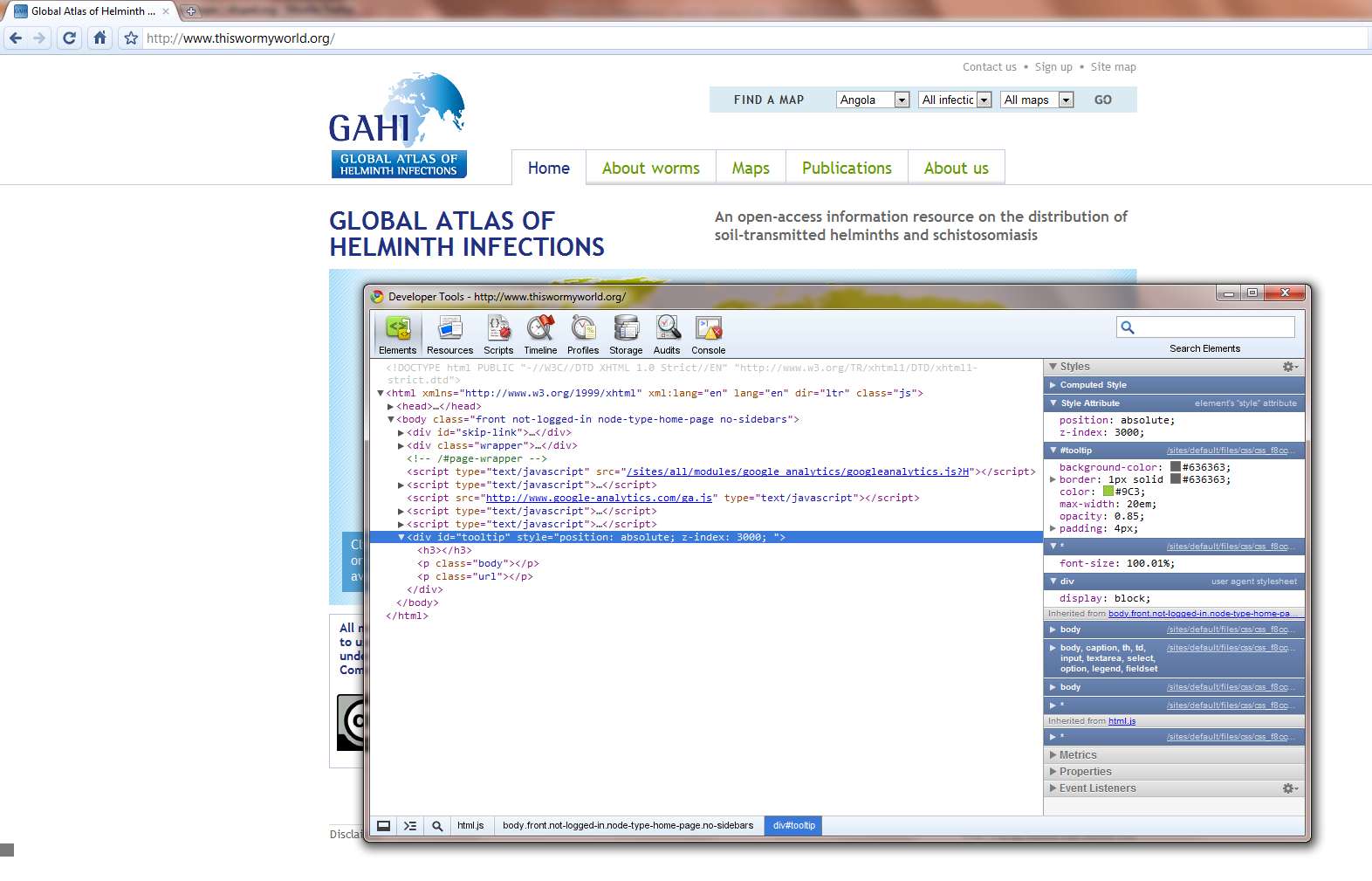
I'm getting the exact same problem on my site, here's a screenshot of the issue + a window on the source code.
any ideas on what might be happening
Thanks
Russell
Comment #2
goldlilys commentedSubscribing. Besides this bug, this is a great addon.
Comment #3
fletchgqc commentedSame problem here with Safari (haven't tested Chrome). My box is orange, which makes sense as we've styled the tooltip popups like that. See http://www.cai.org/ for live "demo" :-). The box is at the bottom left.
Has anyone tested the dev release to see if this resolves it?
Comment #4
homebrewruss commentedThis is a problem with chrome etc not setting the property for the tooltip div to display:none by default.
I've fixed this on my site by just adding one line to my site's css file:
Ideally this property should be added to the module's jtooltips.css file for future releases.
Comment #5
fletchgqc commentedThanks homebrewruss - fix in #4 worked for me!